Kindle Paperwhite Kids Review: Is It Worth It for Your Child?
The Kindle Paperwhite Kids is exactly the same great Paperwhite, just wrapped in a cover, with parental controls and a year of a kids' book subscription thrown in. The markup for the "Kids" version is small, but the peace of mind it buys you is real. Get it if your child is 6-12 and already reading independently — for a three-year-old, it's an expensive toy that's easier to break than to love.
My daughter has broken two phones, one tablet, and one e-reader — a regular, grown-up one, with zero protection. So when it came time to replace it, price wasn't the first thing I looked at. I looked at whether the thing would survive a fall off the couch, and whether my kid could open a browser instead of a book at ten at night.
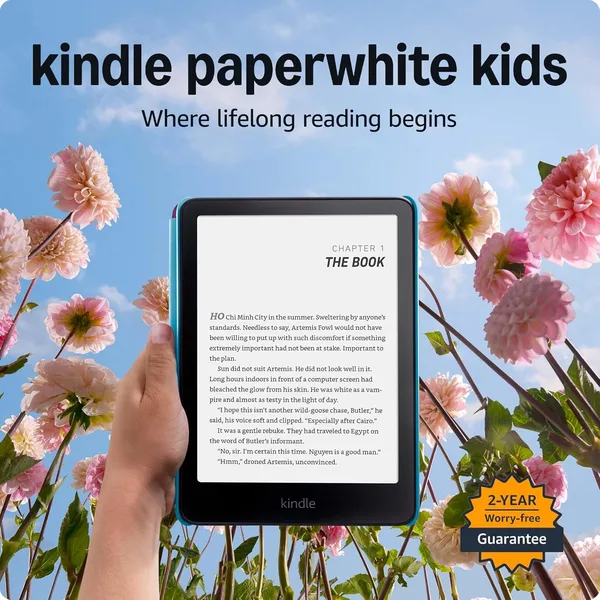
And that's where the difference between a regular Paperwhite and the Kindle Paperwhite Kids starts. Technically, inside it's the same 7-inch screen, the same glare-free display even in direct sunlight on the balcony, the same battery that lasts weeks without a charge. Amazon didn't build a separate "kids" panel — and thank god for that, because it means your child isn't getting a stripped-down device, but a full-featured e-reader with a bumper cover and an Amazon Kids license layered on top.
And that cover isn't just a cute add-on. It's rubber, thick, with clearly padded corners, and after half a year of active use (yes, dropped, yes, left on the floor) there isn't a single crack on the screen. Compared to the separate cover I bought for a regular adult Paperwhite — which let hits through at the corners — this is a whole different level of protection. Honestly, I'd put one of these bumpers on my own device too, except the design is kid-coded — giraffes and bunnies don't really work for business meetings.
The real selling point isn't hardware, though — it's the service: a year of Amazon Kids+ included. That's a library of thousands of children's books, and this is where the first "but" shows up. The catalog is English-only. If your goal is reading material in your own language, the subscription won't help — you'll need to load files yourself via Send-to-Kindle or by dragging over epub/mobi files. It takes five minutes and isn't a big deal, just don't buy this device for the subscription alone if your child reads in a language other than English.
Parental controls are done sensibly, without going overboard. Through the app on your own phone, you can set a reading-time limit, check how many pages your kid actually read in a week (and whether they read at all, or just flipped through covers), and block store access so there are no accidental purchases. A regular Paperwhite has none of this built in — it's either full access to your account, or you set up a separate profile and deal with manual syncing yourself. Here it's built in out of the box.
What's annoying? Two things. First, the default font in kids' mode is a bit small for someone who just started reading independently — you have to dig into settings and bump it up manually, even though that seems like it should be the default. Second, when a child's account "outgrows" kids' mode (and sooner or later, around 12-13, it will), the switch to the adult interface isn't as smooth as you'd hope — some settings and reading stats just get lost along the way.
Compared to a tablet — which is usually the alternative parents are actually weighing — the win here is obvious and it's not about price. An e-ink screen doesn't glow in your kid's face before bed, has no games or YouTube to switch to thirty seconds after you leave the room. It's a device for exactly one thing: reading. Anyone hoping for an all-in-one gadget "for school and cartoons" will be disappointed here — and that's the point, the whole value is in that single-purpose focus.
As for cost, the Kids version runs noticeably higher than a bare-bones Kindle, but stacked against a regular adult Paperwhite plus a protective case bought separately, the gap isn't that dramatic once you count the full bundle. Once shipping and import charges land on top for your country, the final number shifts — check the landed price on the product page before you buy rather than going by the US sticker price.
Who it's genuinely right for: kids who already read confidently on their own, parents willing to check the app's stats once a month, and families where reading really is a struggle — where it's harder to pry a kid away from a phone screen than from a book. Who should skip it: preschoolers who need pictures and interactivity more than text, and anyone looking for one gadget to do everything — just get a regular tablet with parental controls instead, it'll make more sense.
FAQ
If your child actively uses the device on their own — yes, it's worth it. The bumper cover and parental controls genuinely save both your nerves and the device itself in practice. If it's more of a "let's see if they even stick with this" situation, you can get by with the base version plus a separate case.
For reading, the Kindle wins hands down. For "a bit of reading, a bit of drawing, a bit of cartoons," go with a tablet. These are different tools, and trying to make one replace the other usually leaves everyone disappointed.
No, the catalog is English-only. For books in other languages you'll need to load files manually via Send-to-Kindle — not difficult, but the subscription itself won't help there.
As a rule of thumb, 6-8 years and up, once a kid is reading text independently rather than just looking at pictures. For younger children, a paper book or an interactive tablet is still the more useful choice.
Similar gadgets people often weigh against this one: