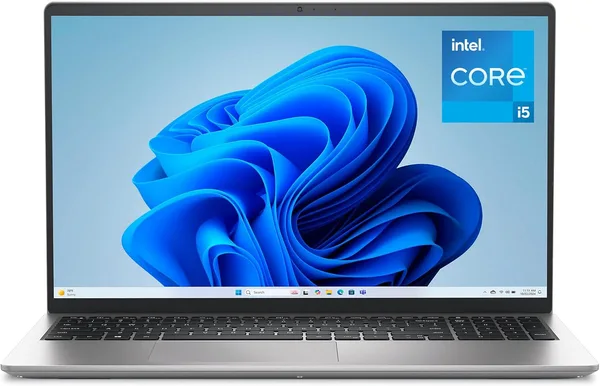
Dell 15 DC15250 Review (i5-1334U, 120Hz): Worth Buying?
The Dell 15 DC15250 does one thing surprisingly well for its class: it delivers a 120Hz screen where competitors in this price segment stick with plain 60Hz panels. But the Core i5-1334U and 16GB of DDR4 put it firmly at office-and-study level, nothing more. If you want smooth motion for text work, browser tabs, and Netflix in the evening, get it and don't look back. If you need serious performance or gaming, this isn't the laptop.
Buying a laptop for mid-range money and figuring 120Hz is something reserved for flagship gaming rigs costing a grand and a half? Here's that rare case where a manufacturer just decided: why not. The Dell 15 DC15250 puts a 120Hz panel in a laptop that, by every other spec, is a typical home-or-office workhorse. No gaming GPU, no OLED, no monster processor. Just a screen that scrolls smoothly and doesn't tire your eyes after an hour of work. And honestly, it feels a lot nicer than it looks on paper.
What this laptop actually is
Inside is an Intel Core i5-1334U, 13th generation, the energy-efficient variant without a "K" in the name — built for battery life over peak power. Paired with 16GB of DDR4 and a 512GB SSD, that's enough for Chrome with twenty tabs open, Excel, Zoom calls, and even light Photoshop work without a meltdown. This isn't a laptop for video editing or heavy 3D rendering, and Dell doesn't pretend otherwise.
The screen is 15.6 inches, Full HD resolution — a standard everyone's used to by now. But the 120Hz is a matter of feel, not spec-sheet numbers. The mouse cursor moves without that barely-noticeable "stutter" you never even registered before, until you try a high-refresh panel. Scrolling in the browser and in documents gets smoother — a small thing, but small things like this are exactly what add up to "this laptop is nice to use every day."
Windows 11 Home comes preloaded, and it's only available in one color — platinum silver, a versatile choice that won't show marks easily. Weight isn't really worth dwelling on — 3.6 pounds (about 1.6kg) is average for a 15.6-inch chassis, neither a lightweight ultrabook nor an arm workout.
Where this screen actually shows up
The main thing here: don't expect 120Hz to work miracles in games. This isn't a gaming laptop, and even running something light like CS or older titles, the bottleneck won't be the panel's refresh rate — it'll be Intel's weak integrated graphics. But in everyday scenarios, the difference is immediate: scrolling a news feed in the browser is smooth; dragging windows between virtual desktops has no jitter; reading a long PDF and scrolling through it fast means your eyes don't have to "catch" each frame separately, and that genuinely reduces fatigue over a long workday.
Compared to something like the Acer Aspire 3, a popular budget option with similar hardware, Dell wins purely on the screen. Processor and memory specs might be close between them, but 60Hz versus 120Hz is a difference you feel in the first five minutes of use, not after a week of reading reviews. If you're instead looking at laptops with newer-generation chips like Intel Core Ultra, that's a different story entirely — stronger graphics, smarter power-saving modes, but usually a higher price too.
Honest downsides
DDR4 instead of DDR5 is already a somewhat dated choice for 2026, and future RAM upgrades will give a smaller speed boost than a more modern memory controller could. Battery life isn't about setting records either: the U-series processor is efficient, but a large 120Hz display drains the battery faster than a plain 60Hz panel, so plan on a workday near an outlet rather than a trip with no charger in sight.
And one more thing that often comes up in real owner reviews: the chassis build is solid, but this isn't premium metal — it's typical mid-range plastic, which looks decent until you compare it to Dell's own XPS lineup. The savings show here, and that makes sense — something had to give to fund that 120Hz screen.
Who should buy it, and who shouldn't
If you're a student, an office worker, a freelancer handling text and spreadsheet tasks, or just want an "everything" laptop without paying for gaming hardware you don't need, this is your pick. The smooth screen makes routine work more pleasant, and the hardware is enough for multitasking without lag.
But gamers, video designers, and anyone who needs discrete graphics or a processor stronger than the U-series shouldn't even glance this way. There's no GPU here, no headroom for years of heavy tasks ahead, and neither the SSD speed nor the memory capacity is built for professional editing.
The listing price is around $725 — a mid-range segment with fierce competition, where Dell wins specifically on its niche screen-refresh trick, not on being "the cheapest in the category."
FAQ
If you're staring at a screen 6-8 hours a day, yes, it's worth it. The difference shows up not in games but in plain scrolling through documents and the browser, and that's exactly where it removes the invisible fatigue of a long day. If the laptop's for checking email once a week, the premium isn't justified.
If smooth motion matters to you, the Dell wins outright with its 120Hz. If the priority is the lowest possible price and refresh rate doesn't matter, the Acer Aspire 3 might turn out to be the cheaper option at a similar performance level.
For a browser with dozens of tabs, office apps, Zoom, and light photo editing — plenty, with room to spare. For heavy professional apps like 4K video editing or working with large 3D scenes, it'll already feel noticeably tight.
Light and older games will run fine, but modern AAA titles at high settings — no, there's no discrete graphics card here, and Intel Iris Xe can only handle undemanding projects at low settings.
Worth checking out similar options in the same price category before you buy: