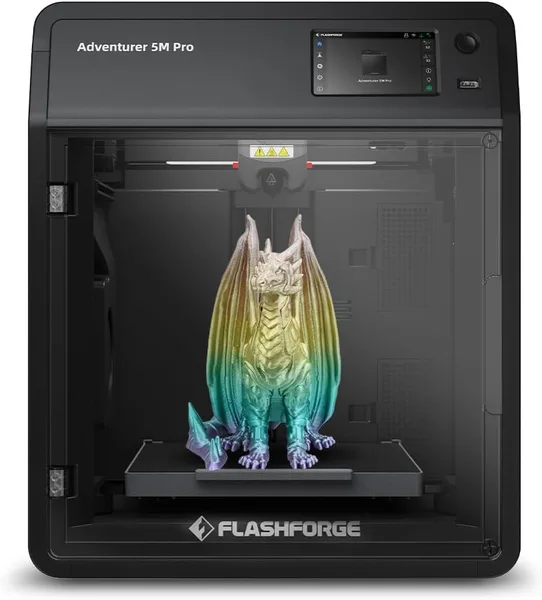
FlashForge Adventurer 5M Pro Review: Is a 600mm/s 3D Printer Worth It?
The FlashForge Adventurer 5M Pro is for people who want to hit "print" and not think about the printer again until the model is done. The speed is genuinely there, auto-calibration just works without any fuss, and the enclosed chamber gives you stability with trickier filaments. The downsides: it's not the quietest machine in the room, and it's not the cheapest way into 3D printing either.
There was a stretch of my life where every evening I'd crouch over my printer with a sheet of paper, checking the nozzle-to-bed gap like a mechanic checking a valve clearance. Nine points, then again, because the first point "looked suspicious." Fine for a budget FDM printer five years ago. But buying a machine in 2026 and still doing that by hand? That's not a hobby anymore. That's a punishment.
The FlashForge Adventurer 5M Pro exists to end that chapter for good. Auto-calibration here isn't a checkbox feature for the marketing brochure — it actually drives off, maps the bed, and within a minute or two the printer has already decided what to do about your uneven glass. My first setup took less time than finding the right STL file in my Downloads folder.
Speed you can actually feel
600 mm/s is the kind of number manufacturers love printing in bold, and it usually means "top speed on a dead-straight line, forget about it in practice." Not here. A typical print — a headphone stand, a Raspberry Pi case — takes roughly half the time it did on my old Ender-style printer. Not the triple-speed the ads promise, but not smoke and mirrors either. The speed is applied intelligently: the printer adjusts acceleration to the model's geometry on the fly, so small parts full of sharp corners don't go flying through them like a bullet train — because that would just wreck the quality.
The real reason you can trust that speed at all is the enclosed chamber. In open-frame printers, ABS or PETG at high speed will happily delaminate from a kitchen draft or an open summer window. Here the chamber holds a stable temperature, and that changes your first-try success rate in a way you actually notice — instead of succeeding on attempt three, at 2am.
Auto-start printing that isn't just for show
"1-Click Fully Auto Printing" sounds like the usual marketing overpromise, but it consistently delivers: bed calibration, flow measurement, checking whether there's even filament left on the spool — all of it happens without you touching anything. The quick-swap nozzle, rated up to 280°C, lets you change tips in seconds for a different diameter or wear level, without waiting for the printer to cool down or burning your fingers with a screwdriver. For anyone printing more than once a year — this is the difference between "a hobby I do on weekends" and "a tool I use every evening after work."
Compared to the Bambu Lab P1S, the machine it gets measured against most on forums, the AD5M Pro loses on the AMS ecosystem for multicolor printing — here that's either a separate module or simply not your thing. But it wins on firmware simplicity: the menus are clearer, there's less to get lost in as a beginner. If you got into 3D printing not for the engineering-hobby thrill of nightly PID tuning, but just to print parts that work, this feels like the less "tech-bro" choice.
Where it genuinely disappoints
Honestly — the fans aren't silent. This isn't a printer you park in the bedroom and forget about while it runs overnight. In a living room or a separate room, no issue, but in a small studio apartment the chamber cooling fans during an ABS print are noticeable. Second: it's not the cheapest way to dip a toe into 3D printing just to see if you like it. Add up the item, forwarding, and import duty for your country on dede.sh, and you'll see it's a real number for a first taste of the hobby — something simpler exists if you just want to try the waters.
A third, less obvious point: the enclosed chamber is great for ABS and PETG, but with some PLA filaments the higher internal temperature can occasionally warp the first few layers unless you manually turn off the extra chamber heating in the settings. A minor thing, but a beginner won't guess it without hitting a forum or the manual first.
Who should buy it, and who shouldn't
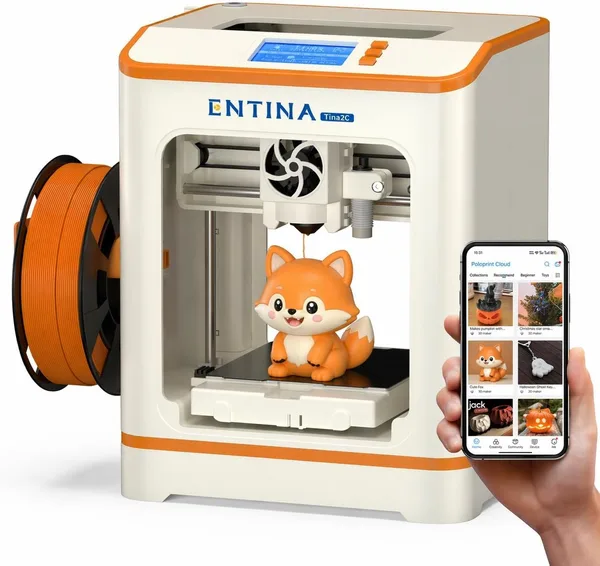
If you've printed anything before and already know manual calibration is the most boring part of the hobby, the AD5M Pro closes that problem entirely. If you're running a small business printing on order — batches, parts, prototypes — the speed and consistency pay for themselves in time, not just in satisfaction. But if you're after a first printer to "just try it out" on a tight budget, look at something simpler like the Entina Tina2C, where the entry cost is lower and there's less risk of souring on an expensive purchase if the hobby doesn't stick.
FAQ
For larger models — yes, the difference is noticeable from the first prints. For small, intricate parts the gain is less dramatic, since the printer deliberately holds back speed to protect quality on corners and fine details.
Technically no — PLA tolerates drafts far better than ABS or PETG. But the chamber still gives you a more consistent result and less risk of warping on large flat parts, so it's never wasted.
If simplicity of menus and fewer settings to fuss with matters most, the FlashForge is friendlier. If you need multicolor printing out of the box, look at Bambu with AMS — that's not this printer's strength.
Calibration, yes, you can forget about it. But the bed still needs a wipe with isopropyl alcohol every few weeks, or first-layer adhesion will gradually get worse no matter how smart the firmware is.