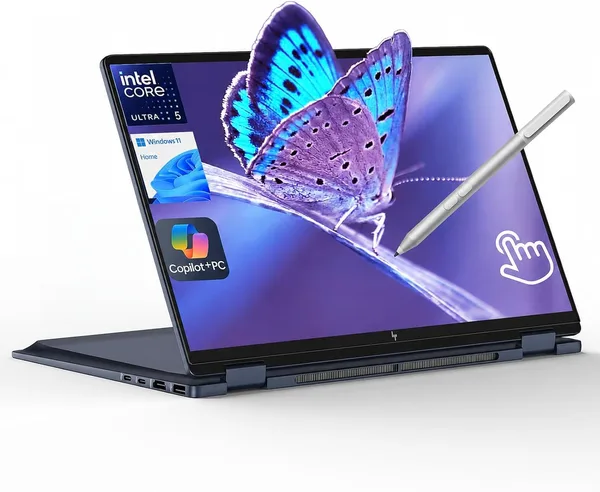
HP OmniBook X Flip 14 Review: Is the 2-in-1 Worth Buying?
The HP OmniBook X Flip 14 isn't a "laptop with a flip screen for the sake of a checkbox" — it's a genuinely useful work tool if you sketch, take handwritten notes, or turn the screen around to show clients something across a table, even occasionally. The battery gets through a full day without drama thanks to the Core Ultra 5 226V, but the 16GB of memory is soldered in for good — and that's the one compromise you need to make peace with before you buy.
I'll admit it: I'm skeptical of convertibles. Half the people who buy a "360-degree flip laptop" never actually fold it into tablet mode after the first week — it's just a pricier laptop that survives a fall off the couch worse than a regular one. But when there's a pen sitting on your desk every day, and client meetings happen across a table instead of over Zoom, a convertible suddenly stops being a gimmick and becomes a tool. That's exactly the niche the HP OmniBook X Flip 14 is aiming for.
First impression: the screen. The 14-inch WUXGA IPS touchscreen doesn't dazzle on paper — it's not 2.8K, and it's not OLED like some rivals offer — but in practice that resolution is exactly enough to keep your eyes from straining while not draining the battery for no reason. And the battery here deserves its own paragraph. Inside is the Core Ultra 5 226V, Intel's Lunar Lake chip, which finally feels built for real life instead of lab benchmarks: the memory sits right on the processor package, power draw drops, and the laptop genuinely makes it through a full workday without you hunting for an outlet at a coffee shop. If you remember earlier HP generations on Core i5, where you'd pack the charger in your bag out of sheer paranoia — that anxiety is gone here.
Tablet mode works exactly the way it should: flip the screen 360°, the keyboard locks automatically, and the pen (sold separately, by the way — it's often not in the box) responds without lag. For notes in a meeting or getting a signature from a client across the table, it's ideal. For pressure-and-tilt sketching, it's decent too, though anyone with a Wacom tablet will still tell you it's not a replacement. The integrated Intel Arc 130V graphics turn out to be a nice bonus: it handles light photo editing, small Premiere projects, and even a few indie games on low settings — not a gaming laptop by any stretch, but a world away from the anemic UHD Graphics that used to ship in every HP business model a couple of years back.
Now for what actually annoys me. 16GB of RAM — soldered in. Forever. That's a direct consequence of Lunar Lake's on-package memory architecture: manufacturers gained power efficiency, but users lost the option to ever add a stick when Windows bloats up again after the next big update. If you're the type who keeps thirty Chrome tabs open alongside Excel with macros and Teams running simultaneously, take a hard look at whether you should just spring for the higher configuration now — there's no upgrading later.
Against the Lenovo Yoga 7i, which also runs Core Ultra and also folds into a tablet, HP wins on battery life and has a noticeably more compact chassis — 14 inches versus Lenovo's 16 is a real difference in a bag. Against the Microsoft Surface Pro, though, it's a different philosophy entirely: Surface is "tablet first, laptop second," with a keyboard sold separately that alone costs about half the device's price. The OmniBook X Flip goes the other way — it's a proper laptop that happens to fold into a tablet when you need it. For most people hunting for one device that covers both the office and the road, that logic is simpler and more honest about the price you're paying.
Rather than quote a single price tag that won't mean much once currencies and customs enter the picture, check the full landed cost to your country — item, forwarding, and import duty rolled into one number — on dede.sh. It's not the cheapest option in the category, but it's not an overpriced brand tax either. For the money, you get a current-generation chip, a good screen, and a touch layer that actually works rather than just existing as a marketing bullet point.
Who should buy it: people who regularly meet clients or students face to face — consultants, teachers, salespeople who present on the spot; students who take handwritten notes; anyone who values battery life above almost everything else and hates carrying a charger. Who should skip it: gamers and video editors who need a discrete GPU; anyone who wants the option to add memory down the road — that's simply off the table here; and anyone expecting OLED-level brightness for this money — the IPS panel is good, not stunning.
The bottom line is simple: if a touchscreen and a pen aren't a nice-to-have but an actual daily habit for you, this laptop will pay for itself faster than you'd expect. If 360° rotation is just a "might come in handy someday" feature, save the money and get a regular laptop on the same chip without paying extra for the hinge.
FAQ
For a browser with a dozen tabs, Office, and Zoom — plenty, Lunar Lake is well-optimized for Windows. But if you habitually keep Photoshop, several virtual machines, or Teams alongside a heavy Excel file all open together, you'll feel the slowdown by late afternoon. And you can't add more memory later — it's soldered in.
If longer battery life and a smaller footprint in your bag matter most, go with the HP: the 14-inch size and Lunar Lake get you through the day without a recharge. If you want a bigger screen for spreadsheet work or editing and don't mind carrying something heavier, the Lenovo Yoga 7i with its 16-inch 2K display is noticeably easier on the eyes.
No. The touchscreen and tablet mode cost real money and a bit of extra weight. If you're certain you'll never flip the screen around or sketch with the pen, a classic laptop on the same processor will cost less with zero loss in performance.