Lenovo 300e Chromebook Gen2: The Indestructible School Laptop at $65
Lenovo 300e Chromebook Gen2 is that legendary indestructible chromebook schools handed to thousands of kids, now flooding secondhand markets at ridiculous prices. Grab it if you genuinely need a kid-proof device or backup laptop and understand it's cloud-first light machine. Skip it if expecting anything beyond browser and Zoom.
Recognizable instantly — even before looking at the brand. Thick rubber corners, "book" hinge rotating 360 degrees, that specific matte plastic engineered to look unbreakable. This is school chromebook. The one that survived backpacks, falls, and thousands of kid hands. Lenovo 300e Chromebook Gen2 is the most visible example.
Here's the thing: these laptops get bought by schools en masse, sometimes for entire districts for years ahead. Then contracts end or equipment gets replaced, and it hits secondhand markets in waves. Often "renewed" or "refurbished," sometimes just used with inventory-number stickers on the lid. Price sounds like mistake — rumored $65 for a real working touchscreen laptop that converts to tablet.
What This Actually Is
Intel Celeron N4020, 4 GB RAM, 32 GB built-in storage. On paper this looks calculator-level. And there's truth to it: if Windows logic is your native language, this spec sounds like punishment.
Chrome OS plays by different rules. System is light, starts in seconds, updates backgrounded, never knows thing like "blue screen of death." 32 GB isn't disk for your files — it's space for system and handful of apps. Everything else — hm, cloud. If you're internally ready for that lifestyle, machine feels surprisingly lively for its "guts."
11.6-inch screen, touchscreen, hinge spins full 360 turning thick chunky tablet. Unlike many "converters" where tablet mode is gimmick nobody uses, this actually works — Lenovo/Acer nailed this years ago and keep repeating. Lenovo 300e converts smoothly and easily stays in any angle you fold it.
Where It Shines vs. Struggles
Best scenarios: kid in elementary grades needs second device for school (cheap enough loss doesn't hurt), elderly person for Viber and news (nothing to break or get infected), backup "just in case" while main machine at repair. Or school classroom where durability over six years matters more than raw specs.
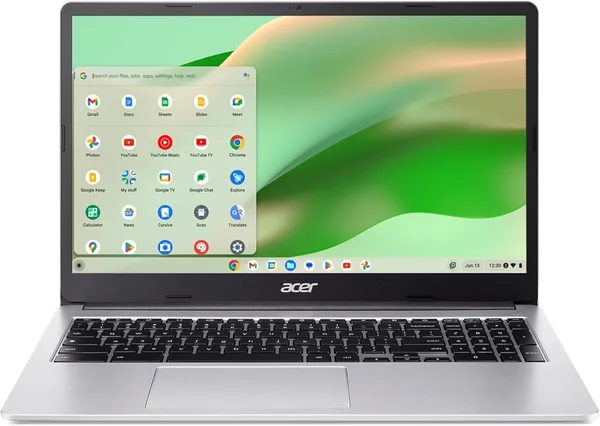
Compared to Acer Chromebook 315 also floating around secondhand: bigger 15.6" screen there, no touchscreen or conversion to tablet, less "armored" chassis. HP-style budget Windows laptop same price: more RAM usually, actual Windows OS, but takes longer to boot, battery dies faster, and that "school model" build just doesn't exist.
Main selling point versus time: this chromebook lived its life designed for drops, spills, and abuse. Keyboard scratched from thousand kid fingers? Absolutely. But it survived. Compare to random Marketplace laptop and you're definitely getting something that already proved durability through actual war.
Real Talk About Compromises
Biggest problem: 32 GB storage is genuinely small. Couple Android apps, offline map cache, phone photos synced — and space's gone. Second: this is legitimately b/u school tech, keyboard will be "experienced." Screen might have marks. It's not pristine, and listing photos rarely show all the wear.
Essential truth: if you need proper laptop for Photoshop, heavy files, or serious Windows software — forget it. Bought "because cheap" such machine sits in a drawer in two weeks.
Shipping and import add to base price, but total still ends up as cheapest reasonable-working-machine option on market.
Verdict
Grab if: need simple, nearly indestructible second device for kid, elder, or "just in case," and you genuinely understand it's cloud-light machine, not workstation.
Avoid if: expecting desktop software, do serious work, or think "cheap" means "good at everything." That's not how this works.
Preguntas frecuentes
No, not really. For browser with many tabs, Google Docs, Zoom and light Android apps — okay. For montagevideo, important files collection, or parallel running heavy programs — no, even don't attempt.
300e: smaller, touchscreen, converts to tablet, more "armored." Acer: bigger 15.6" screen for comfortable reading, no conversion. Pick by scenarios — cramped travel or desk work?
Windows straight no, hardware doesn't support and logic defeats. Android apps from Play install natively, main perk Chrome OS has over old chromebooks without Play support.
If goal is cheap, reliable, second-tier device — yes, absolutely. One of smartest buys. Just check actual keyboard and battery condition in listing, not just price.
Similar options if you want slightly different class of device: