Lenovo Business Laptop with Copilot AI (2026): AI Button Worth the Hype?
Daily workhorse: i5-13420H and 16GB DDR5 handle office, browser with thirty tabs, and Zoom without complaints, while Copilot button is nice bonus, not reason to overpay. Buy if hunting predictable business laptop without gaming dreams; skip if you need discrete graphics or sub-kilogram portability.
The Copilot button on the keyboard is what jumps out first when you open this. And immediate question hits: isn't this just another Intel-Inside sticker marketing move like decades ago? Partially yeah. But the machine underneath that sticker turned out to be solid working horse that just does its job without drama.
What This Actually Is
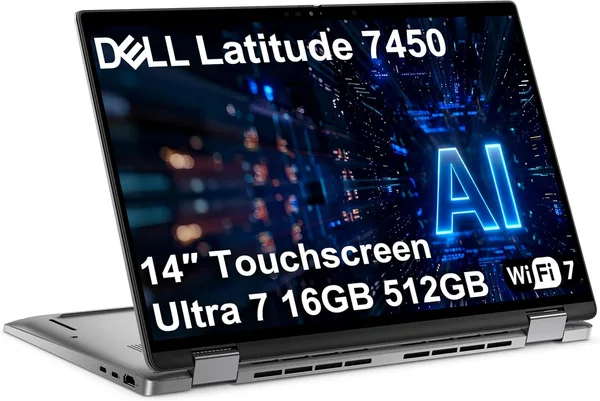
Intel Core i5-13420H, thirteenth generation, with 16 gigabytes DDR5. No records, but exactly that combo now standard across Dell, HP and Lenovo business lines — not because it's fastest market solution but because it hits balance of price, battery life, and productivity for typical office tasks. Compare to Dell Latitude 7450 — direct competitor in spirit and price — and this Lenovo has less "transformer" gimmicks like 2-in-1 screen, therefore simpler and cheaper.
Copilot here is effectively Microsoft assistant one button press away. Genuinely useful when you need to on-the-fly rephrase client email or summarize fat document without hand-scrolling it. Does this change life? No. Save ten minutes daily for someone living in Outlook and Word? Possibly.
How It Works in Reality
I'd describe it like: boot morning, email opens, CRM loads, several Chrome tabs, Teams backgrounded — and you forget you're even on a laptop, just tool that responds. That's how business machines should feel. No "this will freeze soon" dread like cheap Celeron models at similar price. 16GB RAM makes difference here: open heavy Excel, dozen tabs, video call going simultaneously — machine still trudges forward. Try rendering video or running hard Docker containers — hits ceiling fast, but that's not these machine's job.
Battery life solid — this processor class doesn't need juice like gaming chips. Works-from-cafe scenarios, forgot charger today, rough situations where you're not desk-bound — battery carries you. Important for business where mobility and "don't need outlet every two hours" matters.
Real compromises worth saying: not gaming, not creative laptop. Integrated graphics only, so video editing in 4K or current AAA games run into walls. If you specifically need graphics power, look at models with discrete RTX like Asus V16 with RTX 5070 — but that's entirely different budget and audience.
Against What to Compare
Main thinking competitor: classic ThinkPad or equivalent Dell Latitude, but without Copilot sticker, or that-same model with it. Difference mostly details: keyboard nice but not legendary "like ThinkPad used to be," chassis and hinges solid without feeling premium like business-class top tier — this is mid-tier for reason.
If trading up from MacBook Air 2020 on i5 somewhere — this Lenovo wins on fresh platform and Windows ecosystem familiar to most Ukrainian offices where everything bakes down to Excel-macros and 1C software. Speed-wise different generation, newer tech, but older MacBook still works fine if quieter.
Who Should Buy, Shouldn't
Buy if: you're manager, accountant, analyst, or anyone needing predictable tool without surprises, valuing all-day battery over bright GPU. Laptop honestly fills its niche.
Don't if: gaming evenings after work, video editing, heavy 3D graphics — this becomes pain. And not if weight under 1kg critical: this is comfort-work class, not ultraportable.
Price around $665 base offer, bringing imported to your country stays competitive against what local shops ask for similar config.
Preguntas frecuentes
Real utility exists but modest: quick text summarizing and draft generation. If you're already ChatGPT/Copilot active in browser, separate keyboard button is convenience, not game-changer — reason to choose this model, probably not.
Latitude stronger on 2-in-1 form and slightly premium chassis feel, pricier. This Lenovo simpler pure-laptop choice if you don't need tablet conversion — same capability, less feature premium.
Yes, for typical office scenario — email, heavy spreadsheet, many tabs, Teams — works with buffer. Problems start if you add VMs or video-render, different workload class.
No, integrated graphics only, modern AAA games run lowest settings, low FPS at best. Casual browser games fine, serious gaming needs discrete GPU.