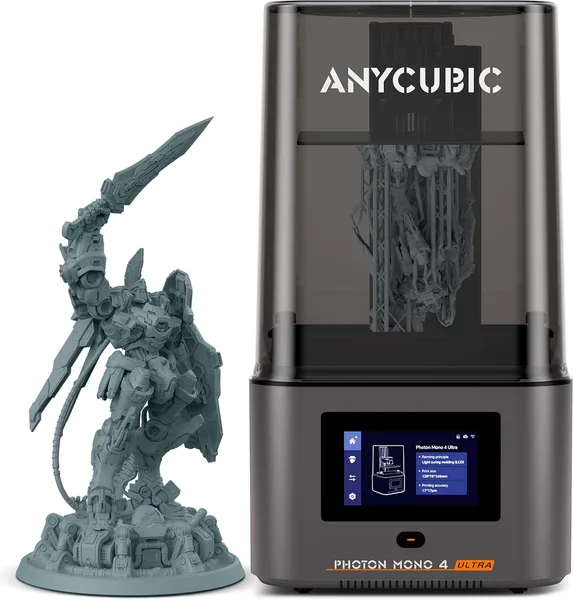
ANYCUBIC Photon Mono 4 Ultra Review: Is This 10K Resin Printer Worth It
The Photon Mono 4 Ultra is a resin printer for people who are already fed up with photopolymer's quirks and just want fast, detailed prints without wrestling the vat every session. Around $349 before shipping — check the full landed price to your country on dede.sh, since forwarding and import duty change the real total — it's one of the smarter picks in the "8K+" bracket, but I wouldn't hand it to a total resin beginner. Start cheaper first.
Picture this: you order a tabletop miniature, print it on a budget FDM machine, and it comes out looking like something molded from Play-Doh in a dark room. Layer lines everywhere, facial details melted into a blob. Sound familiar? That's exactly why people jump to resin. And that's where the Photon Mono 4 Ultra comes in — not ANYCUBIC's first resin printer, but easily one of its most thought-out.
What it actually is
A 7-inch monochrome 10K LCD is basically the going standard in this price bracket now, nothing to write home about. What does deserve a closer look is the COB (chip-on-board) light source. Unlike an array of individual LEDs, COB delivers much more even illumination across the whole build plate. In practice that means less exposure variance between the center and the edges — fewer under-cured corners, fewer surprises when you've nudged a model toward a corner of the plate to squeeze more parts into one run.
The claimed print speed of up to 120 mm/hour is, predictably, a marketing number — real-world speed depends on layer height, resin type, and how level your plate actually is. Even accounting for that, it's noticeably faster than the previous-gen Mono X, or even the plain Mono 4 without "Ultra" in the name (also in our catalog, cheaper, and worth a look if speed isn't your priority).
Living with it day to day
This is where things get interesting. The Anycubic Photon Workshop slicer isn't the prettiest interface out there, but it's improved over the past year — auto support placement is noticeably smarter now, though for fine details (fingers on miniatures, thin antennae on robot models) I'd still nudge the supports by hand. Trusting the auto-placement blindly is a recipe for a ruined print and wasted resin, which, by the way, isn't cheap either.
The COB light source really shows on large plates. I ran a batch of 20 small miniatures scattered across the entire build area, and for the first time in a while I didn't see the usual pattern of "perfect center, slightly under-cured corners." If you do small-batch printing to sell, or print for a whole gaming group at once, that's not a minor perk — it's real time and resin saved.
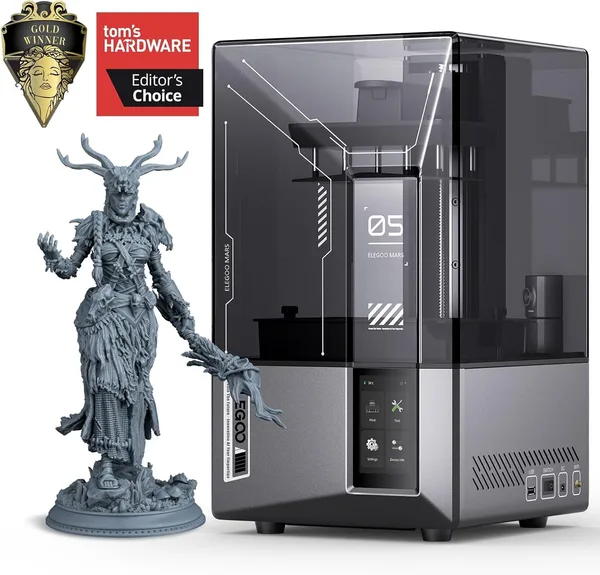
The main rival here is Elegoo, specifically the Mars 5 Ultra. Elegoo has a clever mechanical resin-level sensor and Wi-Fi clustering for running multiple printers — more of a workshop feature than something a home hobbyist needs. ANYCUBIC skips that, but its resolution and light uniformity are a touch better. Being honest about it: Elegoo is friendlier in daily use, ANYCUBIC gives you slightly better surface quality. For a solo hobbyist I'd pick ANYCUBIC; for a small print shop, I'd lean Elegoo.
Another competitor that doesn't come up as often in casual conversation is the Phrozen Sonic Mini 8K S. Its screen resolution is lower (8K vs 10K), but Phrozen has traditionally had rock-solid firmware that rarely glitches during long overnight prints. ANYCUBIC's firmware has gotten better with recent updates too, but mine did hang a couple of times right at a layer transition during prints past the 6-hour mark. Not a dealbreaker, but keep it in mind if you're planning big overnight jobs.
Ventilation isn't optional — that's not advice, that's a fact. Resin (especially standard, non-low-odor formulas) smells sharp, and without an exhaust fan or at least an open window your room turns into a chemistry lab. Washing and curing after each print also eat time — this isn't a printer where you hit "print" and walk away for good. There's a whole ritual: drain, rinse in isopropyl alcohol, cure in sunlight or under a UV lamp. If you're not mentally ready for that, look at FDM instead.
Who should buy it, who shouldn't
If you make D&D miniatures, jewelry models, dental guides, or prototypes with fine detail, this printer earns its keep. The 10K detail is visible to the naked eye even on small elements like weapons held by 28mm-scale minis.
If you need a printer for functional parts — brackets, enclosures, drawer handles — resin loses to plain FDM on both strength and material cost. Resin parts are more brittle, and resin costs more per kilogram than filament. In that case, take a look at the FDM machines in our 3D printer catalog instead.
Two honest downsides. First, consumables and chemicals (isopropyl alcohol, gloves, UV curing) cost more and take up more space than a simple spool of filament. Second, shipping and import costs add a meaningful amount on top of that ~$349 base price, so work out the full landed cost ahead of time rather than anchoring on the marketplace sticker price.
FAQ
If you print batches of several models at once or you're racing against order deadlines — yes, the Ultra earns its price with faster printing and more even COB illumination. If you're printing one model a week for yourself, the price gap might not pay off; go with the base version.
Both are strong, it's practically a coin flip. ANYCUBIC edges out on surface quality thanks to its COB light source; Elegoo is easier to live with day-to-day thanks to its resin-level sensor and stronger community support. I'd base the decision on which resin and spare parts are easier to source where you live.
For most jewelry prototypes, yes, easily. But for industrial investment casting with extremely fine engraving, professionals still tend to reach for specialized printers with even higher resolution. For hobbyists and small workshops, 10K is more than enough.
Operating the printer itself isn't hard, and the slicer is intuitive. The harder part is getting used to the whole resin ritual — washing, curing, disposing of leftovers properly. If you've never worked with resin before, start with a cheaper model first to find out whether the process is even for you.