Anycubic Kobra S1 Combo Review: Is the Multi-Color CoreXY Worth It?
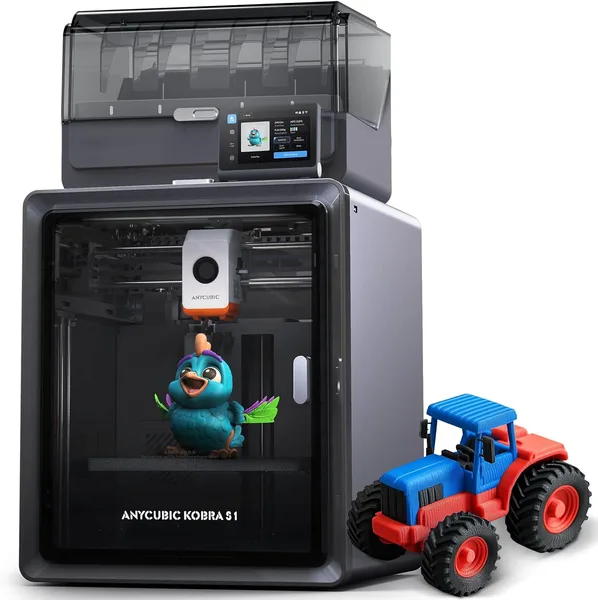
The Kobra S1 Combo is a CoreXY printer with an enclosed chamber, active filament drying, and a multi-color unit that genuinely prints fast with almost no fiddling. The catch: the multi-color module chews through filament on nozzle purges, so if you mostly print in a single color, you're paying for a feature you'll rarely touch. For anyone who wants colorful prints without a separate AMS box and can live with some wasted material, it's one of the smarter picks in its price bracket.
There's a moment that ruins the mood for anyone getting back into 3D printing after a year or two away: you expect the tech to have moved on, and instead you're standing there with a heat gun, drying out PLA that soaked up moisture sitting on a shelf for a week, cursing the day you decided to "save money" and skip the dryer box. Anycubic clearly felt that pain too, because they built an active filament dryer straight into the Kobra S1 Combo's chassis. Not a separate box hogging another outlet — a built-in module that keeps the spool dry while it's actively printing.
That alone changes how you work. I used to keep filament in sealed containers with silica gel and pull out only what I needed for a print; now the spool just sits in the printer and humidity stops being something I think about, even in a muggy summer. Small thing, but it saves a lot of aggravation.
What you actually notice while printing
The CoreXY kinematics here aren't just a spec-sheet flex. That claimed 600 mm/s isn't a number you see in the marketing copy and then watch collapse to 150 mm/s in real use, the way it did on cheaper bed-slinger machines. The Kobra S1 genuinely flies on simple geometry — vertical walls, round enclosures, brackets without nasty overhangs. On complex parts loaded with small details, speed drops off, because "the trickier the toolpath, the less point there is in maxing out speed" is still true no matter the machine. But the fact that it holds decent quality at 300-400 mm/s without ringing artifacts on the walls puts it in a different league from what the market offered a couple of years ago.
The enclosed chamber isn't just for looks. It genuinely keeps temperature stable when printing ABS or PETG, and you feel it on large flat parts — less corner warping, less bed lift-off. If you print exclusively PLA for figurines, the chamber won't do much for you beyond quieter operation (the noise really is muffled) and keeping curious kids or cats away from a hot hotend.
Now, the headline feature — multi-color. There's no separate AMS-style unit with its own spools here, the way Bambu Lab or FlashForge do it; Anycubic went its own route, integrating everything into the print head itself. It works honestly: colors lay down cleanly, transitions between materials happen without obvious blobbing on the model. But there's a catch sellers tend to skip over — purging the nozzle between colors builds a sizable waste tower. On a medium-sized part with three colors, you can easily lose 15-20% of your filament to the trash. If you're counting every gram of plastic, especially if you're importing it, budget for that up front instead of being surprised after the fact.
What it's worth comparing against
The obvious rival in spirit is Bambu Lab with AMS, but that add-on costs almost as much as a second printer, and the "buy the module later" logic really just stretches out the total investment. The Anycubic Kobra S1 Combo, by contrast, comes as one package — multi-color and the dryer are both included from the start. For anyone who doesn't want to piece together an ecosystem from separate purchases, that's a genuinely simpler path.
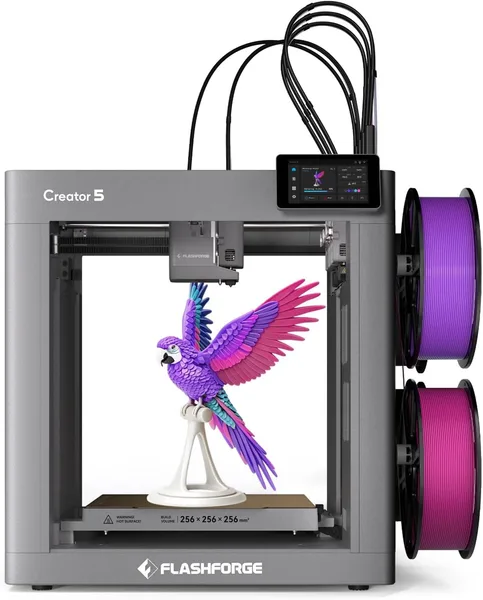
Stack it against something heavier like the FlashForge Creator 5 with its toolhead-swapping system, and that printer wastes less material per color change thanks to dedicated nozzles per material — but that's a different weight class entirely, in price, footprint, and maintenance complexity. For a home workshop or a small print shop, the Kobra S1 is the more practical trade-off.
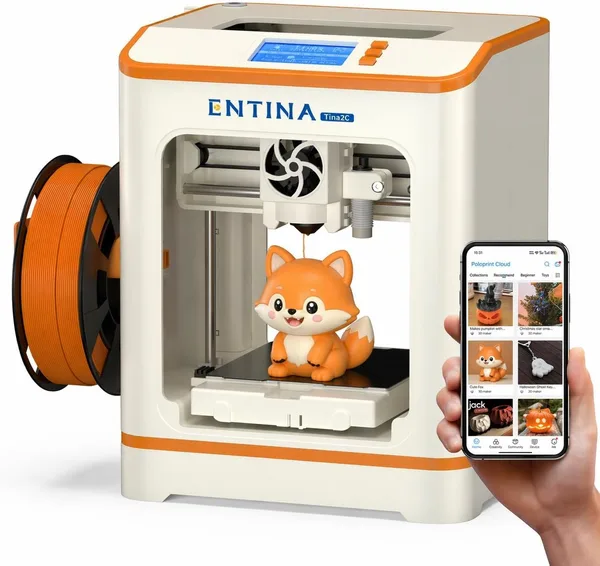
And if you're not even sure 3D printing is for you, or whether it's just a month-long novelty, it's worth looking at simpler starter machines like the Entina Tina2C. It's dramatically cheaper, assembles in minutes, and is a solid way to find out if the hobby sticks before sinking money into a multi-color CoreXY.
Who should buy it, and who shouldn't
Buy it if you genuinely need color printing on a regular basis — cosplay parts, multi-material toys, prototypes with color-coded functional zones. The speed and enclosed chamber are a bonus that makes the process more pleasant, not the main reason to buy.
Skip it if you mostly print single-color technical parts — brackets, cases, spare parts. The multi-color module will just sit idle, and you'll be paying for a feature you unbox once a quarter to show friends. In that case, a plain single-color CoreXY from the same brand will be both cheaper and easier to maintain.
The other real trade-off is filament wasted on purging between colors. That's not a flaw specific to this printer — it's just the physics of multi-color printing without dedicated nozzles. Just factor it into your cost-per-part math.
Rather than quote one price tag that won't hold up across markets, check the full landed cost for your country on dede.sh — item price, forwarding, and import duty rolled into a single number — before you commit.
FAQ
For day-to-day printing, yes, easily. The dryer keeps the spool that's mounted in the printer at an acceptable humidity while it's in use. For long-term storage of spools you're not currently printing, though, a sealed box with silica gel still helps — the printer dries what it's actively feeding, not your whole stash on the shelf.
If you need multi-color from day one, the Kobra S1 Combo is the simpler, cheaper route, since everything ships together and is already tuned for one printer. AMS-style add-ons are usually more flexible (you can move them between machines), but that's a separate purchase, separate setup, and typically a higher total cost.
No. The multi-color module raises the price and adds some maintenance overhead (more nozzles, more calibration), with zero benefit for single-color printing. Look at simpler models from the same maker without the Combo unit instead.
The machine genuinely can print at that speed on simple geometry without losing quality — it's not an empty number on the box. On parts with complicated toolpaths, the printer throttles itself back, because otherwise accuracy would suffer. That's normal behavior for any modern CoreXY, not a flaw unique to this model.
Worth a look alongside it: