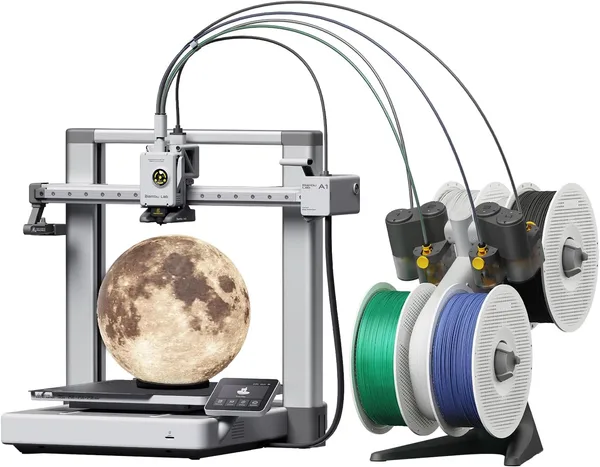
Bambu Lab A1 Combo Review: Is the Budget Multicolor 3D Printer Worth It?
The Bambu Lab A1 Combo is an A1 printer plus the AMS lite feeder — a full multicolor 3D printer without the enclosed shell you get on something like the X1 Carbon. It prints fast, calibrates itself, and covers most home projects without breaking a sweat. The trade-off is the open frame: engineering plastics like ABS will give you grief, but with PLA and PETG this thing shines.
Here's the part that trips people up the first time they hear about the Bambu Lab A1 Combo: it's a printer with no doors, no walls, completely open to the room — and yet it's this machine, not the enclosed X1 Carbon, that turned multicolor printing into something ordinary hobbyists actually do. Strange? Not really, once you realize the AMS lite — the four-spool feeder module — costs less bundled here than a single add-on unit does for the flagship models. That's the whole pitch of the Combo bundle: you're not paying for a case, you're paying for the ability to print one model in four colors without babysitting a filament swap.
What the AMS lite actually changes
Printing with a single-color machine and printing with an AMS-equipped one are basically two different hobbies. Without an AMS, you either stick to solid colors or pause mid-print, swap the spool by hand, and hope the color transition looks clean. With AMS lite, the printer swaps filament on its own via G-code commands, so the same keychain or figurine comes out with a gradient or a second-color logo without you touching anything. There's one catch: every color change purges a bit of filament to clean the nozzle — noticeable on small parts, barely worth mentioning on big ones.
The A1 on its own is already a solid base: active flow calibration, automatic nozzle-height measurement, a built-in lidar that checks the first layer as it prints. None of that existed in the sub-$500 bracket a few years back — you'd be calibrating with a sheet of paper like it was 2019. Now you press a button, and the printer checks bed levelness at nine points in a couple of minutes.
Where the open frame actually gets in your way
This is where the honest conversation starts. The Bambu Lab A1 Combo is not an enclosure printer. No walls, no controlled microclimate inside. For PLA and PETG that's a non-issue — they print great at room temperature, and that's exactly where the A1 performs best. Try printing something large in ABS or ASA near a drafty window in winter, though, and you'll get warping, corner cracking, uneven edges. Experienced users fix this with DIY heat boxes built from plywood, or even just a cardboard box on top — and it works, but it's a workaround, not something that comes in the package.
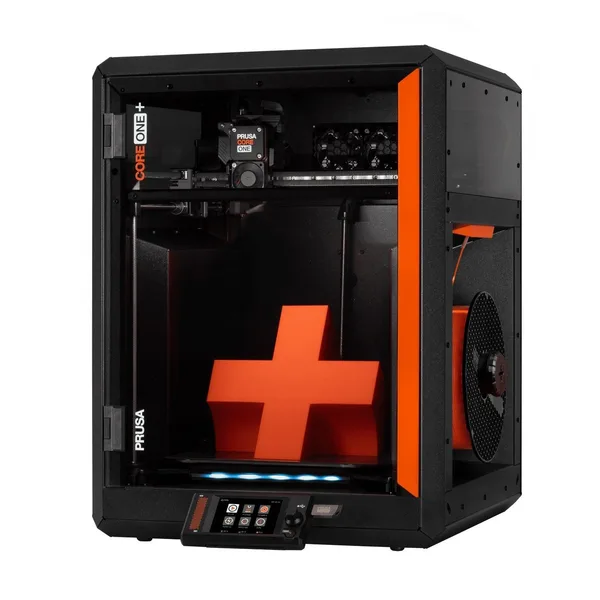
Compared to the Creality K1 — enclosed, and faster on paper — the A1 Combo loses on temperature control but wins on how painless the firmware and slicer are. Bambu Studio genuinely needs less fiddling on first setup. Stack it against the Prusa MK4, the enthusiast gold standard for reliability, and the Prusa is pricier, slower, but carries years of earned trust — and multicolor there isn't native either, it's a separate MMU module known for being finicky. In that three-way comparison, the A1 Combo is the fastest, cheapest on-ramp into multicolor printing, with the open-frame caveat baked in.
The LED lighting bundled in this kit is a small thing, but a genuinely nice one: if your printer lives in a closet or a dim corner of the garage, a lit build plate isn't a gimmick — it's how you actually catch a bad first layer in time.
Who should buy it, and who should wait
If you want to start printing multicolor parts, toys, organizers, cosplay pieces — and you're fine keeping the printer somewhere warm and draft-free — the Bambu Lab A1 Combo is one of the smartest entry points into the hobby for the money. It forgives a ton of beginner mistakes thanks to auto-calibration, and the learning curve is far gentler than with cheap build-it-yourself kits.
If your goal is functional engineering parts in ABS, nylon, or carbon-filled plastic meant to handle real load, look at enclosed machines instead. The open frame here isn't about cutting corners on parts — it's a fundamentally different class of job.
Worth flagging: pricing on marketplace listings for this exact kit can swing wildly, and a price that looks too good to be true usually means either a clearance unit or a stripped-down bundle missing some accessories — not a pricing mistake you can bank on. Check the full landed cost — item, forwarding, and import duty rolled into one number — on the dede.sh product page before you buy, and don't go by the listing title alone.
If you're still shopping for peripherals — quick-connect filament splicers or other consumables — it's worth browsing the 3D printers and accessories catalog on dede.sh, where new listings from different marketplaces show up regularly.
FAQ
For four colors, yes — and that covers 90% of home projects: logos, gradients, multi-color parts in a single model. If you need more than four colors at once, you'll have to combine cassettes or swap filament by hand between print jobs.
If your priority is a fast start with no firmware wrestling and a slicer that just makes sense, go with the A1 Combo. The enclosed K1 is the better pick if you're already planning to print ABS or ASA and don't mind a bit more setup fuss.
For PLA and PETG, no — print it as is. If you're planning on ABS or ASA, an enclosure (even a DIY one) becomes close to mandatory, or you'll be fighting warping on anything sizeable.
Functionally, no — it's the same feeding mechanism at heart. The real differences are spool count and swap speed, not build quality; "lite" doesn't mean worse.