Creality CR-Scan Raptor Pro Review: Worth It Over a Cheaper Scanner?
The Raptor Pro isn't for someone who "wants to try 3D scanning once in their life." It's a tool for people who actually restore parts, build props, or digitize complex geometry, and are willing to pay for not having to spray-paint black plastic before every scan. If your job is occasional simple objects, a cheaper blue-laser-only scanner pays for itself faster.
Picture this: a plastic bracket from some old appliance snaps, and it hasn't been manufactured in a decade. Calipers, a pencil, an hour in CAD — and you still get the curve angle slightly wrong, because eyeballing complex curvature just doesn't work. This is exactly the moment handheld scanners exist for. Not for designing from scratch — for taking a real object and turning it into a model you can refine and print.
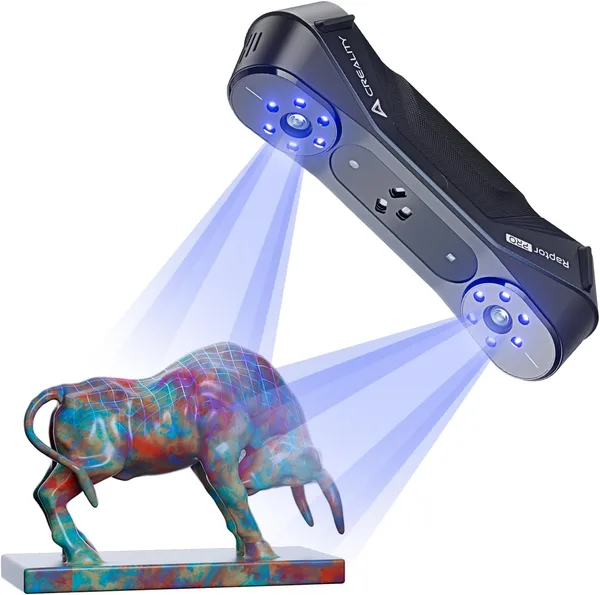
Creality isn't the first company to make one of these — Revopoint has been playing this field for a while with its POP and MIRACLE lines, and there's also the Einscan range. But the Raptor Pro plays a card that budget models simply don't have: two laser sources in one housing. The primary one is blue, 22 lines, for detailed scanning of normal, not-too-tricky surfaces. The second is NIR — near-infrared, 7 lines — purpose-built for black, glossy, and semi-transparent plastic. The exact kind of surface that turns into holes in the model on a regular scanner, because the laser just doesn't bounce back to the camera.
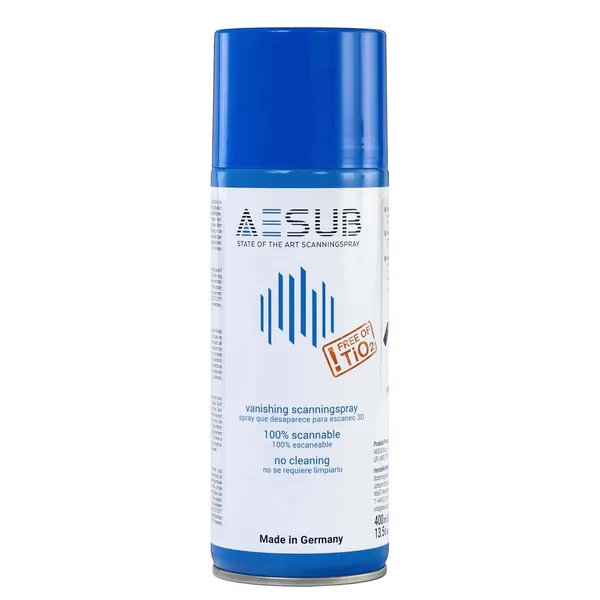
And this is where the difference shows up immediately. Pick up a black remote control housing or an engine part, and the scanner actually sees it. No matting spray, no chalk, no lighting rituals. I've watched people on forums recommend coating an object in a thin layer of white spray before scanning for years — it genuinely works, and that kind of spray still sits on half the shelves in workshops with 3D printers. But it's an extra step, it's messy, and you have to clean the part afterward. The NIR mode simply removes that problem for most dark objects — though, to be fair, on very deep gloss or mirror-polished metal, even it struggles.
The second thing you notice in use is tracking stability. Cheaper scanners love to "lose" position the moment you turn too sharply or lift the device off the object a second too long. Then you have to go back and re-stitch the scan, which is where the nerves come in. The Raptor Pro's tracking holds up better thanks to denser lines and better processing in the CR Studio software. Not perfect — very small parts (bolts, threads, thin ribs) still need slow, multi-pass scanning. But for medium-complexity objects — housings, appliance parts, props, small statuettes for 3D printing — the process becomes noticeably less nerve-wracking than on budget hardware.
Advertised accuracy sits within tenths and even hundredths of a millimeter — a figure manufacturers love printing in bold, though in practice it's affected by everything: room lighting, surface humidity, even how steady the operator's hand is. A more realistic expectation: accurate enough for mechanical parts that need a proper fit, and more than enough for artistic or decorative models.
CR Studio deserves a mention too — not because it's brilliant, but because it just works without constant crashes, which is more than can be said for some alternatives. Export to STL or OBJ, basic mesh alignment, noise removal — it's all there, nothing fancy needed. For more advanced reverse engineering (turning a scanned mesh into a parametric CAD model with exact dimensions), you'll need a separate paid module or third-party software like Geomagic — worth knowing before you buy, not after.
Who definitely should NOT get this: if you want to scan a toy for a friend or copy a flowerpot vase once a year, this is overkill by a wide margin. For occasional jobs like that, a cheaper blue-laser-only scanner, or even a photogrammetry app on your phone, covers the need more cheaply and more simply.
Who genuinely should: workshops doing parts repair and restoration (automotive, appliances, industrial equipment), studios making cosplay props and custom figurines, and anyone who regularly works with dark or glossy materials and is tired of the spray. Here, the dual laser pays for itself not "eventually" but by the third or fifth scan, when you're not burning an evening cleaning white residue off a part.
Price is a factor that directly shapes the decision — the scanner runs around $1,330 at the base listing price. For the full cost with shipping and import duty to your own country, check the landed price on the product page before deciding. This is not an impulse buy on a flash sale, it's an investment in a tool that has to earn its keep through actual use rather than sitting in a closet next to a drone you flew twice.
If you're buying, budget for consumables right away too: filament for printing the scanned parts, and possibly some matting spray as backup — even with NIR, there are surfaces where it still saves the day.
FAQ
Honestly — no. If your objects are mostly light and matte, a blue laser is enough, even in cheaper models. The NIR mode pays off only if you regularly run into black, glossy, or semi-transparent material.
Revopoint is usually cheaper and decent for basic jobs, but it lacks a separate NIR source — dark materials will need spray prep. The Raptor Pro costs more upfront but saves time on every difficult object.
For most mechanical brackets, covers, and housings — yes, with a bit of dimensional cleanup in CAD after scanning. For precise threads or tight tolerance fits down to hundredths of a millimeter, it's better to verify manually with calipers over the scanned model.
Yes, this is one of the popular uses for scanners like this, and thanks to steadier tracking, the process goes more smoothly on the Raptor Pro than on budget devices. The key is holding still for a few seconds on each pass.