HP Stream 14: Is a Budget Celeron Laptop Worth Buying in 2026?
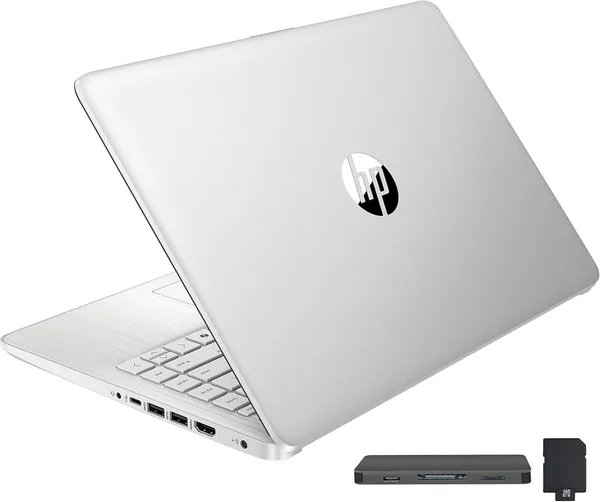
The HP Stream 14 isn't a workstation, and it's not a "grit your teeth, it's cheap" kind of deal. It's built for one specific scenario: browser, documents, Zoom, and not feeling embarrassed pulling it out at a coffee shop. 16GB of RAM saves a situation the Celeron N4120 processor alone would completely fumble. If that scenario is yours, buy it. If you're planning to do anything heavier than Excel, don't even look this way.
Picture the scenario: a student needs a laptop for lectures, notes, and Google Docs, on a budget of "under $400 and no tears." Or a grandmother who finally wants video calls with her grandkids without her phone slipping out of her hands every five minutes. Or an office that needs a dozen machines for reception and admin work — not for design, not for development, just so Windows boots and Chrome opens. That's the HP Stream 14's audience. Not gamers, not video editors, not developers running a dozen Docker containers. People who need a laptop as a tool, not a hobby.
What's Actually Going On Under the Hood
The real story here isn't the processor — it's the memory. The Intel Celeron N4120 on its own is a 2019 chip: four weak cores built to make sure a laptop turns on and doesn't roast your lap, and not much else. Paired with 4GB of RAM, that processor turns any task into agony — one YouTube tab and the system's already thinking it over. But this laptop doesn't have 4GB, it has 16. And that changes the picture more than it looks at first glance.
Here's the thing about weak Celerons: the bottleneck is almost always memory, not raw clock speed. Windows 11 with two or three Chrome tabs, Word, and Teams running in the background eats 6-8GB without breaking a sweat, and on a 4GB machine the system starts dumping everything into swap, crawling so badly you want to throw it out the window. With 16GB, that just doesn't happen — you can keep a dozen tabs open, a spreadsheet with a couple thousand rows, and a background music player, and the laptop takes it in stride. Slowly, no sprinting, but no meltdowns either.
Storage is a different conversation: 288GB total (128GB of local eMMC/SSD plus a cloud allotment, typical for this HP line) is plenty for the OS, office files, and a browser. But if you're used to keeping a movie library or heavy photo archives locally, forget it — you'll be living in the cloud or carrying an external drive.
Where It Holds Up, and Where It Falls Apart
Let's be honest: this laptop isn't about speed. The HD BrightView display runs at 1366×768, and coming from a modern phone screen, the picture will look a bit soft, especially on small text. But for documents, email, and browsing it's enough, and the panel actually holds up well in bright light — that's exactly what "BrightView" is bragging about.
Stack it against a direct rival — something like an Acer Aspire 3 or a budget N-series Fusion5 — and the HP Stream 14 wins precisely because of that 16GB of memory: most competitors in this price bracket ship with 4 or 8GB, and the difference is noticeable within the first week of real use. But it loses ground elsewhere: the Celeron N4120 is flatly weaker than even budget i3 or Ryzen 3 chips you can find in the same price range these days. So you're trading a bit of raw snappiness for comfortable multitasking in light apps. Not a compromise everyone wants, but for a purely office use case, it holds together fine.
One more thing people tend to underrate: battery life. HP's Stream line has always had a reputation for solid runtime, precisely because the hardware is weak and power-sipping. If you're running between classes or meeting rooms all day with no outlet nearby, that's a genuine advantage — not just a line item on a spec sheet.
Who Should Buy It, and Who Shouldn't
Buy it if: you want a second "kitchen" laptop, you're buying for a kid starting school, you need a machine for an employee who lives entirely in a browser and office apps, or you just want something light for notes and browsing without paying for power you'll never use.
Skip it if: you're planning photo or video editing, gaming (even old, undemanding titles will choke), heavy spreadsheet modeling, or running virtual machines — or if you're the type who keeps dozens of heavy apps open at once. In that case, look toward laptops with i5/Ryzen 5 chips and dedicated video memory. Yes, it costs more, but your nerves are worth something too.
You can check the exact landed price for your own country right on dede.sh — item, forwarding, and import duty rolled into a single number. It's not the cheapest option in this category, but for the money it offers a rare combination: a weak processor generously offset by ample memory. Offers like that in the "just needs to work" segment aren't exactly common.


FAQ
No, it's not just for show. Memory is exactly what saves this laptop — with 16GB it holds a lot of open tabs and background processes without choking, even though the processor itself doesn't get any faster. For heavy software, 16GB won't help, but for browsing and office work the difference is real.
If the competing model has less RAM (which is often the case in this price bracket), the HP Stream 14 wins on everyday multitasking. But if the Aspire 3 comes with a stronger processor at the same 8-16GB, go with that instead — responsiveness matters more than extra memory headroom once you're past the comfortable minimum.
Yes, that's its home turf. One video call plus Word or Google Docs running in the background — no problem. Add a heavy presentation with video and a dozen extra tabs, though, and you'll start to feel it bog down.
It's enough for the OS, office files, and a handful of apps. But if you're used to keeping movies, games, or big photo archives locally, it's not enough — you'll either need to clean the drive regularly or keep an external drive on hand.