Microsoft Surface Pro 2026 on Snapdragon X2 Elite – review and is it worth it?
The new Surface Pro on Snapdragon X2 Elite finally feels like a true 2‑in‑1 that can sit beside a MacBook Air without feeling like a second‑rate option. Grab it if you really need a tablet‑form factor plus a keyboard and are ready to live on Windows on Arm. Skip it if you just want a laptop – you’ll find better options with fewer software compromises for the same price.
For six years I’d been skeptical every time someone said “I have a Surface and it’s fine.” I remember the days when the keyboard cover was a clunky thing on my lap, the tablet itself was hot, and my eyes burned during a normal Zoom call. So when the new Surface Pro 2026 with the Snapdragon X2 Elite landed in my hands, I was ready to write another piece about a pretty toy that can’t survive a real workday. That didn’t happen – I had to rewrite the draft.
What feels different right away
The first impression is silence. Not in terms of design, but literally: there’s either no fan, or it turns on so rarely that I didn’t hear it at all in two weeks of active use. That’s the same ARM effect Apple showed the world with the M1, and finally Microsoft and Qualcomm have caught up. The battery lasts a full workday with twenty tabs open, Teams and Slack running in the background – and that’s not a marketing number from a presentation, but something I tested myself, carrying the tablet between a coffee shop and a coworking space without charging.
But that’s where the real conversation starts, not the ad hype: Windows on Arm is still not universal‑friendly. Most everyday software – browsers, office suites, Adobe – runs via emulation or already has native builds, and the differences are invisible. But if you have specific corporate software, old peripheral drivers, or a niche utility from a small developer, the risk of “doesn’t start” or “works but is slow” is very real. I hit that once with an old version of an accounting app and had to find a workaround via a virtual machine, which wiped out any battery savings that day.
The screen is a separate reason to hold this Surface Pro longer than you need to work. 13 inches, bright, colors without the bluish tint that plagued older models. I draw notes with a pen in the evening instead of scrolling a page – and that’s probably the best compliment you can give a tablet.
The comparison that speaks for itself
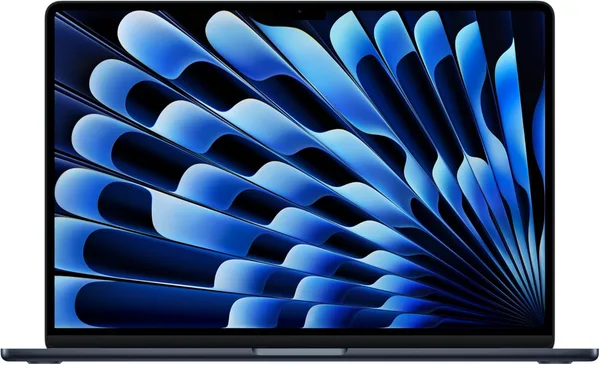
The main competitor here, of course, is the MacBook Air – and comparing fairly: in the “just a laptop” format, the Air wins: a single ecosystem, fewer compatibility surprises, a longer reputation for stable ARM performance. But the Air isn’t a 2‑in‑1, and if you truly need a tablet for sketching, signing documents, or presenting to a client from your hand, the Surface wins in the very idea of form factor. These are different tools that happen to compete on price.
The second natural competitor is the previous Surface Pro on Intel. The difference is felt immediately once you hold both for a while: the old one heats and hums where the new one stays silent. If you have a Surface Pro 9 or 10 and no acute performance or battery issue, upgrading just for the upgrade isn’t worth it, honestly. But if your current Surface is already struggling after a year of active use, that’s the moment to switch.
The keyboard with touchpad is sold separately, and that’s the old Microsoft image that never really caught on – the price for a “full set” ends up noticeably higher than it looks at first glance in the store. The device itself is about $2,000 in the U.S. store, and with shipping and customs in your country, the total rises significantly, so plan ahead, not after the fact.
Who should buy it, and who shouldn’t
Buy it if you’re a designer, consultant, teacher, or someone who really works with a pen – draws, signs, presents from a tablet in hand, not just typing at a desk. Here the Surface form justifies the price and software compromises.
Don’t buy it if you just need a laptop and tablet mode is “nice but not critical.” In that case a MacBook Air or a regular Windows ultrabook on x86 will give you fewer headaches with compatibility for the same or less money. And definitely don’t buy it if your work relies on specific software without ARM support – check it in advance, not after purchase, because returning across borders is a separate quest.
The main compromise here is clear: you trade some compatibility for silence, autonomy, and a unique form factor. For some, it’s a worthwhile trade‑off; for others, it’s a source of constant irritation every week when something “just doesn’t start.”
FAQ
If you need a tablet‑transformer with a pen, go Surface. If you just want a reliable laptop without software surprises, Air is still the more convenient and predictable choice.
Yes, because without it it’s just a pricey tablet. Calculate the full cost of the kit from the start, not just the tablet price – otherwise the budget will “spread out” after ordering.
For browsers, office, light photo editing – plenty of headroom. For heavy specialized programs without a native ARM version – check compatibility ahead; emulation doesn’t always fully rescue the situation.
Only if the old one is noticeably heating, humming, or draining the battery over a workday. If it still works fine – the upgrade for a new chip doesn’t pay off immediately.
Similar products worth checking out: