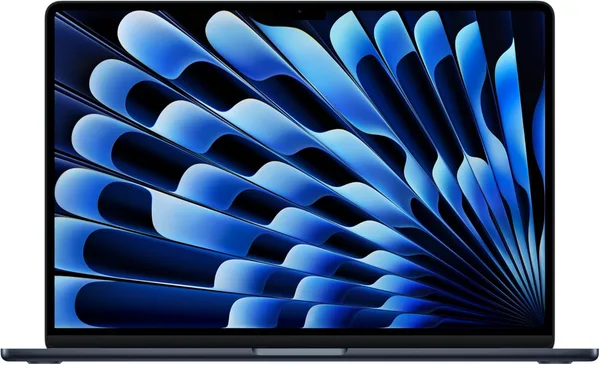
MacBook Air 15 M5 (2026) review: worth upgrading, or just a new sticker?
The MacBook Air 15 with M5 isn't a revolution — it's a careful tightening of the bolts: a somewhat faster chip, the same fanless body, the same 15-inch screen that's just genuinely comfortable for working with two windows side by side. Worth buying if you're already living in the Apple ecosystem and want a laptop that'll last for years without a fan ever spinning up. Paying extra just because "AI" is in the name? Skip it, unless you're planning to actually run local language models on the machine itself.
There's one detail that gives away the entire marketing push behind this release: Apple slapped "Built for AI" on the box, and that means almost nothing for the 95% of people who'll actually buy this laptop. Someone's going to open Chrome with twenty tabs. Someone's going to cut together vacation footage. Someone's going to write a term paper. The "AI" here is a neural engine that speeds up a handful of system functions and Xcode builds — it is not a personal ChatGPT living in your bag. Worth saying up front, since that's exactly the bait people tend to bite on.
Now to the substance. I didn't test the Air 15 in a lab — I used it the way people actually use these things: a full week as my main work machine, with Slack, Figma tabs, Zoom calls, and cutting a short video for social media. And the overall impression is the same one every recent Air generation has left: this laptop isn't trying to wow you, it just works. Wakes in a second, never gets warm, battery lasts a full workday without you hunting for an outlet — and that, honestly, is the whole reason people buy an Air instead of a Pro in the first place.
The M5 next to the M4 isn't the kind of jump you'll feel in the first week. The difference shows up in specific scenarios: Final Cut renders roughly a quarter faster, Xcode builds compile noticeably quicker, but in day-to-day stuff — browser, email, documents — you're unlikely to notice a thing with the naked eye. If you're already on an M2 or M3 Air and it's serving you fine, upgrading for the M5 alone isn't worth it. But if you're still on an Intel Mac, or on something with a fan that screams during a normal video call, you'll feel the contrast immediately — and it'll be stark.
The 15-inch screen is the whole reason a lot of people pick this size over the 13-inch. The Liquid Retina panel here isn't the brightest on the market and skips ProMotion (that's reserved for the Pro line — fair enough, otherwise what's the point of the Pro existing), but for text, spreadsheets, two windows side by side, the size and sharpness are more than enough. Against Windows competitors in the same class, like the Lenovo Yoga 7i with its 16-inch touchscreen, Apple loses on form-factor flexibility — no convertible hinge, no touchscreen, no stylus. What it wins back is battery life and how quiet and cool it stays under load, because the Air has no fan at all — there's physically nothing in there to make noise.
The keyboard and trackpad are the one zone Apple hasn't touched in about five years, and rightly so: everything here is polished down to the last detail, typing for hours is a pleasure, and the trackpad is still the best in the business — no Windows maker has matched it no matter how hard they try. Ports are two Thunderbolt jacks plus magnetic MagSafe charging, and if you're used to a pile of USB-A connectors, you'll either need to get comfortable with dongles or look at competitors with a bigger port selection, like that same Lenovo.
Price is its own conversation. In the US this configuration runs $1,499 — but the number that actually matters is the landed price: item, forwarding, and your own country's import duties all rolled into one figure, which you can check on dede.sh before you commit. That's the honest way to work out whether you're willing to pay this much for a laptop that, in everyday tasks, barely outruns a three-year-old model. For comparison, sitting in roughly the same task class but priced far lower is the budget Acer Aspire 3 — a different league in materials and ecosystem, but perfectly fine for basic office work if budget matters more to you than having an apple on the lid.
Honestly, the main reason to get the MacBook Air 15 M5 isn't the chip or the "AI" — it's whether you're already living in the Apple ecosystem: iPhone nearby, AirDrop, Handoff, shared clipboard. Without that, the advantages get a lot blurrier and the choice becomes far less obvious. The trade-offs haven't changed either: 8 GB of RAM in the base configuration is already tight for serious multitasking today, memory and storage upgrades cost absurdly more than the market rate, and having a single charging port with no MagSafe cable in the box is a small thing that somehow manages to annoy you fresh every single time.
שאלות נפוצות
No, not if your current laptop is serving you fine. The real-world difference is measured in seconds, not minutes. The upgrade only makes sense for video editing or development, where every bit of extra speed actually counts.
If you need a touchscreen, tablet mode, and more ports, the Yoga 7i is the more practical pick. If you value quiet operation, long battery life, and tight iPhone integration, go with the Air. It's a difference in philosophy, not a question of which one is "faster."
For light photo editing, yes. For 4K video editing or heavy Photoshop files, get 16 GB from the start — otherwise the laptop starts choking on swap, and you can't upgrade the memory later.
If you mostly work from home or an office and rarely carry the laptop around, the 15-inch is more comfortable for working with two windows side by side. If it's constantly in a backpack, the 13-inch is lighter and more compact.