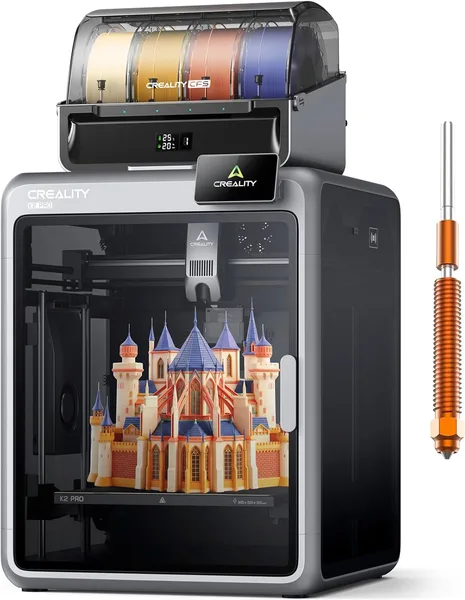
Creality K2 Pro Combo (A) Review: The Printer That Prints Four Colors at Once
The Creality K2 Pro Combo (A) is a fast (up to 600mm/s) enclosed printer with a four-spool CFS system that lets you print multicolor models without manually swapping filament. It's worth the money if you print regularly and genuinely need multicolor — but for one-off projects or a first printer, it's honestly overkill in both hardware and software.
Picture this: you've finally finished modeling a four-color figurine in Bambu Studio, hit print, and then spend half an hour manually swapping spools and cleaning the previous color out of the nozzle. Sound familiar? That's exactly the routine the K2 Pro Combo promises to remove from your life — and, credit where it's due, mostly delivers.
What this thing actually is
Creality spent a long time in Bambu Lab's shadow, and the K2 Pro is essentially its answer to the X1 Carbon. Enclosed frame, CoreXY kinematics, a heated bed that ramps up fast, and — the key part — the same "multicolor through a separate filament feed station" principle, just called CFS here instead of AMS. The Combo version (A) is the one that ships with this four-spool unit, hence the "Combo" in the name — without it, this is just a fast single-color printer.
The 600mm/s speed figure isn't a marketing number for show. On real models, not test cubes, the K2 Pro genuinely prints 3-4 times faster than a regular Ender or even the first Bambu P1P. A part that used to take eight hours now takes two or three. For anyone printing on commission — figurines, custom mounts, drone parts — that's not a nice bonus, it's real time and money saved.
Multicolor: where the magic is, and where the trade-off is
CFS works well, but there's a catch the promo videos stay quiet about: switching colors costs filament. Every time the printer changes spools, some plastic goes into a purge tower — a technical column you then throw away. On complex models with frequent color changes, waste can eat up 20-30% of your material. That's normal for the multicolor printing industry as a whole, but if you thought "bought CFS, now I always print in four colors with zero waste," that's not how it works.
Second: calibrating the feed system isn't a one-time thing. Spool layout, humidity, different filament manufacturers — all of it affects how reliably CFS feeds the line. In the first few weeks, budget time for fighting with flow settings. It gets easier after that, as the printer "gets used to" the pair of spools you typically load.
Compared to the Bambu Lab X1 Carbon Combo — the most obvious competitor — Creality offers a somewhat lower price for roughly the same functionality, but the software (Creality Print) is still noticeably rawer than Bambu Studio. The slicer works, profiles exist, but interface polish and the pace of new features are still ahead on Bambu's side. If you're already used to the Bambu ecosystem, switching to Creality Print will feel like moving from an automatic to a manual transmission — not a dealbreaker, but you'll need to adjust.
Who genuinely needs this
If your 3D printing is a hobby you dip into "once a month to print a phone stand," you're overpaying. A simple single-color printer at a fraction of the price covers that use case. The K2 Pro Combo makes sense when: a) you print often and print time genuinely matters, b) you need multicolor without manual fiddling, c) you're willing to invest time in calibration and understanding the system, rather than expecting "unboxed and prints perfectly on the first try."
Honestly, there are two main trade-offs. First is the filament wasted on purge towers, already mentioned. Second is noise and size: an enclosed chamber with powerful fans running at 600mm/s isn't the kind of printer that sits quietly in your bedroom while you sleep. If you've got a dedicated workshop or garage, no issue; in a studio apartment, think twice.
Price starts at around $743. For the full cost with shipping and import duty to your own country, check the landed price on the product page before deciding whether you genuinely need the Combo version with CFS, or whether a base K2 Pro without multicolor covers your needs.
Bottom line
The Creality K2 Pro Combo (A) isn't a printer for your first encounter with 3D printing. It's a tool for people who've already "had enough" of slow single-color models and want to level up — speed plus multicolor without manually swapping spools. Buy it if you print regularly and understand what you're signing up for with calibration and filament waste. Skip it if you're looking for a first printer or print rarely — the premium isn't justified there.
שאלות נפוצות
No. If multicolor is a "maybe I'll try it sometime" thing, get the base version without CFS and buy the module later if you genuinely get into it. Combo pays off when multicolor is a constant part of your projects, not a one-time experiment.
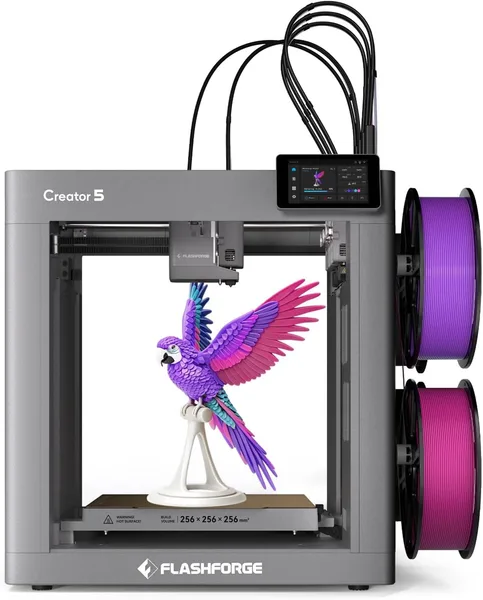
The Creator 5 leans further into true multi-material printing (separate toolheads instead of a single-spool feed system), which is better for complex engineering parts with different plastics. The K2 Pro is stronger on speed and ease of transition from earlier Creality printers. If speed for figurines and models is the priority, get the K2 Pro; if you need serious multi-material capability, look at the Creator 5.
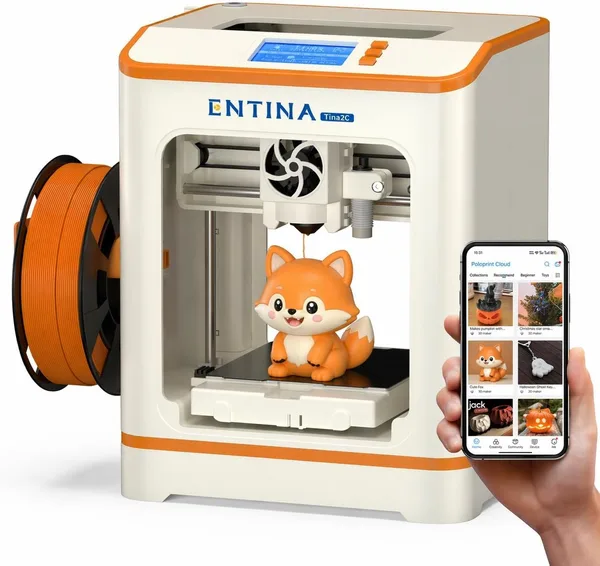
For your first steps in 3D printing — absolutely. The Tina2C is cheaper, simpler, and forgives beginner mistakes. The K2 Pro Combo is the "second rung" — for once you have basic skills and want speed and multicolor. Don't jump straight to a flagship model if you haven't printed a single part yourself yet.
Noticeably louder than budget open-frame printers — an enclosed chamber with active cooling makes itself known. For a garage or workshop, no problem; for a bedroom or a home office in an apartment, it's worth thinking about placement or quiet printing hours.