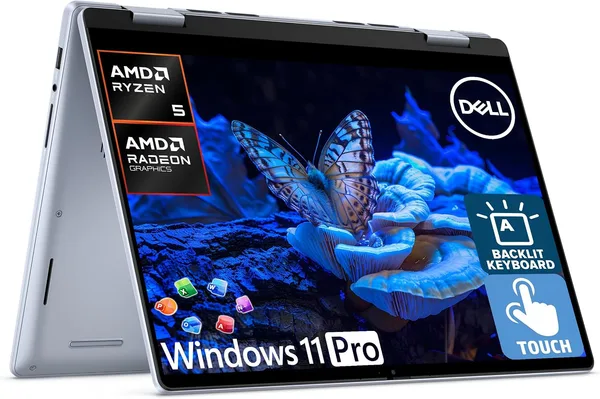
Dell Inspiron 14 2-in-1 (2026) review: is it worth buying for work?
The Dell Inspiron 14 2-in-1 is a working convertible laptop built on a Ryzen 5 with 16GB of memory, and it honestly handles office work, a twenty-tab browser, and Zoom calls, but it doesn't pretend to be a gaming or creative machine. If you want a tablet mode for notes and Windows 11 Pro with a genuine Office license out of the box, this is one of the rare picks that has all of that at the price of an average business laptop. If you need power for video editing or heavy 3D work, look elsewhere.
Picture the situation: you have a meeting at nine, a client presentation on a tablet at half past ten, and you still need to squeeze in some writing on the way there. Most laptops force you to either lug around a separate tablet or fight with an awkward 180-degree screen hinge that breaks within a year. Dell solved this problem its own way — it built a genuine convertible, where the 14-inch touchscreen FHD+ display folds into tablet mode, tent mode, or a stand for watching a movie in a hotel room. Sounds like a marketing gimmick, but in practice this exact form factor is what decides whether this laptop is for you or not.
What this actually is
This isn't an ultrabook for designers, and it isn't a gaming machine wearing a business-laptop mask. The Dell Inspiron 14 2-in-1 is a workhorse for people who live in Excel, mail, Teams, and a browser with fifty tabs open. The AMD Ryzen 5 and 16GB of RAM here aren't about setting speed records — they're about the system never choking when you're keeping Zoom, a presentation, and a client chat open at the same time. For that scenario the hardware has years of headroom to spare, but if you're editing video or running heavy renders, this isn't your machine, and there's not much to argue about there.
It's genuinely nice that Dell ships it with Windows 11 Pro and a lifetime Office license — something you'd usually have to pay for separately, and which saves you something like $100-150 upfront if you'd otherwise buy Office legitimately. For a small business or a freelancer who invoices clients and needs to show "clean" software, that's not a small thing.
It also comes with Copilot built in — and honestly, I was skeptical of AI keyboard buttons for a long time, filing them under marketing clutter right next to "gaming RGB lighting on a spreadsheet keyboard." But in practice, the feature turned out to be not the worst: quickly summarizing a long email thread or rephrasing a paragraph in a report is a genuinely usable scenario, not just an advertising checkbox.
Where it genuinely rubs me the wrong way
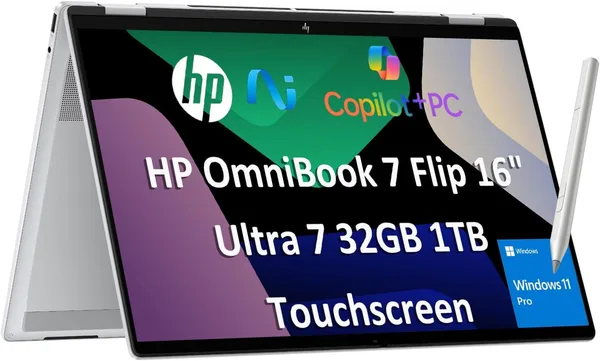
Now for what bugs me. This is a Ryzen 5, not a Ryzen 7 or an Intel Core Ultra with a top-tier graphics core — so if you're thinking about light Photoshop or Lightroom work with large RAW files, brace yourself for the machine "thinking" longer than you'd like. Compared to the Lenovo Yoga 7i, which is also a 2-in-1 but comes with a Core Ultra 7 and a 16-inch 2K screen, the Dell loses on raw power and display resolution. It wins on portability, though: 14 inches is easier to carry around than 16.
Second point — this isn't a flagship, and it shows: there's plastic where you'd want metal, and the convertible hinge, while functional, doesn't feel as bulletproof as what you get on a Surface or a top-tier ThinkPad. For a laptop that gets flipped into tablet mode every single day, that's a question of long-term durability, not just months. I haven't spent a full year with it, so it's too early to judge hinge wear definitively — but visually, the build feels middling rather than premium.
One more thing: the touchscreen in tablet mode is nice for stylus notes or reading documents on the couch, but in "regular laptop" mode the screen glares a bit more than the matte panels on non-touch models, due to the touch layer. A minor thing, but noticeable when working near a window.
Who should buy it, and who shouldn't
Buy it if you're a manager, an accountant, a consultant, or a student who wants one device for both work and lecture notes, and doesn't want to carry a separate tablet. Buy it if you value that Office comes licensed out of the box and you don't want to deal with activation hassles. Buy it if your budget is tight and Windows Pro's corporate features (BitLocker, domain join, group policies) are a genuine requirement from your employer.
Don't buy it if you need power for editing, 3D, or gaming — don't even try, you'll be disappointed. Don't buy it if premium screen quality and build are your top priority: for this money you can find a laptop without touch or convertibility that has a better panel instead.
The price at review time was around $849 for the base offer. For the full landed cost with shipping and import duty factored in, it's worth checking the total price calculated for your own country on dede.sh, since it varies quite a bit by location. It's not the cheapest option in the 2-in-1 category, but it's not the priciest either — more of a "sweet spot," justified specifically by the fact that you get a licensed Windows Pro and Office bundled in, rather than buying them separately later.
שאלות נפוצות
Yes, no question. Office tasks, a browser with dozens of tabs, Zoom, light photo editing — all of that runs smoothly. Problems only start if you add heavy video editing or 3D modeling into the mix.
If raw performance and screen quality matter most, the Lenovo Yoga 7i with its Core Ultra 7 and 2K panel beats the Dell. If portability, price, and Office already "in the box" matter most, the Dell wins on value.
Honestly — no. If your use case is 90% keyboard and 10% everything else, a regular laptop without touch and a folding hinge will be both lighter and a bit cheaper for the same hardware tier.
Yes, connecting external displays, keyboards, and mice works without issue — that's exactly the scenario Windows 11 Pro and its full set of ports are designed for from the start.
If you're still weighing your options, also check out the laptop catalog on dede.sh, where you can sort by full landed cost rather than just the sticker price.