Lenovo 300e Chromebook Gen 2: School Laptop for Pennies—Actually Worth It?
Lenovo 300e Chromebook Gen 2 isn't a laptop in traditional sense — it's a smart tablet-transformer built for school kids who'll drop it, get it wet, and generally mistreat it. Buy it only for Google Classroom, presentations, and browser — for anything heavier, 4 GB RAM and 32 GB storage become walls instantly. Price near $65 makes the compromise reasonable if expectations are right from day one.
Picture it: kid in fifth grade, teacher asks to "bring your laptop for online lessons," and you've got either grandpa's ancient Windows 10 with admin password, or nothing. Buying a gaming laptop for $1000 for Google Docs seems wasteful. That's the whole category "school chromebooks," and Lenovo 300e Gen 2 is probably the most popular option.
This isn't new — model came out years ago, now it's dirt-cheap because Lenovo (and why) keeps making them. But for what it does, it's still alive: Chrome OS doesn't get old like Windows does since updates don't escalate demands yearly.
What This Machine Actually Is
Formally 2-in-1: 11.6-inch touchscreen that rotates 360 degrees turning laptop into tablet. Practically you use tablet mode less than expected — mostly for Netflix or drawing in Google Keep. But the fact the hinge survives endless flipping without snapping in month two is a win, because that's exactly where cheap convertibles die first.
The real feature: military-grade durability rating. Rubber bumpers on corners, keyboard protected from water spillage (and spilled drink by a kid is "when" not "if"), and honestly you can toss this in a backpack without a case without white-knuckle worry all day. Compare to iPad in school — less likely to shatter screen from floor impact, keyboard's built-in not separate.
Inside: Intel Celeron N4020, 4 GB RAM, 32 GB storage. Here's where the pain lives. Open 15 Chrome tabs with Zoom active — machine starts gasping, using disk as virtual memory. If a kid is used to keeping YouTube, gaming sites, and homework open simultaneously — prepare for "it froze again" complaints.
Who This Works For, Who It Doesn't
If needs are narrow — Google Classroom, documents, presentations, browser — 300e handles it fine. Parents of elementary-school kids buying "first computer" land here: price is low enough losses don't sting, risk of breakage factors in. Teachers using these in schools for two-three years tell the story: built to survive that chaos.
Skip if: anything Windows-specific (school coding course with Pascal ABC or specialized ed software), demanding games, or plans to do actual work beyond browsing. Chromebook loses immediately — it's not Windows in miniature, it's separate OS with different rules, and not all familiar programs fit.
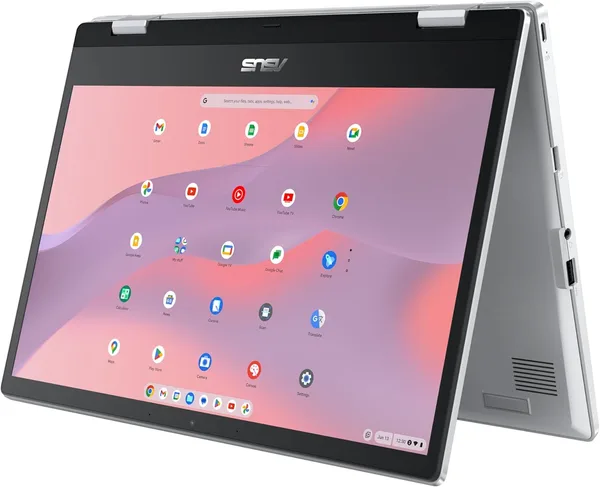
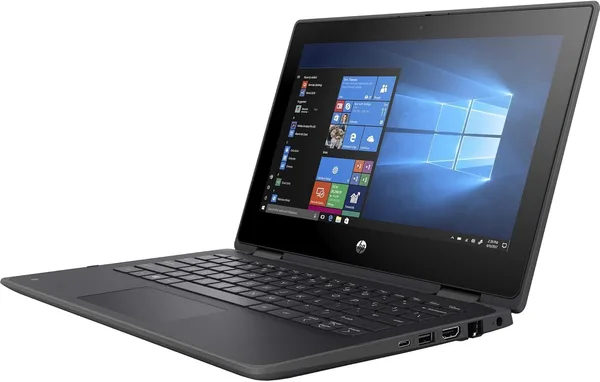
Compare to ASUS Chromebook Flip CX1 with 14" screen and Celeron N4500 — runs noticeably snappier and bigger display matters for schoolkids. HP ProBook x360 11 G5 EE — mirrors this in form factor (11.6", 2-in-1, school focus) but runs Windows, which for some schools means everything works out of box where Chrome OS means "it's different."
Real kicker: at $65 (actual price, not database error) Lenovo 300e Chromebook Gen 2 reads like expendable hardware not investment. Lose it in transit — sucks but budget isn't wrecked. Shipping to your country adds cost, but total stays budget, not premium tier.
Biggest compromise one angle: you're paying not for speed but survival and low risk. Second, less obvious: battery claims on Chrome OS usually closer to reality than Windows equivalents so "lasts till evening" is genuinely likely unlike battery-hunger of cheap Windows machines.
FAQ
שאלות נפוצות
For Chrome OS where main work is browser and Google services, 4 GB is acceptable minimum without spare buffer. "Acceptable" means no crisis, just — one game, ten tabs, Zoom at once and system starts squeezing. It's survivable, not comfortable.
If school lives in browser tools (Google Classroom, online platforms) — Chromebook simpler, cheaper, more rugged. If needs specific Windows software for courses or projects — Windows models better, even if slower or breakable.
No, full stop. Chrome OS runs Android apps from Play Store and web extensions, but traditional .exe Windows software straight-up won't launch. Design limitation, not fixable by updates.
Specifically designed for that — military-grade durability, reinforced corners, water-resistant keyboard. It's not made to be thrown, but accidents happen to these machines and they laugh it off better than most.
Similar school 2-in-1 options worth comparing before buying: