Bambu Lab A1 Review: Is It Worth Buying in 2026
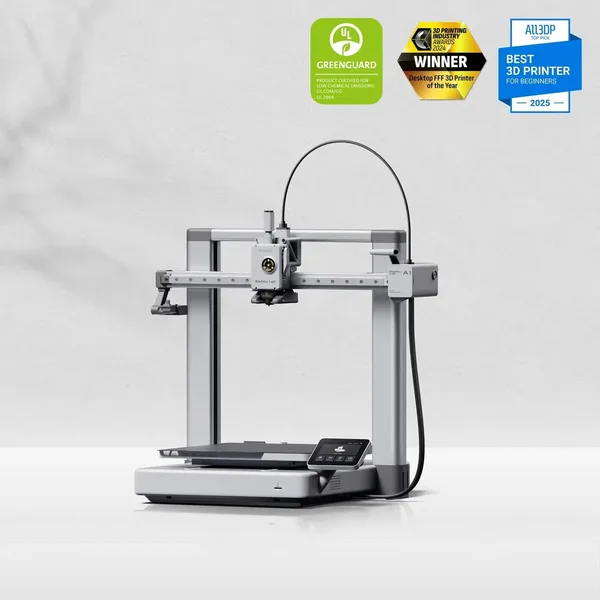
The Bambu Lab A1 actually delivers on the "turn it on and print" promise: auto-calibration, direct drive, a 256×256×256 mm build volume, and an optional AMS lite for multicolor printing, all at open-frame pricing. It won't replace an enclosed X1C for ABS or carbon-filled filament, and the open frame is a trade-off you'll have to accept. But as a first "real" printer, or as a second machine on the bench, it's probably the smartest buy under $300 right now.
There's a rite of passage almost every beginner in 3D printing goes through: you unbox the printer on a Saturday evening, load the spool full of hope, hit "Print," and then spend the next three hours on the floor with a flashlight trying to figure out why the first layer won't stick. I've been there on three different budget printers. The Bambu Lab A1 is the first machine in a long while where that moment simply never happened.
Not because it's some kind of magic box. It's because it handles the tedious part you used to do by hand: it levels the bed, dials in the Z-offset, compensates for filament flow, and even clears the nozzle when needed. The A1 is essentially the A1 mini's philosophy scaled up, with a 256×256×256 mm build volume instead of 180 mm — and that extra volume is the main reason people pick this model over its smaller sibling.
What it's actually like once it's on your desk
Assembly takes about twenty minutes, and that's not a marketing-brochure exaggeration — I timed mine. You remove a few shipping screws, plug in the cables, run calibration from the touchscreen or the Bambu Handy app, and the printer spins, taps, and homes itself on every axis. You can be running your first print within half an hour of tearing open the box.
Speed is what the A1 gets praised for most, and deservedly so. At realistic print speeds of 300–400 mm/s (not the marketing peaks, but what you'll actually see in a normal profile), you get clean walls with none of the "ringing" — that telltale wavy artifact that ruins parts on cheaper bedslinger printers whenever they try to move fast. The trick is a combination of a stiffer frame and active input shaping that runs in the background without you touching anything.
Where the A1 really breaks the beginner stereotype is the bed. The textured PEI plate is magnetic and flexible — parts pop off with a gentle bend, no scraper, no swearing required. Sounds like a small thing, but details like this decide whether someone keeps printing every evening or shoves the machine in a closet after week three.
Where it genuinely shines — and where the questions start
The A1's biggest selling point is the optional AMS lite module, which adds up to four filament colors in a single print with no manual spool swaps. This is exactly the feature that pulls people toward the A1 instead of an Ender 3 or another classic budget machine — nothing else at this price point offers automatic color switching out of the box. Fair warning, though: multicolor printing eats filament. Every color change purges the nozzle, and the waste can add up to several times the weight of the actual part. For a functional single-color print, the AMS is just dead weight, and buying it "because it's there" is money down the drain.
Now the uncomfortable part. The A1 is an open frame, no enclosure. For PLA, PETG, or TPU that's a non-issue. But the moment you want ABS, ASA, or anything with carbon fiber reinforcement, the open build starts working against you: room drafts warp the part, layers delaminate, and you never get truly stable chamber temperatures. If engineering plastics are in your plans, be honest with yourself and look at an enclosed printer instead — and the natural competitor here comes from inside Bambu's own lineup, the flagship X1 Carbon with its actively heated chamber. The A1 doesn't promise that, and it's better off not pretending to.
One more thing people argue about endlessly in forums: the A1 doesn't have the near-silence of the A1 mini. It's louder — not dramatically, but if you're used to the mini's hush, you'll notice the difference right away.
Against the competition
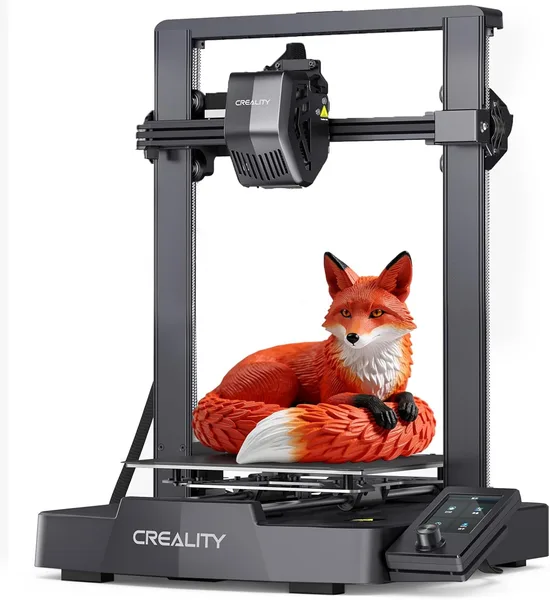
Compared to a classic budget pick like the Creality Ender 3 V3 SE, the real difference isn't price — it's how much patience you'll burn getting started. The Ender also has auto-leveling and decent speed, but calibration there still needs manual fiddling more often, and multicolor printing means a whole separate, pricier shopping list. The A1 just skips you past that entire learning curve.
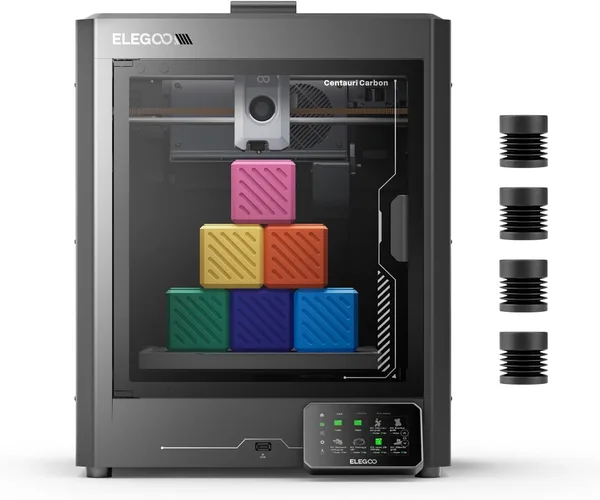
If you're looking at a direct rival in spirit — a CoreXY machine like the ELEGOO Centauri Carbon — you'll find auto-calibration and solid speed there too, and on paper a CoreXY frame is stiffer than the A1's bedslinger design at equal acceleration. But the Centauri Carbon ships with an enclosure and sits in a slightly different niche, closer to buyers who already want ABS without compromise. The A1 stays the easier entry point and the friendlier one on price.
Retail pricing for the A1 runs somewhere around $280–300 depending on the bundle, which puts it right in the thick of the budget-printer fight. What actually lands in your hands depends on shipping, forwarding, and your country's import duty — check the full landed price (item + forwarding + import duty, all in one number) on the product page on dede.sh, since it moves with exchange rates and local customs rules.
Who should buy it — and who shouldn't
Get the A1 if this is your first "real" printer, or if you need a second machine on the bench for quick PLA/PETG parts without wrestling with calibration. It's a great fit for hobbyist modelers, parents printing toys for their kids, prototyping designers, and anyone who values their time over tuning for tuning's sake.
Skip it if you genuinely need ABS, ASA, or carbon-fiber composites on a regular basis — go straight for an enclosed chamber instead. And skip it if multicolor printing is your main reason for buying but you don't have budget left for the AMS lite separately: without it, the A1 is just a good single-color printer, nothing more.
Here's my honest take: the A1 is one of those rare cases where the marketing promise of "just turn it on and print" actually matches reality. Not without trade-offs, but honest ones.
FAQ
If you're mostly printing functional single-color parts, skip it. The AMS lite pays off when you genuinely need multicolor printing on a regular basis, since the module itself costs extra and filament waste from color changes goes up noticeably.
On raw price, the Ender is cheaper, but the A1 wins on out-of-the-box calibration and multicolor support. If you don't want to spend the first few weeks fiddling with settings, get the A1.
Technically you can print it, but an open frame with no enclosure isn't ideal for these materials — drafts and unstable temperatures get in the way. For regular engineering-plastic printing, an enclosed-chamber printer is the better call.
About 20-30 minutes in practice: remove the shipping screws, connect the cables, run auto-calibration. It's not a "kit" in the sense of some cheap builds — the printer does most of the work itself.
Mainly the build volume: 256×256×256 mm versus 180×180×180 mm on the mini. If you mostly print small parts and miniatures, the mini is cheaper and more compact. If you need bigger functional pieces, get the A1.