Creality K2 Plus Combo Review: Is This 3D Printer Worth Buying
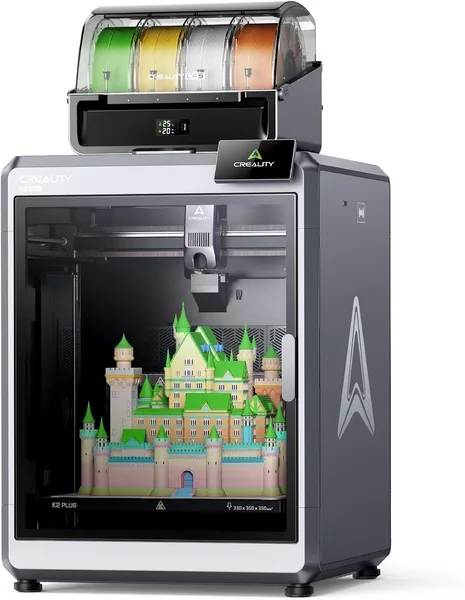
The K2 Plus Combo is a large CoreXZ printer from Creality with a CFS module for printing multiple colors or materials at once, capable of hitting 600mm/s. It's genuinely fast and genuinely big, which suits people who print a lot and regularly, not someone who occasionally cuts out a keychain. But this isn't "unbox and forget" — CFS demands attention, and the printer itself takes up so much room that a small apartment will say no.
Picture a desk that already has an Ender 3 on it — the same printer that got half of the maker community into this hobby in the first place. At some point it stops fitting the owner's ambitions: parts are getting bigger, more than one color is wanted, and waiting all night for a fist-sized model starts to grate. That's exactly the pain point the Creality K2 Plus Combo targets.
This isn't an evolution of the Ender line, it's an entirely different weight class. CoreXZ kinematics instead of the usual Cartesian frame, print speeds that would have sounded like marketing fantasy five years ago, and "New CFS" — a filament feed module that lets you print multiple colors or even different materials without manually swapping spools. Essentially, Creality's answer to Bambu Lab's AMS system, just implemented a bit differently.
How this actually works in a workshop
First impression — the printer is big. Not "big for a 3D printer," but big in the sense of "think twice about where you're putting this." The build area lets you print parts that used to require splitting a model into pieces and gluing them. For people making electronics enclosures, cosplay pieces, or functional prototypes, that's exactly the reason to pay more.
Speed isn't just a number in the name. In practice, the K2 Plus genuinely gets through what would take an Ender an evening in a couple of hours, and quality doesn't fall apart as dramatically as early "speed" printers did two or three years ago. Automatic bed leveling does its job quietly and without drama too — you're not sitting there with a sheet of paper twisting thumbscrews at one in the morning.
CFS is its own story. When everything works, it's genuinely magic: the model comes out colorful or multi-material without you running back to the printer every twenty minutes. But "when everything works" is the key condition. A system feeding multiple spools at once is a bit more demanding about filament quality and humidity than regular single-color printing. If you're used to buying the cheapest plastic from an unknown Chinese shop, be ready for CFS to be the first thing that reminds you of that choice, whether through jamming or colors bleeding where they shouldn't.
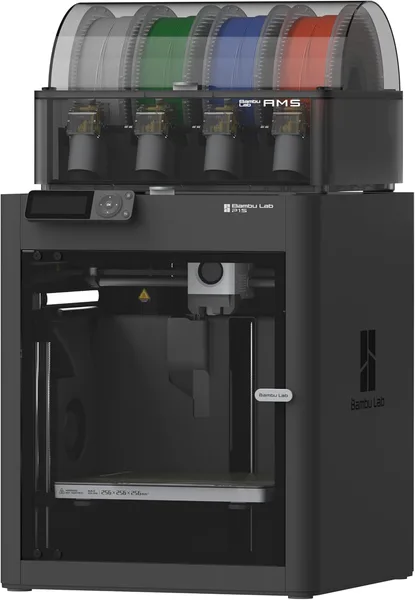
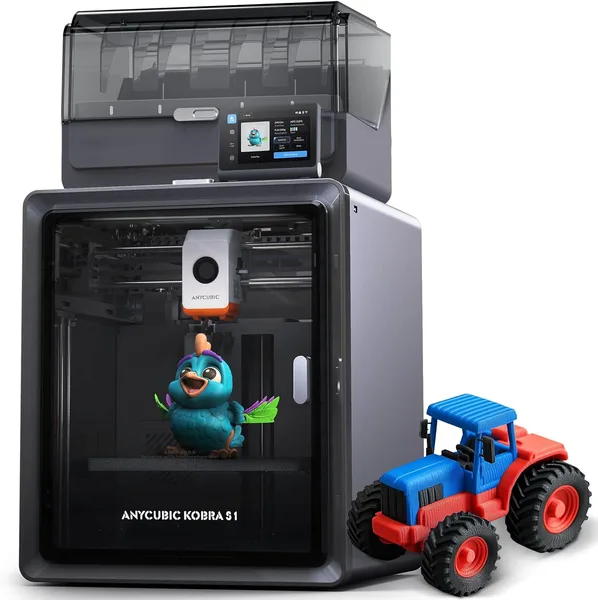
This naturally invites comparison with the Bambu Lab P1S Combo — a direct and, frankly, very strong competitor. Bambu's AMS system has been refined for years, and the slicer-and-firmware ecosystem feels a bit more polished. The K2 Plus wins on raw speed and build area size, Bambu wins on second-day stability, once the novelty has worn off and the printer just needs to work. Looking toward the cheaper segment, the Anycubic Kobra S1 Combo offers a similar multicolor idea for less money, but both speed and frame rigidity are noticeably more modest there — a different league in feel.
Noise is another thing sellers stay quiet about. At full speed, the K2 Plus isn't quiet. If it'll be sitting in a bedroom or a studio room where you work and print at the same time, get ready for either headphones or a separate room.
Who should buy it, and who shouldn't
If you print regularly — selling models on Etsy, making prototypes for work, running a workshop or a club — the K2 Plus Combo will pay back the time it saves. Speed and multicolor here aren't toys, they're working tools.
If you're just starting to look into 3D printing and want to "try it out," this is honestly not your printer. Too expensive, too big, too demanding of you already understanding calibration and materials. Honestly, start with something like the Ender 3 V3 SE and come back here once you've outgrown it.
The main trade-off isn't the price alone (though the starting cost of around $1,050 is already a serious sum) — for the full cost with shipping and import duty to your own country, check the landed price on the product page before deciding. The real trade-off is that CFS adds one more system that can break, jam, or simply demand maintenance. Whoever's ready for that hassle in exchange for multicolor models without manual spool swaps comes out ahead. Whoever wants "set it and forget it" will end up more frustrated than expected.
FAQ
Honestly — no. If a single color covers 90% of your use cases, CFS becomes an expensive option that just sits there and occasionally reminds you of its existence via a filament jam. In that case, better to get the regular K2 Plus without the Combo add-on, or a different printer entirely.
If raw speed and build area size are critical for you, go K2 Plus. If out-of-the-box stability and a proven ecosystem that rarely throws surprises matter more, go P1S Combo. Personally, I'd recommend the latter to anyone who doesn't want to dig into the finer details, and the former to those with experience who enjoy tweaking settings.
Yes, and that's exactly one of the main reasons to get this model over a compact printer. Large single-piece parts without glued seams are genuinely possible here, whereas on budget Cartesian printers you'd have to cut the model into sections.
Noticeably louder than a quiet Ender in normal mode. If you're printing overnight in the same room where you sleep or work, either reduce speed or move the printer to a separate room.
If this format seems too big or too pricey for you right now, it's worth comparing against direct competitors in the same class before deciding.