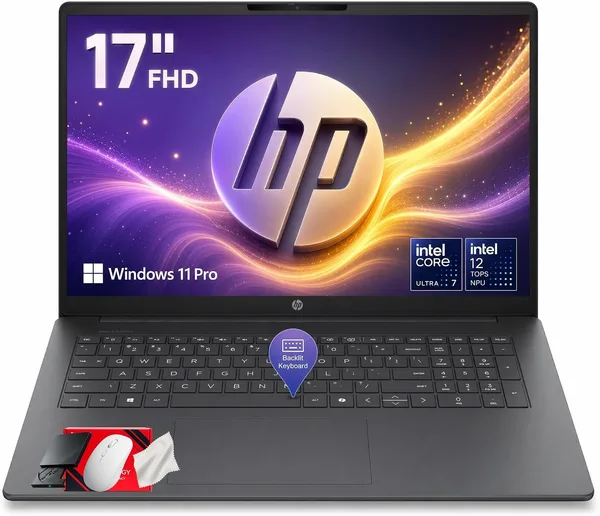
HP 17-Inch Touchscreen AI Laptop (Core Ultra 7 255U) Review: Is It Worth It?
The HP 17-inch Touchscreen AI Laptop, built around a Core Ultra 7 255U, is a big couch-and-kitchen-table laptop for people who care about a 17-inch touch display, not spare gigabytes of horsepower. The 12 TOPS NPU sounds impressive on the box, but in practice it's more of a spec-sheet bullet point than a reason to buy. Get it if you want a large screen for working from home or watching movies and you actually like touch input. Skip it if you need something portable or you're running heavy workloads.
There's a category of laptop I mentally file under "couch office": big, a bit heavy, with a screen that's comfortable for Netflix while you answer email and something simmers on the stove. The HP 17-inch Touchscreen AI Laptop lives squarely in that category. The first thing you notice in the product name is a pile of acronyms — "AI," "12-Core," "12 TOPS," "5.2GHz" — like someone in marketing worked through a checklist of 2026's buzziest terms. Strip that away and what's left is a perfectly ordinary big-screen laptop: a 17-inch touchscreen machine running a new Intel Core Ultra 7 255U.
What actually matters here
The Core Ultra 7 255U is a 12-core chip from Intel's Meteor Lake/Lunar Lake generation, built on a hybrid architecture with performance and efficiency cores, boosting up to 5.2 GHz. In real life that translates into breezy performance with twenty browser tabs open, spreadsheets, Zoom calls, and light photo editing without stutter. It's not a gaming or rendering machine — there's no discrete GPU, just integrated graphics, so save the heavy games and 3D rendering for another model.
The 12 TOPS NPU is the same on-chip block for local AI tasks that practically every second laptop now slaps on its name tag. Honestly, in 2026 there still isn't much mainstream software that leans on those 12 TOPS in any meaningful way. Windows Studio Effects for the webcam, a handful of AI features in office apps — nice extras, not reasons to pay a premium. If a listing is leaning hard on the word "AI," keep in mind that for most buyers it's just a spec-sheet line, not a killer feature.
The real headline here isn't the NPU — it's the display: 17 inches, and touch-enabled. That's genuinely rare. Most 17-inch laptops skip touch entirely, since poking a screen that size isn't exactly natural when it's sitting flat on a desk. But if you like flipping through photos, sketching notes with a stylus, or just tapping the interface instead of reaching for the trackpad, this is a real edge over most competitors in the same class.
What it's actually like to use
Picture someone working from home who wants one big screen instead of a monitor-plus-laptop combo. Or a retiree who wants text and icons large and readable without squinting. Or a household where the laptop lives on the kitchen table for recipes, evening shows, and paying bills online. For all of those scenarios, this HP fits almost perfectly — a big screen, a straightforward interface, touch as a bonus.
Hauling it around in a bag every day, though, is not for enthusiasts. 17-inch laptops are always heavier and bulkier than their 14- or 15.6-inch siblings, and this is the rare case where size genuinely matters: it won't be comfortable on a subway seat or a small café table, there's just too much laptop for the space. Think of it as "movable, not portable" — it migrates from room to room, not from home to office every morning.
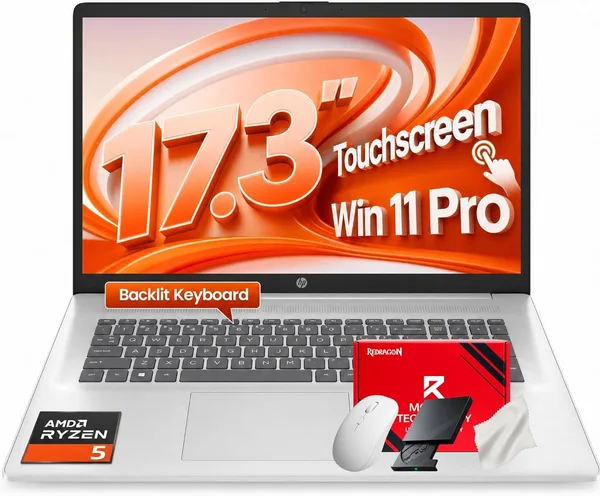
Compared with the classic rival in the "big home laptop" niche — the previous-generation HP 17.3" Business Laptop on older Intel silicon, or a budget-tier Acer Aspire — this one wins on platform freshness with Core Ultra and on the touchscreen, but loses on price: this lands in the mid-to-upper tier of home laptops, not the budget end. Check the full landed price to your country on dede.sh — item, forwarding, and import duty rolled into one number — before deciding; browsing the laptop catalog at large, that price only makes sense if a touchscreen is a genuine need for you, not a nice-to-have.
RAM and storage on this model are unremarkable for the class — no extremes in either direction — so daily use is well covered, but there's less room to upgrade down the line than on some business models with a spare SSD slot.
Honest verdict
Buy it if: you want one big stationary laptop instead of a monitor-plus-desktop combo, you specifically want a touch panel on a large display, and you value a fresh Intel Core Ultra platform with smarter power efficiency than older generations for a bit more battery life.
Skip it if: you're a gamer or you do heavy video editing or 3D work — there's no discrete GPU, and performance won't hold up. Skip it too if you travel often or carry a laptop daily — something smaller and lighter will serve you better. And skip it if you're buying purely because "AI" is in the name hoping for something revolutionary — the NPU is a nice-to-have here, not a game-changer.
Two real trade-offs to weigh: first, you'll pay a noticeable premium for a touch-enabled 17-inch screen over a non-touch 17-incher in the same class. Second, the lack of discrete graphics means this is strictly a productivity machine for office and household tasks, not an all-rounder. Before you buy, run the full landed cost — item plus forwarding plus import duty — rather than anchoring on the marketplace sticker price alone.
FAQ
If you'll actually use it — flipping through photos, sketching, tapping the interface instead of the trackpad — yes, it's a genuine convenience that most 17-inch competitors simply don't offer. If touch is a "sure, why not" for you, the premium won't pay off; go with the cheaper non-touch version instead.
For light editing in Lightroom or Photoshop and standard-resolution video work, absolutely. For 4K editing or heavy effects, the integrated graphics will become the bottleneck — look at a model with a discrete GPU for that.
If raw performance and more RAM for your money matter more to you, take a look at the HP 17.3" Business Laptop — it ships with 32 GB of RAM out of the box. This machine wins on the touchscreen and the newer Core Ultra chip, if touch input is your priority.
Light or older titles, sure, no problem. Modern AAA games at decent settings, no — there's no discrete GPU, and Intel's integrated graphics are built for office and household tasks, not gaming.