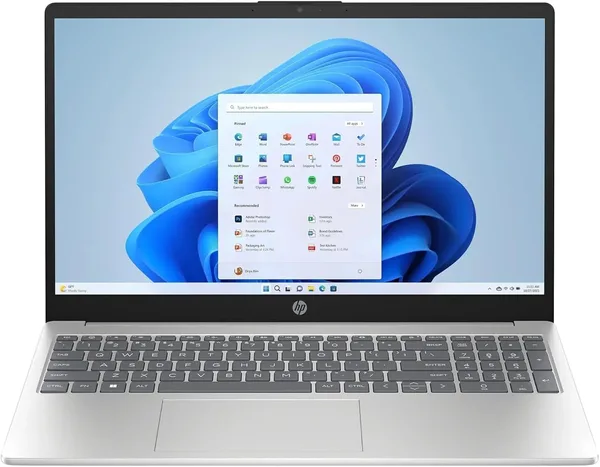
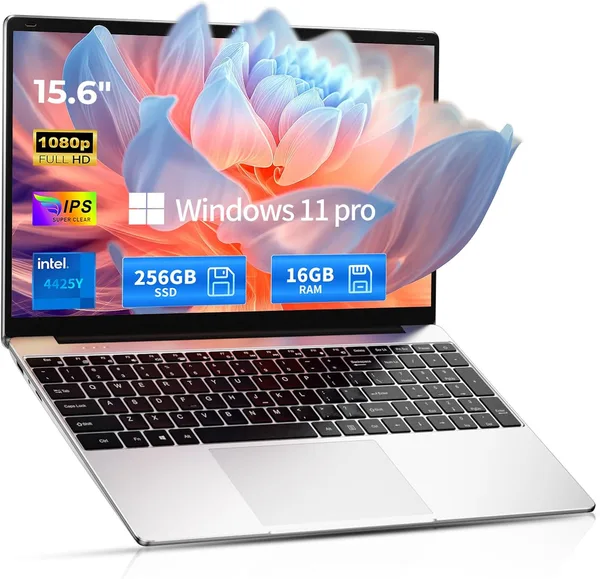
HP 15.6 N100 (2025/2026): Budget Workhorse—What You Actually Get
HP 15.6 on Intel N100 isn't about speed — it's about a laptop that simply works without slowing down basic stuff: email, Docs, Zoom with camera off. 16GB RAM is the real trump card here, lifting this machine to where weak N100 alone would never reach. But it's an office workhorse, not a universal laptop, and buying it means understanding that clearly.
Familiar scenario: need a laptop "that just works," not for video editing or games, and the budget is tight. You hit the marketplace — either some Celeron with 4GB that dies at three Chrome tabs, or suddenly there's a MacBook for prices that hurt. Somewhere in between sits a pile of forgettable "office" laptops with processor names that mean nothing even to people in tech. HP at least is a known brand, and honestly that's half the battle — you know service centers exist and the keyboard won't crumble in six months.
What This Machine Actually Is
This HP represents the massive family of budget 15.6-inch laptops that manufacturers stamp out with different model numbers but identical guts: quad-core Intel N100, 16 GB RAM, 512 GB SSD, Windows 11 Pro. N100 is the successor to Celeron/Pentium N-series that a decade ago meant "this will make you regret buying." But these chips have leveled up just enough to not be infuriating for basic tasks — IF you have enough RAM alongside.
Here's the key: most cheap N100 laptops come with 8 GB, and that's what kills them. Open fifteen browser tabs, hook Zoom, write something in Word — and the system starts gasping, using disk as swap memory. This model packs 16 GB, and the difference is immediate: same browser with same tabs, Zoom on the side, some document work — machine just handles it without tantrums. 512 GB SSD gives you room to store photos, documents, maybe a couple movies for travel, without weekly disk-cleaning rituals.
15.6" screen is stock-issue — not dazzling color reproduction, but not brutally dim either. Good for spreadsheets, email, reading. For color-correcting photos or design work — no, don't even try.
Where It Really Shows Up, Where It Fails
Picture a student writing essays in Google Docs while keeping 20 source tabs open with background YouTube lecture. Or an accountant on remote work whose entire day is 1C, Excel, and corporate email. For both scenarios this HP is nearly perfect: cool, quiet (that N100 doesn't generate heat), and actually lasts a full workday on battery — underrated superpower for weak processors, they sip power.
Now picture a freelancer opening Photoshop, or someone wanting to actually play something. N100 has no discrete GPU, integrated Intel UHD only handles YouTube in 4K and Solitaire. Try something real and the machine politely refuses. Compared to that Lenovo Yoga 7i in our catalog — it's simpler and weaker machine, but multiples cheaper: Yoga is about mobility and 2-in-1 form and Core processors, this HP is pure home/office desk machine without pretense.
Price on the marketplace around $500. For the complete landed cost with shipping and import duties to your own country, check the landed price on dede.sh — worth calculating upfront rather than guessing from listing price. Depending on config and where you buy, alternatives at similar specs may exist cheaper if you're flexible on brand.
Who Should Buy, Who Shouldn't
Buy if: you need a second (or first budget-friendly) laptop for document work, browser, video calls; you're a student typing essays and watching lectures; you're replacing an old laptop that already can't handle Windows 11 without freezing. 16 GB RAM here is the difference-maker that separates this from a hundred N100 clones with 8 GB.
Don't buy if: you plan any gaming, video editing, working with massive files, or keeping a dozen heavy apps running simultaneously. N100 will hit its ceiling instantly, 16 GB RAM can't save it — the processor is the limit.
Compromise one: integrated graphics, pretty much nonexistent. Compromise two: still budget segment despite decent RAM, so comparing price-to-specs you might find alternatives cheaper if you're flexible on brand.
FAQ
Without question. Word, Excel, browser with plenty tabs, Zoom, 1C — N100 with 16GB cruises through. Trouble starts only when you need serious compute or graphics.
Yes, and this is the most important advice in this review. Weak processors like N100 are extra sensitive to RAM shortage — it's the memory, not the chip itself, making cheap laptops unbearably slow. 16 GB here genuinely rescues the experience.
Depends on budget and tasks. Yoga 7i is more powerful and flexible (2-in-1, better processor), but costs more. If you just need a work-only laptop without games or video — HP on N100 closes the deal cheaper with no capacity you won't use.
Light browser games or very old indie titles, yes. Modern games — no, integrated graphics isn't meant for that.