Is the Microsoft Surface Go 3 Worth Buying in 2026?
The Surface Go 3 with Pentium Gold and 4 GB of RAM is a device for notes, email, and Netflix on a plane, not a full‑blown laptop. If your expectations are clear, it does its job; if you’re hoping for a true tablet‑style laptop, you’ll be disappointed from day one.
Picture this: you’re on a business trip, already carrying your phone and maybe a work laptop, and you just need a third, lightweight device with a keyboard to type up a note on the plane and avoid lugging a heavy laptop for two email threads. That’s exactly what Microsoft intended with the Surface Go. It’s not meant to replace your main computer, but to be handy when your primary machine stays at home.
The first thing to stop at is the heart of this particular configuration: a Pentium Gold processor and only 4 GB of RAM. This isn’t the Surface Go you see in promo videos with video editing and dozens of Chrome tabs. It’s the base, cheapest model, and it behaves accordingly. Windows 11 on 4 GB is a tight squeeze; the first boot after updates takes minutes, not seconds, and if you open Outlook, Teams, and a handful of browser tabs, the hardware starts to lag. I tested a similar setup with a colleague—after the fifth Chrome tab, the system would hiccup for a few seconds when switching windows.
Where this machine really shines is when it isn’t asked to do too much. Take notes in a lecture or meeting with OneNote and a stylus (sold separately, by the way)—the 10.5‑inch screen with precise touch responds instantly. Reading PDFs, watching Netflix on the go, light email and Office document work—all of that runs smoothly on the Surface Go. The 64 GB SSD isn’t meant for a movie library; it’s for the OS and a handful of apps. Cloud storage becomes a necessity: OneDrive, Google Drive, or whatever—because local space is almost nonexistent.
The comparison is most appropriate against an iPad, not against competing laptops. Apple’s 10.9‑inch iPad is, frankly, smoother for most “light device for notes and viewing” scenarios because iPadOS is designed for weaker hardware, whereas Windows isn’t. But the Surface Go wins when you need a true Windows machine: corporate apps that lack macOS/iOS versions, a full file explorer, and the ability to connect peripherals without a dance of cables. If your company relies on specialized Windows software, there’s little choice.
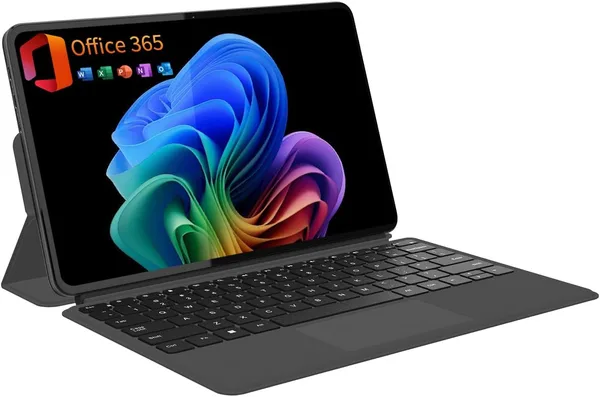
The Type Cover keyboard (also sold separately) is the detail that no specs mention, but it should. Without it, the Surface Go is just a screen on a stand. With the keyboard and stylus, the price easily doubles, and many buyers catch themselves thinking, “maybe it would have been simpler to buy a normal laptop for that money.” The honest answer is often yes, it’s simpler.
Stylus, kickstand, compactness—all of this supports the image of a “laptop for the on‑the‑go person.” On a train, in a café, or on a plane leg, the Surface Go folds into a more compact form than any traditional laptop thanks to its flip‑up stand. A second child in the family who needs a device for school and simple tasks also fits well into this scenario—because expectations there are realistic: Word, browser, video.
This exact variant on the marketplace goes for roughly $174 (about 8,450 ₴ with delivery to Ukraine at the current rate) — and given how much a new Surface Go costs, it’s quite attractive for a used or refurbished unit. But that’s why it’s important to understand what you’re buying: not a flagship, but a budget work tool with clear limits.
Who should take this Surface Go? Those who are honest with themselves: a device for notes, email, light browsing, and video on the go—and nothing more. Students who need something compact for lectures. People who already have a primary computer at home or in the office and are looking for a secondary gadget for mobility, not productivity.
Who shouldn’t? If you plan to edit photos or video, keep twenty tabs open, or run heavy software, forget it—4 GB of RAM simply won’t allow that, and no Windows tweaks will help. If you need a primary work computer, look toward full‑featured laptops in the catalog; there you’ll find options with ample memory and modern processors at comparable or slightly higher prices.
The main compromise here is one, but it’s fundamental: 4 GB of RAM in 2026 is frankly too little even for light tasks if you’re used to multitasking. The second compromise is less obvious but real: without a keyboard and stylus, the device loses a lot of sense, and buying them separately means you’re effectively paying a third of the total cost.
Frequently Asked Questions
FAQ
For two or three light tabs and Word, yes—it’s tolerable. Add a Zoom call or more tabs, and you’ll see the same slowdowns mentioned earlier. It’s a limit, not a buffer.
For reading, notes, and video, the iPad usually feels smoother thanks to iPadOS being optimized for weaker hardware. The Surface Go only pulls ahead if you truly need a full Windows system with desktop software.
If you plan to type at all, yes—there are no alternatives. Without the keyboard, it’s just a Windows tablet, not a mini‑laptop, and the purchase purpose narrows sharply.
No. It’s a secondary, auxiliary device. With 64 GB of storage and 4 GB of RAM, it’s too tight even for long‑term office tasks.
Similar options for comparison: