Creality CR-Ferret SE Review: A 3D Scanner That Actually Fits in Your Pocket
The Creality CR-Ferret SE is a small handheld 3D scanner priced at around $200, and it genuinely captures parts down to 0.1mm accuracy without needing a tripod or a laptop to run. This isn't a tool for an engineer modeling parts for a CNC machine — it's a fast way to digitize something by hand, for printing copies, restoring small parts, or just for fun. Get it if you need to "scan and print" right now, not if you need industrial-grade precision.
Picture this: a corner has chipped off the plastic lid of your old vacuum cleaner, nothing like it has been sold in five years, and the service center just shrugs. In the past your only options were living with the broken lid or spending hours with calipers, modeling it from scratch in CAD, often crooked. Now there's a third option — trace the part with a handheld scanner and get a ready STL model in ten minutes. That's exactly the scenario people buy the Creality CR-Ferret SE for.
What this actually is
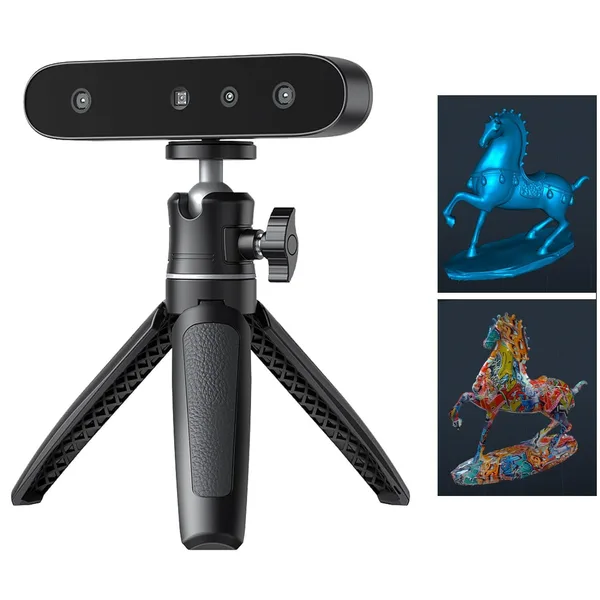
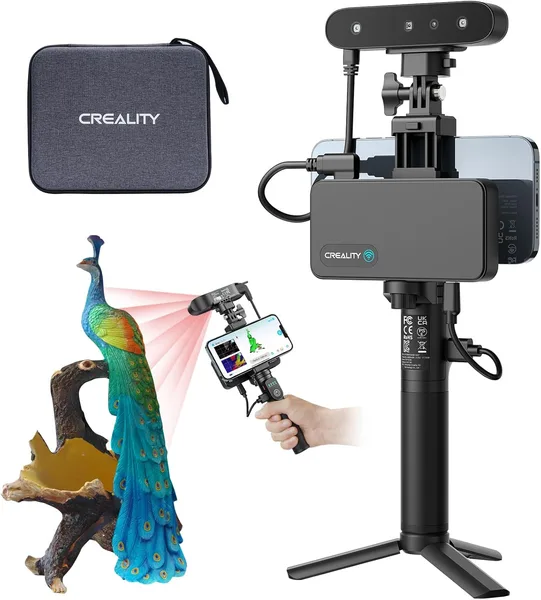
The CR-Ferret SE is something between a mouse and a hair dryer, weighing a bit over half a kilo, with a pair of cameras and structured light inside. Wave it over an object, and a color 3D model grows in real time on your phone or laptop screen. There's no magic here — structured light has been used in industrial scanners for years, Creality just packed it into a housing that costs about as much as a good pair of headphones, not a car.
The claimed accuracy is 0.1mm, scanning speed is 30 frames per second. In practice this means fine text on a plastic part or carving on a wooden figurine actually gets picked up, not smoothed into mush. I wouldn't treat that number as absolute truth — 0.1mm is the best-case scenario under ideal lighting and a perfectly still object, not a guarantee on every scan. But for printing copies, restoration, and reverse-engineering household parts, it's more than enough.
Anti-shake is a feature you only really appreciate once you've used a cheaper competitor without it. Without stabilization, a slightly trembling hand turns a scan into a pile of artifacts and "holes" in the model that you then spend ages patching by hand in software. Here the algorithm compensates for small tremors, and it's genuinely noticeable when you're scanning something bulky freehand for five minutes straight.
What this looks like in real life
The most common use case isn't engineering — it's creative work and repairs. Someone scans figurines for 3D printing and later painting, someone digitizes a face or hands for cosplay props, someone just needs parts for old appliances, as in the example above. With the CR-Ferret SE it looks like this: connect it to your phone or laptop by cable, launch the app, slowly walk around the object. The model stitches together on the fly, and you immediately see where gaps remain — you can fill them in before waiting for post-processing.
The main competitor here is Revopoint with its POP and Mini lineup, and honestly, the comparison doesn't clearly favor either one. Revopoint is often a bit more accurate on small objects, but it also comes with more fiddling around calibration and markers. The CR-Ferret SE wins on simplicity: unbox it, turn it on, and within five minutes you're scanning, no dance around exposure settings. Within Creality's own lineup, there's also the bigger CR-Scan Ferret Pro, and the difference shows mainly in stability on tricky materials and wireless operation. The SE is the version for people who want to try scanning without paying extra for features 80% of users will never touch.
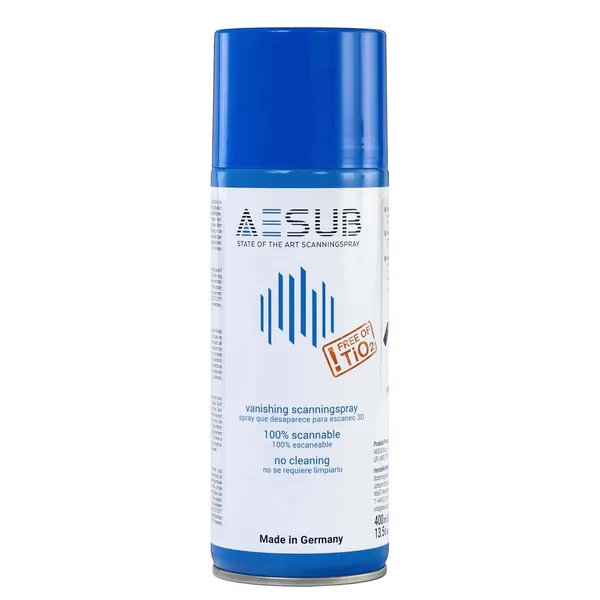
Where the scanner falls short is on glossy, black, and transparent surfaces. Structured light simply doesn't "grip" these materials, and the model comes out riddled with holes. The fix has been known for a while — matting spray for scanning — and there's a dedicated 3D printing and scanning section in the catalog that sells exactly that. Without it, scanning a black plastic housing is a waste of time — good to know this upfront rather than after your third failed attempt.
The second real downside is the software. It does the job, but it doesn't aim for Photoshop-level polish: the interface is functional, no frills, and it occasionally hangs while merging a large number of frames. On a weaker laptop this can get genuinely frustrating. If your PC is around seven years old, check the app's minimum requirements first rather than cursing at it later.
Who should buy it, and who shouldn't
Get it if you're a freelance maker, modeling for custom print jobs, restoring vintage items, building props, or just want to understand how 3D scanning works without dropping thousands of dollars. At around $200, this is a fair entry point into the hobby — check the full landed cost with shipping and import duty to your own country on the product page before ordering.
Skip it if you need repeatable results for serial production or engineering-grade measurements — that's a different weight class of equipment and a very different budget. Skip it too if you'll mostly be scanning mirror-finish or transparent objects and aren't willing to deal with spray every time. And honestly, if you can't quite picture why you'd need a 3D scanner at home in the first place, this purchase will most likely end up in a drawer after the third use. Buy it for a specific need, not because it seems interesting.
FAQ
You don't need a gaming rig, but the cheapest budget laptop with 4GB of RAM will choke while merging frames into a large model. A mid-range laptop from the last five years handles it without issue.
Only if you plan to scan regularly and professionally — the Pro's wireless mode and steadier performance on tricky materials are noticeable. For occasional projects and hobby use, the SE gets the job done for less.
For simple brackets, covers, and housing elements — absolutely. For parts with a precise fit (gears, shafts), the scan usually needs manual CAD cleanup afterward, since no handheld scanner in this class delivers perfect geometry out of the box.
Coat the surface with temporary scanning spray, or plain baby powder as a last resort. Without that, structured light simply can't read the shape.
Similar products worth a look: