MYNT3D Pro Review: Is This 3D Pen Worth Buying for Your Kid?
This isn't a one-night toy or a pro sculptor's tool — it sits right in the middle, and that's exactly why it works. Adjustable temperature and feed speed solve the classic cheap-pen problem where plastic either won't set fast enough or refuses to leave the nozzle. Buy it if your kid is 10+ or you want to sculpt plastic by hand without a printer; pass if you expect perfect, even lines out of the box — that's a skill, not autopilot.
The first time you pick up a 3D pen, it seems like it should be simple: press the button, plastic oozes out the tip, draw a star in mid-air, done. Reality check — the first five minutes with any of these pens is a wrestling match with physics. Plastic strings, sags, hardens where you don't want it, and your line comes out looking like overcooked spaghetti instead of a clean stroke. With the MYNT3D Pro, that fight is shorter than with the $15 marketplace specials, and that's the entire justification for the markup.
What Separates It From a Pocket-Change Toy Pen
The headline feature is adjustable temperature and separately adjustable feed speed — two distinct dials or buttons, depending on which panel revision you get. Sounds like a minor spec until you try a pen without it: those usually have one mode for everything, or a crude "hot / hotter" toggle. PLA — and the kit includes 10 colors of it — lives in a narrow temperature sweet spot. A hair too cool and the line crumbles, won't bond to the layer below; a hair too hot and it puddles into a molten mess. Here you can dial it in for the specific color, even for the humidity in your room, because PLA pulls moisture from the air and that changes how it behaves when heated.
The DesignPad — that silicone mat with printed templates (circles, stars, basic geometric shapes, a grid for straight lines) — looks like a throw-in bonus at first glance, the kind of "eh, it'll do" extra you'd toss in a drawer. But it's actually the single biggest barrier-remover for beginners. Without it, a kid's first projects are chaotic and wobbly because their hand hasn't learned to match movement speed to extrusion speed. With the mat, you literally trace the outline, plastic sets right on the silicone (crucially, it doesn't stick), and within an hour or two you're producing clean flat parts that snap together into 3D objects. Compared to the long-established 3Doodler, which also has a loyal following, MYNT3D wins on the learning kit — 3Doodler often sells that mat as a separate purchase, leaving the novice alone with their frozen spaghetti.
Where It Genuinely Disappoints
Let's be honest — the nozzle. It's metal, and like any metal 3D pen nozzle, it heats along its entire length, not just at the tip. I wouldn't hand this to a kid under 10 without standing right there, and the manufacturer agrees — that's the age rating on the box. Second, the pen isn't the lightest for long sessions. Half an hour of drawing is fine; an hour straight and your hand fatigues, especially for kids whose grip isn't fully developed. Third, a small but nagging annoyance: the power cord is short and stiff, giving you less freedom of movement than you'd expect until you get used to working within a specific radius of the outlet.
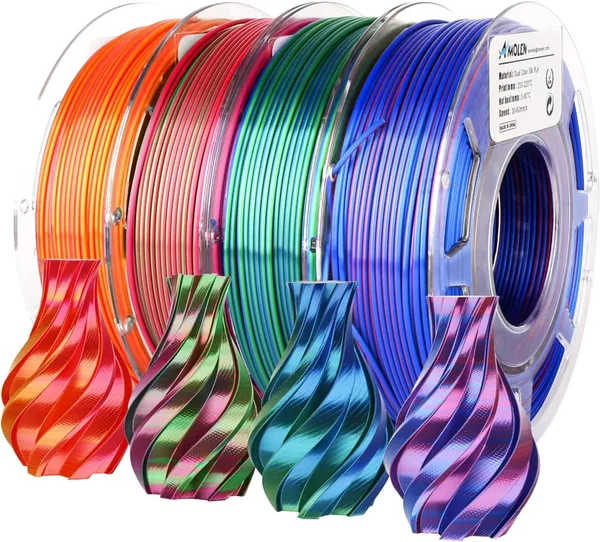
The included filament strands run out faster than they look like they should — 10 colors sounds generous, but each strand disappears in literally one or two large projects. So if the kid gets seriously hooked, buying more PLA spools becomes a "first couple of weeks" problem, not a "few months down the road" one. Speaking of which, if you're already thinking ahead about color variety, it's worth checking the filament bundles in the same category — the shade selection there is far wider than any starter kit can cram in.
Who Should Buy, Who Should Walk Away
If there's a 10-to-14-year-old in the house who likes making things with their hands instead of just staring at a phone — this is a great gift, and the rare gadget that won't end up in a drawer after a week because the skill ceiling grows with their interest: start with flat stencil shapes, graduate to full 3D builds without the mat at all. Adults curious about prototyping or just wanting to try something new without dropping cash on a full 3D printer — also a solid entry point, and the learning curve is way lower than it looks from the outside.
But if you're shopping for a kid under 8 — keep looking. Hot nozzle along its whole length, plus the fine motor control needed for clean lines, which many kids that age simply haven't developed yet. And if you expect a 3D pen to behave like a mini printer where everything comes out perfect and automatic — you'll be disappointed, because this is a hand tool. The result depends entirely on how many hours you've put in before something neat finally appears.
The kit runs around $79, and with shipping plus import fees to your country it lands in the neighborhood of — see the full landed price to your country on dede.sh — which for a package that includes the pen, ten filament colors, and the stencil mat looks reasonable compared to buying the pen and filament separately, where the total climbs higher.
Preguntas frecuentes
If this is a one-night novelty — no, you won't feel the difference. But if the kid (or you) plans to practice regularly, adjustable temperature and feed speed aren't marketing fluff — they're the difference between "something actually came out" and "the plastic keeps jamming constantly." Cheap single-mode pens kill the motivation to keep trying fast.
3Doodler is the older, also-solid brand, but you often have to buy the learning mat separately. MYNT3D Pro ships with the full starter kit in the box, so for a beginner — especially a kid — the MYNT3D on-ramp is smoother.
For the first ten-ish projects — yes. But if the obsession is real, you'll be ordering more filament spools within a couple of weeks of heavy use — strands vanish faster than you'd think.
The manufacturer rates it 10+, and that's a sensible line — the nozzle gets hot along its full length, not just the tip. Younger kids should only use it under direct adult supervision, and even then, keep sessions short.
Related products worth a look: