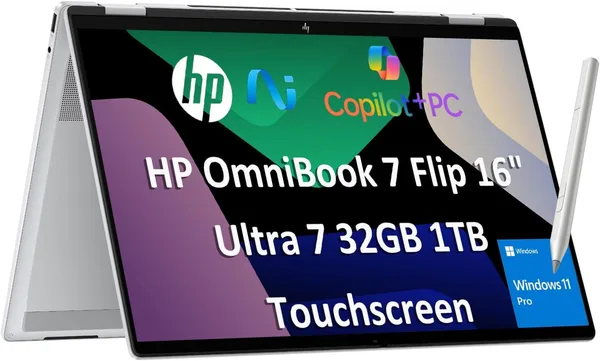
HP OmniBook 7 Flip (Envy x360) 2026 review: is the 16-inch 2-in-1 worth it
The HP OmniBook 7 Flip is basically an Envy x360 with a new badge — except now it's got a bigger 16-inch screen, a fresh Core Ultra 7 258V, and 32 gigs of RAM. If you want one device that's "both laptop and note-taking tablet" and you can live with it not being the thinnest or lightest thing in its class, it's worth buying. If your main criterion is how it feels in a bag every single day, look at the 13-14-inch convertibles instead.
Picture this: you want one laptop for everything — work, lecture notes, evening shows, and the occasional stylus doodle when the mood strikes. Most people solve this by buying two devices, a laptop and a tablet, and lugging both around even though they only ever use one at a time. HP is trying to close that gap with a single chassis. And credit where it's due — by 2026, they've actually gotten decent at it.
What's under the hood, and why this isn't just "another Envy"
HP renamed the Envy line to OmniBook — a marketing move that changes nothing about the substance. Under the hood sits an Intel Core Ultra 7 258V, part of the Lunar Lake family that finally gave Intel real battery life without gutting performance. 32GB of DDR5 and a terabyte of SSD storage isn't an entry-level spec sheet anymore — it's a configuration that can keep twenty Chrome tabs, Figma, Lightroom, and Zoom open at once without the fans screaming for mercy.
The headline feature is, of course, the 360-degree hinge paired with a 16-inch touchscreen at FHD+. HP isn't chasing compactness here — it's chasing screen real estate: 16 inches is basically a desktop replacement, not a light travel companion. In tablet mode, a screen that size gets a little awkward to hold for long stretches — this isn't an iPad, and your arms will tire faster than they would with a 13-inch rival. But as a workspace for two windows side by side, it's a genuine luxury.
How it actually plays out day to day
Here's the rhythm: mornings it's a regular keyboard-and-trackpad laptop, midday it becomes a note-taking tablet when you need to sketch out a quick diagram in a meeting, and by evening it's tent mode — screen folded back, propped like a little triangle on the table while you watch a movie. That's the whole point of the x360 form factor, and the OmniBook 7 Flip pulls it off naturally, without the "we bent it because we needed a differentiator" feeling some convertibles have.
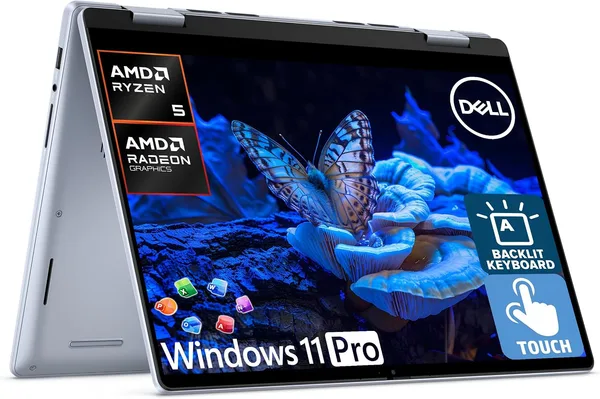
Stack it against the Dell Inspiron 14 2-in-1 — its closest direct rival — and HP wins on screen size and raw chip power but loses on portability: the 14-inch Dell is simply easier to haul around in a backpack every day. And if you set the standard, non-convertible OmniBook 7 Flip next to, say, an HP 15 running the same-generation Core Ultra 7 155H, the gap becomes obvious: you're not really paying for more performance, you're paying for the tablet transformation and the touchscreen. The real question is whether you'll actually use that, or whether it's a nice bonus you'll try twice and forget about.
Battery life is probably the most underrated win from Lunar Lake. Intel laptops in this class used to mean carrying the charger everywhere; now you can realistically get through a full workday unplugged, as long as you're not gaming hard or rendering video for hours. For text, browser tabs, and presentations, that promise actually holds up.
The included stylus (when it ships with a given configuration) is pleasant enough, but don't expect Apple Pencil-on-iPad Pro levels of feel. Think of it as a handy tool for notes and quick PDF markup rather than a serious digital-illustration instrument.
Who should buy it, and who shouldn't
Buy it if you're a one-device person: you work on a laptop but like handwriting notes now and then, watch movies sprawled on the couch, and want a single machine that covers all of that without sacrificing power. Especially if you're already deep in the Windows ecosystem and have no interest in relearning an iPad or a Chromebook.
Skip it if minimal weight and compactness for your daily commute — subway, plane, whatever — is your top priority. A 16-inch 2-in-1 isn't something you toss into a small bag without a second thought. Also skip it if the stylus is your only reason for buying: for serious drawing or illustration work, there are devices purpose-built for pen feel that will simply do better.
There's really one meaningful trade-off here: you're paying for both raw performance and form-factor flexibility at the same time, when most people genuinely only need one or the other. US list pricing starts at $1,249.99 — for the full picture of what that turns into once you add shipping, forwarding, and import duty to your own country, check the landed price on dede.sh before you decide. At that level it's not a casual purchase, so it's worth being honest with yourself about whether you'll actually use every mode, or whether you're buying it "just in case."
FAQ
Honestly, no. If you're confident you'll never fold the screen into tent or tablet mode, a regular laptop in the same class without the 360° hinge will get you the same power for less money. The touchscreen here is a genuine bonus for people who actually use it, not a spec-sheet checkbox.
If you carry your laptop with you every day in a bag or backpack, the Dell is more compact and lighter, and you'll feel that difference in your shoulders within a week. The HP OmniBook 7 Flip makes more sense when the device mostly lives on a desk at home or the office and rarely travels.
For browsing and office apps, yes, it's overkill. But if you're the type who keeps dozens of tabs open alongside a few heavy apps — video editing, design software, virtual machines — that extra memory headroom is exactly what keeps things feeling snappy two years down the line, not just in month one.
For everyday tasks, yes — the Core Ultra 7 258V (Lunar Lake) holds up confidently through a full day. But if you're planning to render video or play demanding games, pack the charger, same as you would with any other laptop in this class.
Similar options worth comparing: