Creality 3D Scanner Turntable (8-Inch, Manual): Worth It Over the Motorized One?
The Creality 8-inch manual turntable is a disc of plastic with tick marks around the rim — and that's exactly why it works. It's a natural fit for the Otter, Raptor, and Ferret scanners, costs next to nothing next to the motorized version, and asks only that you turn it yourself and count your own frames. For small objects and one-off projects, buy it without a second thought. For anything approaching serial scanning, go straight for a motorized table instead.
I was scanning a small dragon figurine for a friend who wanted a 3D-printed copy. Phone in one hand, running the scanner app, trying to rotate the figurine in sync with the other hand — on a plate. A regular kitchen plate. The frames blurred, the angle drifted, and what came out was somewhere between a dragon and a pile of stray polygons. That's when it clicked why people actually pay for this unassuming disc with marks around the edge instead of spinning things on whatever's lying around.
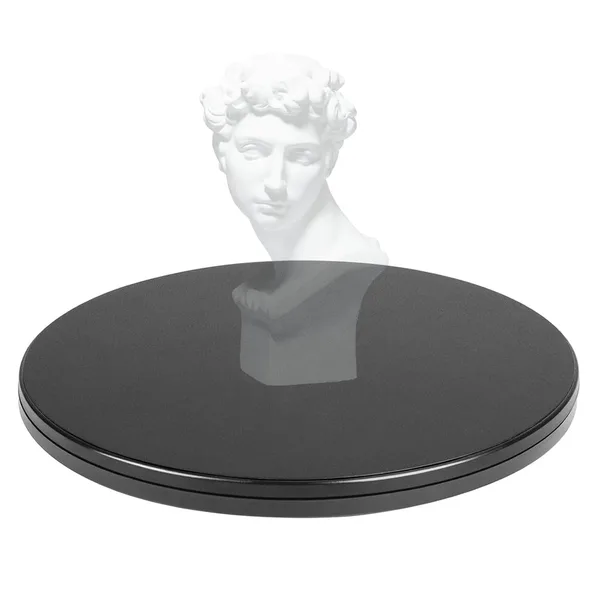
The object in question — the Creality 8-inch turntable — looks almost comically simple. A plastic disc a bit over 20 cm across, a little more than a centimeter thick, with tick marks running around the rim. It weighs 201 grams, which I only mention because this is one of those rare cases where light actually means good: you can toss it in a backpack pocket and pull it out on location instead of hauling something bulky and breakable.
Why bother with a dedicated turntable at all
The classic beginner mistake is scanning an object by hand — walking the phone or scanner around it in a circle. You can do that, and apps like Creality Scan or Revopoint let you. The problem is that the camera tracks its own position relative to itself, not relative to the object, so the smallest wobble in your hand while you're circling introduces an error that just keeps compounding. Spinning the object itself on a fixed point is far more stable: the scanner stays put, and the object rotates through a known, even angle.
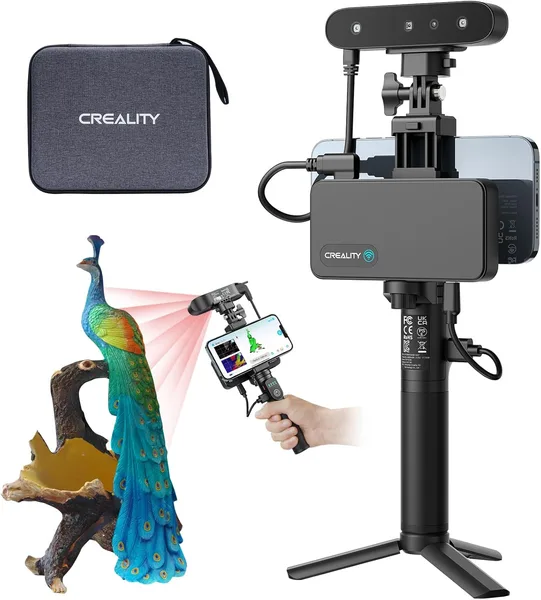
That's the whole trick of this particular table — those tick marks around the edge. They're not decoration; you turn the disc by hand to the next mark, take a frame, turn again. It's essentially a manual stand-in for a stepper motor. Sounds old-school, and it kind of is, but for medium-sized objects — figurines, printer parts, shoes, helmets — it's more than enough. Creality markets it as built for its Otter, Raptor, and Ferret scanner lineup, and in practice the mount and the markings really are sized for those models.
What it's actually like to use
First impression: a pleasant, non-slip surface — the disc doesn't wander under the weight of whatever's on it, at least not for anything I tried, from small printed parts to a mid-size shoe. The tick marks are crisp and readable even in mediocre lighting, so it's hard to miss one by accident.
What gets annoying is the human factor. You catch yourself mid-scan thinking, "wait, did I already turn it twice in a row" — especially fifteen minutes in, when your hand's getting tired. One skipped or doubled turn and the model develops a telltale "jump" in its geometry that you then have to patch up by hand in software. With a motorized table like the powered options in the catalog, that simply doesn't happen — the step is locked in by electronics, not by the fingers of a tired freelancer at 2 a.m.
Second thing worth knowing: syncing with the app. Paired with a Creality scanner, the app sometimes prompts you when to shoot, and then manual turning is just "twist, click" — no drama. But with third-party software that doesn't give you that cue, you're keeping the rhythm yourself, and that's a matter of discipline rather than hardware.
What it's up against, and who it suits
The real competitor here isn't another brand — it's Creality's own motorized turntable. The price gap is significant, and it's exactly what decides who should buy which. If you scan once a month, for a hobby or a single "make a copy of grandma's vase" project, the manual version pays for itself instantly: it costs about as much as a cheap lunch, not half the price of the scanner itself. Check the price for yourself — overseas listings start around 11 dollars, and once you run it through the full landed-cost calculator on dede.sh (item, forwarding, and import duty combined into one number), it's clear this isn't a purchase worth agonizing over.
But if scanning is part of your daily work — say you make 3D models to order or catalog products for a living — manual cranking quickly becomes the most tedious step in the whole process. Every minute counts there, and a motorized table that steps and waits for the frame on its own will pay back the price difference within the first week of heavy use.
One more thing worth flagging: size. Eight inches is fine for a trinket or a mid-size figurine, but a large helmet or a size-12 shoe will fill the disc right up to the edges, and accuracy near the rim starts to suffer. If you're planning to scan bulky items regularly, look at a larger-diameter table instead.
The honest verdict
Buy it if: you already own a Creality scanner (or a compatible one), scanning isn't a daily routine for you, and you'd rather spend your budget sensibly than automate for automation's sake. The disc does its one job well — it gives the object a stable, repeatable point of rotation, and that's already half the battle for a clean scan.
Skip it if scanning is your bread and butter, where every extra hand movement is time and money lost. Also skip it if you plan to regularly scan anything bigger than your palm — you'll either be compromising on edge accuracy or shopping for a bigger table from day one anyway.
There's exactly one trade-off here, and it's a clear one: you save money, but you pay for it with your own attention and a bit of patience. For most hobbyists, that's a fair deal.
FAQ
Physically, sure — it just spins and has tick marks, so you can put pretty much anything on it. But Creality officially targets it at its own Otter/Raptor/Ferret lineup, and frame syncing is smoothest with the Creality app. It'll still work with another scanner, just without the built-in step prompts — you'll be counting turns yourself.
If scanning is a one-off or an occasional hobby for you, no. The price difference here isn't a couple of dollars — it's a multiple — and for infrequent use, the manual version pays for itself much faster. The extra cost only makes sense if you scan often enough that your time is worth more than the price gap.
For a smaller shoe or a compact helmet, yes, though the object will take up nearly the entire disc. For anything bigger, accuracy near the edges drops off because the object partly hangs outside the stable rotation zone. For those sizes, look for a table with a larger diameter.