3DMakerpro Seal Lite Review: Is This Compact 3D Scanner Worth Buying
The Seal Lite is a small handheld scanner from 3DMakerpro that does a solid job on small-to-medium objects for printing and restoring models, though it demands patience and some practice with the software — check the full landed price (item, shipping, duties) for your country on dede.sh before you decide. Need to scan a figurine, a part for reverse-engineering, or a broken bracket? It'll handle it. Dreaming of scanning people or large objects on the fly? Wrong tool.
Picture this: the mounting bracket on your old fan has snapped off, the original part hasn't been made in years, and modeling its uneven, curved shape from scratch in CAD sounds like a nightmare afternoon. This is exactly the situation handheld 3D scanners were built for. And the 3DMakerpro Seal Lite is one of the more affordable ways into this hobby — and one you won't feel embarrassed holding.
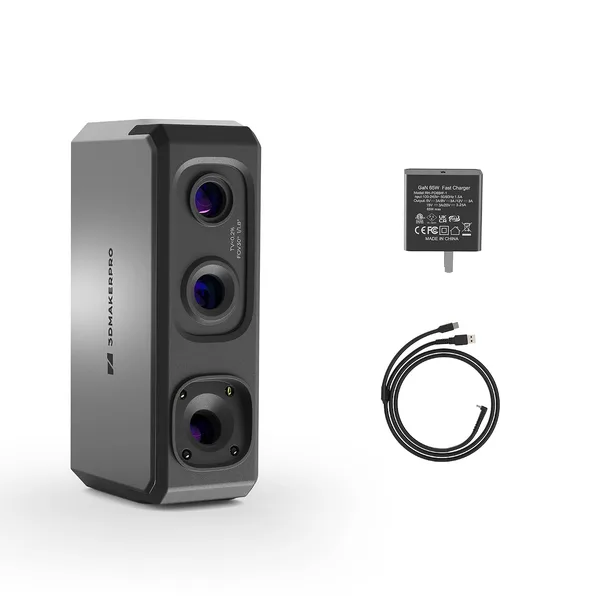
First impression: it's genuinely small. Not iPhone-small, but somewhere around electric-razor size — it sits in your palm and doesn't drag your arm down even after half an hour of scanning. That's not just a nice-to-have; for handheld scanning, weight and balance decide whether you finish a session with a steady hand or a shaky mess. The blue LED module instead of a laser or structured light is the headline feature the manufacturer leans on — less heat, steadier performance under normal room lighting. In practice, the difference shows up mostly in ordinary apartment conditions without blackout curtains: the scanner doesn't "drift" nearly as badly from window light as some structured-light competitors do.
How it actually performs
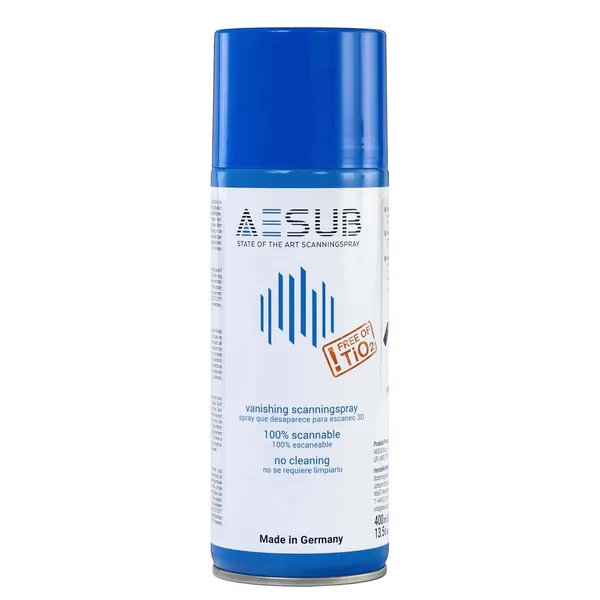
The claimed 0.02mm accuracy sounds impressive on paper, and honestly, on small objects with crisp geometry — gears, brackets, small mechanical parts — the result really is decent, with a smooth surface and no obvious artifacts. But here's the catch nobody in the marketing copy mentions: you'll only see that number under near-perfect conditions — steady lighting, a matte object surface, slow and even hand movements. Try scanning something glossy or translucent and you can forget about 0.02mm; you'll need to reach for a can of scanning spray first.
The software is its own conversation. 3DMakerpro's app isn't the most intuitive on the market, and your first few scans will likely end up in the trash because the scanner loses tracking — it "loses" the object in space and you have to start over. This isn't unique to the Seal Lite; nearly every budget handheld scanner behaves this way, but you should mentally prepare for it. By around your fifth or sixth scan, your hand already knows the right speed and angle, and the whole process speeds up noticeably.
The obvious comparison here is Revopoint, the main rival in this price bracket. Revopoint's lineup (the POP or the MINI) often becomes the default reference point when people shop for their first scanner, and to be fair, their software is a bit friendlier to beginners. The Seal Lite wins on compactness and entry price, but software is where 3DMakerpro is still playing catch-up. If you've ever messed with photogrammetry — the classic "scan with a few dozen phone photos" approach — the difference is night and day: a handheld scanner is far faster for repeat jobs and skips the point-cloud post-processing in third-party software entirely, since everything happens close to real time.
For printing models on an FDM printer, the mesh quality the Seal Lite produces is more than good enough — after a bit of smoothing in Blender or Meshmixer, models print cleanly with no obvious defects. But for something like printing a keepsake bust of someone's face, or full-body scanning a person — forget it. That calls for an entirely different class of equipment with stabilization and a wider field of view.
Who should buy it, and who should walk on by
If you're a maker who regularly repairs, modifies, or reverse-engineers small parts, the Seal Lite pays for itself by your second or third project, since the alternative — calipers, CAD, and a lot of patience — takes far longer. If you're a 3D-printing hobbyist who wants to scan figurines or prototypes for printing, it's a solid pick too, especially given how far below professional scanners (which start well into four figures) it's priced — see the exact landed cost, including shipping and any import duty for your country, on dede.sh.
But if you're expecting push-a-button-get-a-perfect-model magic, you'll be disappointed. This is a tool that demands a learning curve, and the first week with it will be a bit painful. The second downside is the software itself: functional, but unpolished, and the English documentation doesn't always save you when things go sideways. Third, transparent, glossy black, and very small objects (under a few millimeters) are a weak point for the scanner — you'll either need to matte the surface first or reach for a different tool entirely.
Overall: an honest working tool at a reasonable price, without the usual marketing gloss — but also without any illusions of being simple for everyone.
FAQ
Yes, easily. For printing parts and models, the scanner's accuracy is more than sufficient — the real limiting factor there is your printer itself (layer height, nozzle size), not the scanner.
If budget and compactness matter most to you, go with the Seal Lite. If you want an easier on-ramp and don't mind paying a bit more, Revopoint's software is friendlier to beginners and has a lower learning curve.
Technically you can try, but the results will be mediocre at best. This scanner is built for small-to-medium objects at a range of a few dozen centimeters, not full-body scanning.
No, don't chase that number. In real-world conditions you'll rarely hit the advertised accuracy anyway, and for printing souvenirs and figurines, far more modest specs are plenty.