3DMakerpro Handheld 3D Scanner Review: Is It Worth Buying?
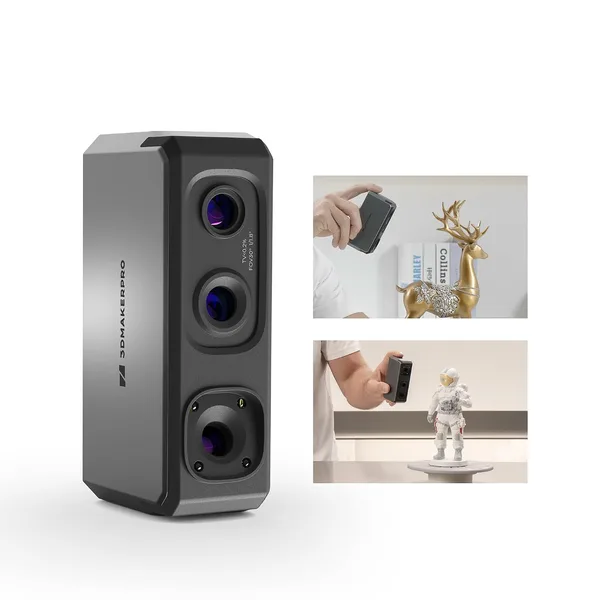
The 3DMakerpro handheld scanner captures accurate surfaces fast — a claimed 10 frames per second — and it's a lifesaver when you need to reproduce a real object (a cracked housing, a worn handle, a figurine's face) instead of drawing it from scratch in CAD. It's pricey, and the learning curve is steeper than the unboxing videos let on, so it's really for people who scan regularly, not once a year "just in case."
Picture this: the plastic bracket on your food processor snaps, and the model's been discontinued for five years. You photograph it from seven angles, open Fusion 360, and spend an hour eyeballing fillet radii that refuse to look right. Sound familiar? That's exactly the itch handheld 3D scanners scratch — and why this category is growing faster than printers themselves on dede.sh.
What it actually is
3DMakerpro isn't the loudest name in the space, but makers know it well, especially the ones who've grown tired of Kickstarter promises and just want something that works out of the box. The claimed 0.02mm accuracy sounds like a marketing number — and partly it is, since that figure comes from lab conditions on a perfectly contrasted test surface, not your garage under a fluorescent tube. Real-world accuracy on actual objects will be worse, and that's par for the course at this price tier — the same caveat applies to better-known names like Revopoint or EinScan.
The scan speed — 10 frames per second — is the part you actually feel while using it. You hold the device, sweep it slowly over the object, and watch the point cloud build in real time on your laptop screen. The first time, it feels like magic. By the third scan, it's routine: you're hunting for that one angle that keeps small details from disappearing.
Where it genuinely shines
The best use case is reverse-engineering physical objects for 3D printing. A broken appliance part, a custom electronics enclosure, a cosplay prop, a weirdly shaped chunk of plastic that's faster to scan than to describe to a design engineer. Here the scanner pays for itself in one or two projects, because the alternative is either hours of manual modeling or paying for a scanning service that costs nearly as much as the device — every single time.
The second scenario where it pleasantly surprises is figurines and busts. Faces, complex organic shapes — the stuff traditional CAD modeling simply can't handle. Here the gap between 0.02mm and 0.2mm stops mattering much; what counts is mesh density and the absence of holes in the scan, and the device handles that well as long as you don't rush.
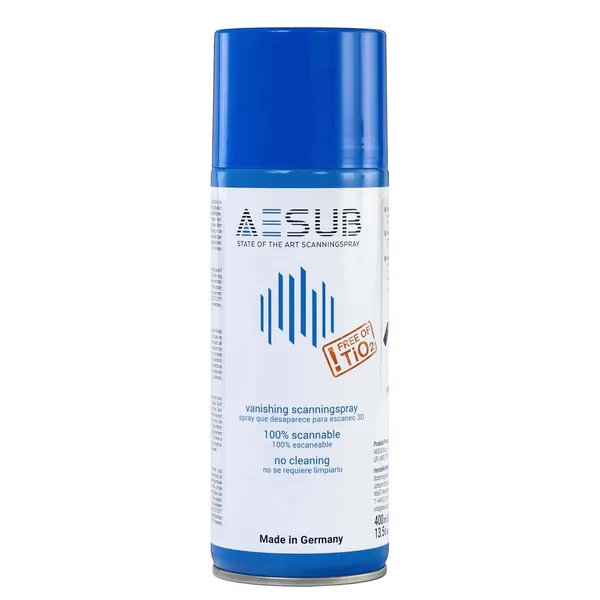
Where it disappoints is large black or reflective surfaces. Matte scanning spray fixes this, but it's an extra step you'll either learn to love or dread every single time. And honestly: if your workshop is mostly black plastic and metal parts, budget for either the spray or a lot of frustrating holes in your scans.
Up against the obvious rival
This scanner gets compared to Revopoint constantly — the brand that turned handheld scanning into a mainstream category through crowdfunding. Revopoint's software is usually friendlier for beginners, and its ecosystem of add-ons (turntables, cases) is broader. 3DMakerpro bets on a "clean" scanning experience with fewer menus — some people prefer that, others miss the hand-holding. If you've already worked with photogrammetry or another scanner, you'll adapt in an evening. If this is your first scanner ever, block out a weekend to learn it — there's no "point and done" magic here.
The honest verdict
Buy it if you already know exactly why you need a scanner: a workshop with a steady stream of reverse-engineering work, a prototyping studio, an enthusiast building custom car or motorcycle parts on a regular basis. In that case, the device at this link pays for itself quickly — check dede.sh for the full landed price to your country (item plus forwarding plus import duty, all in one number) before you decide, since it's not cheap and it's a tool that replaces billable hours, not a casual purchase.
Skip it if you just want to "try 3D scanning once" or you're curious how it works. For a one-off experiment, it's cheaper and smarter to pay for a scanning service or rent one. And here's the second compromise enthusiast reviewers rarely mention: post-processing scans in CAD still eats time. The scanner hands you raw data, not a print-ready model — cleaning up the mesh, smoothing, converting to a solid model is still on you.
FAQ
FAQ
For most household parts, yes, with a bit of margin for post-processing and fitting. But for tight-tolerance parts — gears, bearing seats — I'd still plan on manual correction in CAD after scanning, because even a lab-rated 0.02mm turns into a few tenths of a millimeter of real-world error.
If this is your first scanner and you want the fewest software headaches, Revopoint is usually the easier starting point thanks to its friendlier interface. 3DMakerpro suits people who already understand scanning logic and don't mind digging into settings to get a clean result.
Technically yes, and it's actually one of its strong points — organic shapes hold up better than sharp edges and reflective surfaces do. The hard part in practice is getting someone to sit still for thirty seconds, which is harder than it sounds.
A mid-range gaming or work laptop from the last five years will handle it fine. The bottleneck isn't the processor — it's RAM, once you're working with large, dense scans where the point clouds balloon into gigabytes.
Still on the fence, or looking for accessories to pair with a scanner? Check out related products in the same 3D printing category.