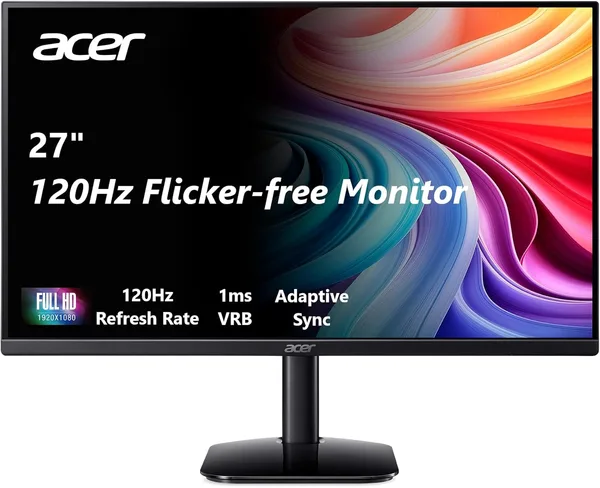
Acer KB272 27-inch review: is a $100 120Hz monitor worth it?
The Acer KB272 is a 27-inch IPS Full HD monitor with a 120Hz refresh rate, priced like a plain 60Hz screen with nothing to brag about. For work, streaming, and even casual gaming, it's the "don't overthink it, just buy it" option. For competitive shooters or color-critical work, it isn't — those needs live in a different price bracket.
Picture the situation: you've got an old 21-inch monitor that came bundled with a desktop tower five years ago, and you've grown used to squinting at small text in spreadsheets. You open a marketplace looking for a replacement, and the options split into two camps — decent 60Hz for reasonable money, or 144Hz for a sum that feels like too much to spend on "just a monitor." The Acer KB272 landed exactly in that gap. IPS panel, Full HD, 27-inch diagonal, 120Hz — numbers that a couple of years ago belonged almost exclusively to gaming monitors twice the price.
The first impression is exactly what you'd hope for: big, flat, nothing that screams "budget" to the eye. The IPS panel isn't just a spec-sheet checkbox either — colors don't wash out when you view the screen from an angle, which matters a lot if the monitor isn't sitting dead-center on your desk but slightly off to the side, as is the case in most apartments with limited space. Compared to the TN panels still common at this price point, the difference is immediate: black actually looks black, not a washed-out grayish purple.
What 120Hz actually buys you at this price
Here's the main selling point, and also the main catch. 120Hz is genuinely noticeable in everyday use: the mouse cursor moves more smoothly, scrolling through pages and documents doesn't judder, and 60fps video looks noticeably more natural than on a classic 60Hz panel, where everything feels slightly "smeared." If you're a developer, a designer, or just someone who stares at a screen for eight hours a day, that smoothness cuts eye fatigue more than you'd expect — not because the marketing says so, but because there are fewer micro-stutters for your brain to keep patching over.
Gaming is where it gets more complicated. Yes, 120Hz beats 60Hz in fast-paced games — that's not up for debate. But Full HD on a 27-inch panel isn't as pixel-dense as you'd want for competitive shooters, where every pixel on your crosshair counts. Compared to gaming monitors at double the price, there's no G-Sync here, no high-contrast VA panel, no especially fast response time — just a solid balance of "speed plus IPS color" without paying extra for niche features that 90% of buyers will never touch anyway.
Where it actually beats the obvious alternatives
People usually compare this monitor against two camps: budget 60Hz IPS models, and slightly pricier 144Hz TN or VA options. Against the first camp, the KB272 wins outright — for roughly the same money, you get double the refresh rate, which is that rare case of an upgrade that's basically free. Against the second camp, it depends on what matters more to you: the KB272 loses on raw speed (120 vs. 144), but wins on color accuracy and viewing angles thanks to IPS. Honestly, for most people who aren't grinding CS or Valorant at a competitive level, the gap between 120 and 144Hz is barely noticeable — while the gap between IPS and TN color is the opposite, obvious the moment you put them side by side.
Worth mentioning separately: the stand and mount are nothing special — basic tilt, no height adjustment. If ergonomics and adapting the screen to your height matter to you, plan on either buying a VESA mount separately or living with a fixed height. A small thing, but the kind of small thing that starts to annoy you six months into daily use.
Who should buy it, and who should walk on by
Buy it if you're upgrading an old monitor for work, study, video, and the occasional casual game; if smooth motion matters more to you than chasing maximum FPS; if your budget is tight but you still want it to feel like a proper upgrade. At this price point, finding an IPS panel with 120Hz is nearly impossible — and that's exactly why the Acer KB272 made it into this review at all. Check dede.sh for the full landed price to your country — item, forwarding, and import duty rolled into one number — before you decide.
Skip it if you play competitive shooters seriously and chase every millisecond — Full HD on a 27-inch panel isn't the pixel density you want for precision aiming, and you're better off looking at higher resolution or genuine 144Hz+ gaming monitors. Same goes if color grading or design work pays your bills — there's no factory calibration here and no claim to color accuracy; this is a "looks good" monitor, not a "professionally precise" one.
The one compromise you need to make peace with upfront: this isn't a premium product and it doesn't pretend to be. No real HDR, no high dynamic contrast, a stand as basic as they come. But at its price, it does one thing very well — it delivers a smooth, colorful picture in a segment where competitors usually sacrifice either smoothness or color. That's a fair trade.
FAQ
For most people, no. The difference between 120 and 144Hz only really shows up in competitive gaming at a serious level. For everyday work, and even casual gaming, 120Hz feels just as smooth in practice, and the money you save is more noticeable than the missing frames.
The KB272 wins by a wide margin if the prices are genuinely comparable. Double the refresh rate for the same money is a rare find, and there's no good reason to pass it up for what's otherwise a near-identical panel.
27 inches at Full HD gives you plenty of room for two windows side by side, though smaller text can start to feel cramped. If you're used to splitting your screen into three or four sections at once, look at models with a higher resolution (QHD) instead.
Yes — for a PS5 or Xbox Series, the picture holds up well. IPS delivers solid color, and 120Hz is supported by current-generation consoles in compatible games. Just don't expect 4K sharpness — this is a Full HD panel.
If this one feels like too much of a compromise, browse similar picks in the catalog — you might find something closer to how you actually plan to use it.