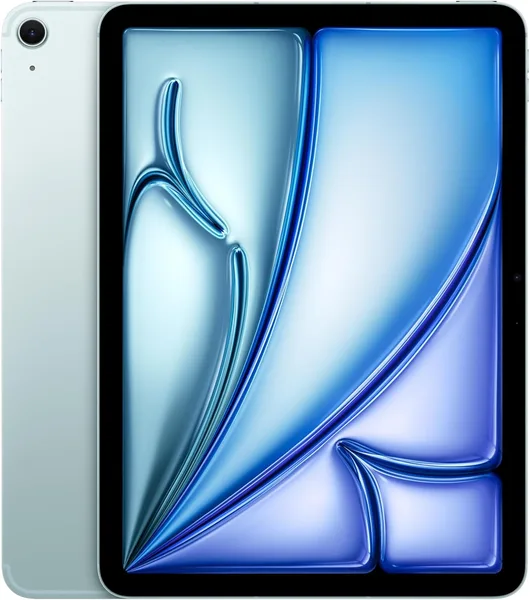
Apple iPad Air 11 M2 Review: Is It Worth Buying in 2026
The iPad Air 11 M2 can genuinely stand in for a light laptop for most office and study tasks, and the M2 chip is doing real work here, not just padding a spec sheet. But strip away the keyboard and Pencil and you're left with an expensive screen, so budget for accessories from the start. If your work isn't Final Cut or heavyweight Photoshop, this is worth buying.
You're at a café, the laptop's at home, and you need to fix a spreadsheet and knock out some emails. Sound familiar? I was in exactly that spot a month ago when I picked up the iPad Air 11 M2, and I realized that for half my working days, a laptop simply isn't necessary. The second question is whether you need this specific tablet, rather than an older Air or even a base iPad for half the price.
Let's start with what's inside: the same M2 that, until recently, powered the MacBook Air. This isn't the usual "same chip, but nerfed" marketing line — the tablet genuinely handles video editing in LumaFusion, a pile of Chrome tabs on heavy sites, and Stage Manager running three windows at once without choking. Compared to the previous M1 Air, the difference isn't obvious in everyday use — it shows up when you actually floor it: rendering, exporting, wrangling big RAW files straight off a DSLR. If you're a photographer who carries a tablet instead of a laptop for sorting shots in Lightroom, it really is faster than it was a year ago.
The screen is the same Liquid Retina panel the Air has always had — no ProMotion, no mini-LED, both of which stayed exclusive to the pricier Pro. And this is where Apple plays its first slightly dishonest marketing card: the "Built for Apple Intelligence" label on the box hints at something new in the screen or camera, when really it just means the chip is powerful enough for on-device AI features. The panel itself is lovely for reading, working with documents, and watching shows on a flight — but 60Hz is 60Hz, and coming from an iPhone or Pro with ProMotion, scrolling feels a touch sluggish. That's the trade-off Apple doesn't mention in the ads, and it's worth knowing going in.
Battery life holds no surprises — it comfortably clears a full workday: the commute in, a few hours of note-taking in classes or meetings, the commute home, and there's still juice left. In my testing that worked out to roughly two full days of moderate use before needing a charge, as long as I wasn't binge-watching video the whole time. Compared to a laptop, this beats the average Windows ultrabook in its class by a wide margin, and that's exactly why the tablet wins in the "grabbed it and forgot the charger at home" scenario.
Now for the part that actually matters — the real-world use case. On its own, without a keyboard, the iPad Air is a content-consumption device, full stop. Productivity only shows up once you add a Magic Keyboard or a third-party keyboard case, plus an Apple Pencil. And that's where the pricing stops looking so attractive: check the full landed cost for your country — device, forwarding, and any import duty rolled into one number — right here on dede.sh, and a decent keyboard adds a meaningful chunk on top of that. Add it all up — tablet, keyboard, pencil — and the total creeps right up against a full MacBook Air, which is worth knowing before you buy, not after.
Stacked against its most direct rival, the Samsung Galaxy Tab S9, Apple wins on ecosystem: iPadOS is a lot closer to a real OS than it was a few years back, with a file manager you no longer have to apologize for and external-display support over USB-C. Samsung, in turn, gives you more ports out of the box and Android's flexibility, which matters more to some people than smoothness does. For a student writing lecture notes and papers, either one gets the job done — it really comes down to which ecosystem you're already living in: an iPhone and a Mac at home pull you toward Apple, an Android phone pulls you toward Samsung.
Who should definitely skip this tablet: video editors and designers who need a real external monitor with a high refresh rate, several full-screen windows at once without Stage Manager's limits, and a proper file system with random access to large projects. For them, the right call is a MacBook Air or Pro, or a desktop outright. But for a student, a manager who lives in Google Docs and Zoom, or a freelance copywriter, this is close to the ideal machine: light, all-day battery, and enough power that you never have to think about the hardware at all.
Honestly, the real risk in buying this isn't the tablet itself — it's your expectations. Buy it expecting a "full laptop" and you'll be disappointed the first time you need two apps open side by side while wrestling with a macro-heavy Excel file. Buy it expecting "a light companion for most tasks, with the ability to sub in for a laptop now and then," and it's one of the best devices in its class in years.
FAQ
If you plan to edit video, work with large RAW files, or keep a pile of tabs open on heavy web apps, yes — the difference is noticeable. For notes, email, and streaming shows, don't bother paying more — the base iPad handles that just as well.
If your work needs specific desktop software — complex spreadsheets with macros, professional video editing, development — go MacBook Air. If your day is mostly browser, documents, email, and mobility, the Air wins on weight and battery, and paired with a keyboard it covers the same ground.
For text files, presentations, and cloud services, plenty — everything lives in iCloud or Google Drive anyway. If you're planning to store a lot of video or large photo libraries locally, go for a higher storage tier from the start, since it can't be upgraded later.