iPad Air 13 M2 review: is the bigger screen worth it?
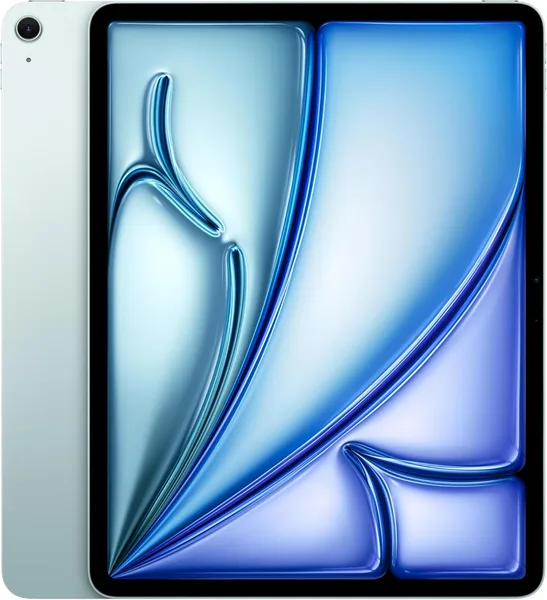
The 13" iPad Air on the M2 chip is basically "almost an iPad Pro" for less money: a big, flat Liquid Retina display, enough power for video editing and drawing, full Apple Pencil Pro support — but no ProMotion and no mini-LED backlight. Get it if you genuinely need the extra screen real estate (sketching, storyboarding, reading PDFs, working across two windows side by side). If you're planning to hold it one-handed on the subway and read novels, the 11-inch version is more comfortable and a bit cheaper. Check dede.sh for the full landed price to your country — item, forwarding, and import duty rolled into one number.
I had the 13-inch Air in my hands for about two weeks — borrowed it from a friend who bought it for freelance illustration work — and the first reaction was simply "wow, this is a big tablet." Not in a bad way: a 13-inch screen genuinely changes how you use the thing. Notion open next to a browser, a PDF with full-width margins and no constant pinch-zooming, Procreate with a canvas your hand doesn't half-cover — all of that works precisely because there are so many inches to work with.
What's inside, and why it matters
The headline spec is the M2 chip, the same one that powered Macs a couple of years back. For a tablet, that's overkill in the best possible way: 4K editing in LumaFusion runs without a hiccup, Procreate doesn't choke even on huge canvases with dozens of layers, and full-screen PDF rendering flies by as a side effect of having that much horsepower under the hood. If all you're planning to do is read the news and watch YouTube, you'll never notice the difference between the M2 and a chip two generations older — worth keeping in mind before you spend the extra money.
The screen is Liquid Retina, an IPS panel with True Tone and an anti-reflective coating, no ProMotion (so 60Hz, not the 120Hz you get on the Pro) and no mini-LED. In practice that means the picture is excellent for text, photos, and line work, but if you draw with fast strokes and feel every millisecond of pen lag, the gap with the Pro is real. For 95% of people, it's invisible.
The tablet supports Apple Pencil Pro — haptic feedback (a little buzz-click when you pick a color), barrel squeeze to summon the palette, and tilt for shading. This is the actual reason to buy the M2 version specifically rather than the older M1 Air or the 11-inch M3: on the lower-tier models, some of those Pencil Pro gestures simply aren't available. If the pen is a working tool for you rather than an accessory, take a separate look at the Apple Pencil Pro — it's what unlocks this tablet's full potential.
Size, weight, battery
The listed weight for this 13-inch Wi-Fi model is around 617g (real-world measurements in the dede.sh database confirm it), with dimensions of roughly 28 × 21.5 × 0.6cm. That's noticeably lighter than a MacBook Air but heavier than the 11-inch Air — holding it one-handed for an hour without support gets uncomfortable, which is exactly why designers and illustrators tend to set it on a desk or their lap rather than carry it around like a paperback.
Battery life in mixed real-world use is good for roughly a full workday — browsing, notes, some video. Drawing actively with the Apple Pencil Pro and the screen cranked bright drains it noticeably faster, which is normal for any tablet in this class.
13" or 11" — what to actually pick
Here I'd say ignore the marketing copy and look at your own habits instead. The 11-inch Air (also on M2) is more compact, lighter, and better suited to reading in bed or on the move. The 13-inch is close to a laptop replacement for desk work: more room for two windows at once, easier to sketch complex compositions, easier to read technical documentation without constant zooming. Interestingly, on dede.sh right now the 11-inch M2 version is actually priced a bit higher than the 13-inch one at current retailer offers — marketplace pricing is unpredictable like that, so check both product pages before buying rather than assuming the "standard" size premium applies.
What it actually costs, landed
Check the product page on dede.sh for the current best offer and the full landed price to your country — item cost, forwarding, and import duty combined into a single figure. Once the tablet's price crosses your country's duty-free import threshold, expect duty and tax on the difference added on top — that's standard for any Apple device in this price bracket, not some quirk specific to this model.
Pros and cons, no sugarcoating
Pros:
- M2 runs pro-grade editing and drawing apps without breaking a sweat
- Big, flat, easy-on-the-eyes display
- Full Apple Pencil Pro gesture support
- Lighter and thinner than any laptop with a comparably sized screen
- USB-C, with support for external displays and peripherals
Cons:
- No ProMotion — 60Hz can feel "ordinary" after an iPhone or iPad Pro
- iPadOS still limits some work scenarios compared to macOS (file system, some desktop-class apps)
- The larger form factor is awkward to hold one-handed
- Magic Keyboard and Pencil Pro are sold separately and add substantially to the total cost
Who should buy it, and who shouldn't
If you're an illustrator, designer, video editor, a student who takes a lot of handwritten notes, or someone looking to swap a heavy laptop for a lighter device for documents and spreadsheets, the 13-inch Air on M2 is a genuinely sensible pick: plenty of power, a comfortable screen, smart pricing relative to the Pro line. If your main use case is reading books, browsing on the couch, and watching video on the go, paying extra for the 13-inch size and the M2 chip doesn't buy you much — look at the cheaper or 11-inch model instead, since you're unlikely to feel the difference in everyday tasks.
FAQ
If ProMotion (120Hz), the mini-LED backlight, and a bit more GPU headroom aren't must-haves for you, there's no reason to pay the Pro premium. The M2 Air covers 90% of work and creative tasks, drawing and editing included, for meaningfully less money.
The 11" is more comfortable for reading and travel, and easier to hold one-handed. The 13" wins at a desk — more room to work, draw, and multitask. Both versions run the same M2 chip, so performance doesn't differ between them.
Not strictly, but the M2 Air is the version that supports the full set of Apple Pencil Pro gestures — barrel squeeze, haptic feedback. If you plan to draw or take handwritten notes seriously, it's worth having.
It depends on your country's shipping and customs rules. Check the product page on dede.sh for the current best offer and the full landed price — item, forwarding, duty, and tax all combined. The number moves daily along with exchange rates and retailer pricing, so it's worth checking the live figure rather than relying on a fixed quote.
If 13 inches sounds like too much after reading this, browse the laptops and tablets catalog on dede.sh to compare this model side by side with the smaller Air and the Pro lineup — by real landed price, not just the retailer's sticker.