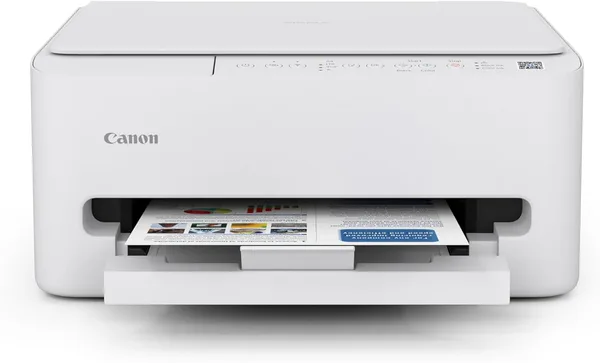
Canon PIXMA TS4320 review: is a budget home printer worth it
The Canon PIXMA TS4320 is a no-frills home inkjet that does exactly what it promises: it prints, scans, copies, and connects to Wi-Fi without a fight. Check the full landed price for your country on dede.sh (unit plus shipping and duty, one number) before you buy — for printing the odd receipt, homework, or photo, this is genuinely enough. For anything beyond "occasionally," budget for ink that will outspend the printer itself within a year.
Anyone who has ever shopped for a "home printer" already knows the trick: the machine itself is dirt cheap, and the cartridges are a whole separate story that retailers somehow forget to mention until you're already home. The Canon PIXMA TS4320 fits the pattern — a tidy, inexpensive white plastic box that promises to cover all your home printing needs. The question was never whether it can print. It can. The real question is whether you'll regret it the moment that ink light starts blinking red.
What this printer is and who actually needs one
The TS4320 sits at the entry level of Canon's PIXMA line, built for people who need a printer occasionally rather than daily — a train ticket, a form for daycare, a handful of vacation photos. It has Wi-Fi and duplex printing (automatic two-sided printing without flipping the page by hand), which is a genuinely uncommon feature at this price point. There's also a scanner and a copy function, so this is really a mini all-in-one, not just a printer.
The fair comparison isn't with office-grade laser printers but with similarly priced rivals like the HP DeskJet or Epson Expression Home. And the gap between them isn't really print quality — it's average across the board at this price — it's the consumables ecosystem. Canon cartridges are widely stocked, easy to find even at big-box electronics stores, though genuine ones cost disproportionately more than the printer itself. HP has a bit more flexibility here thanks to its Instant Ink subscription; Canon offers nothing comparable, so you're choosing between OEM cartridges or third-party ones at your own risk.
What it's actually like to live with
Setup through the Canon PRINT app is genuinely painless — the printer joins home Wi-Fi in about five minutes, no wrestling with a USB cable for the first-time setup like a decade ago. Text prints crisp, and photo colors are decent for an inkjet in this class, though anyone with a trained eye will spot the softness in fine detail and a slightly oversaturated look on bold colors. It's not a photo printer and it doesn't pretend to be.
What actually gets annoying is speed. The first page always takes a beat, because the printer effectively wakes itself up and primes the head every single time — and if you're printing once a week, you go through that ritual every single time. For a household that prints rarely, it's a non-issue; you just live with it. For anyone printing homework every evening or invoices for a small side business, it gets old fast, and you're better off looking at a laser printer instead — faster, and the ink doesn't dry out in the nozzles from sitting idle.
And that's the real trap with budget inkjets: leave one unused for months and the nozzles clog, forcing a head-cleaning cycle before every important print job — a cycle that burns through ink on its own. So the ideal TS4320 owner isn't someone who prints "just in case" twice a year. It's someone who prints small amounts, but consistently — once a week or two.
The honest verdict
The Canon PIXMA TS4320 earns its keep for what it costs — check dede.sh for the full landed price to your country before you decide. Get it if you need a simple home printer for infrequent but regular use: documents, school assignments, the occasional photo. Wi-Fi and duplex at this price are a genuine bonus that competitors often reserve for pricier models.
Skip it if you plan to print a lot, often — the yearly ink bill will easily outrun the printer's own price tag, and that's the defining trade-off of this whole device category, not just this Canon. The second compromise is the lack of an automatic document feeder on the scanner: multi-page documents have to be scanned one sheet at a time, which gets old fast if you do it often.
FAQ
Yes — that's exactly the scenario it's built for. Daily office-level volume is a different story; that's where a laser printer makes more sense.
Print quality is nearly a wash — both are middle-of-the-road performers. The real difference is the cartridge ecosystem: HP offers Instant Ink as a cost-saving option, while Canon has no equivalent service, so factor in the price of genuine cartridges up front.
If "occasionally" means a few photos a month, the TS4320 handles it just fine. If photos are the main reason you're buying and quality really matters, get a specialized model with dedicated photo inks instead.
Yes, and it's a real weakness of budget inkjets in general, not just this model. The nozzles clog, you have to run a head-cleaning cycle, and that burns ink. If you print less than once a month, expect to go through that ritual before every important job.
Worth a look if you're putting together a home workstation in one order: