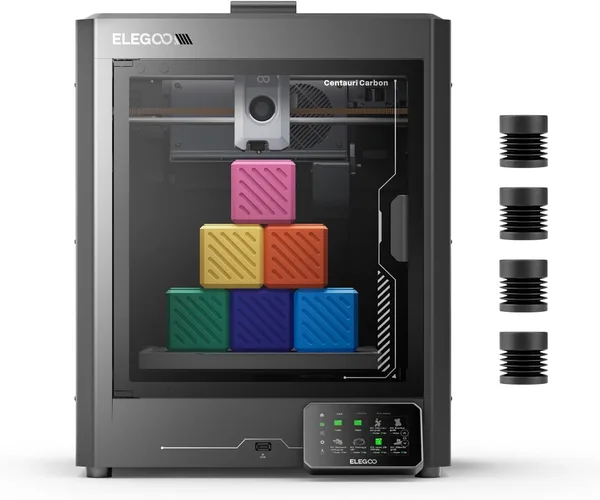
ELEGOO Centauri Carbon Review: The FDM Printer That Prints Faster Than You Can Change Your Mind
The ELEGOO Centauri Carbon is a CoreXY printer that actually prints fast — up to 500mm/s — and calibrates itself, so you can go from unboxing to a good first print in about an hour. Get it if you want an enclosed, quiet, mostly hands-off printer without the usual dance around the bed. Skip it if you need a big build volume or you're already on Bambu Lab and see no reason to switch.
There's a moment everyone who gets into 3D printing eventually hits: you watch a video of a printer spitting out a part in 40 minutes, then you buy some budget machine and wait three hours for the same part while the extruder clicks and swings its head like it's got a migraine. The Centauri Carbon is ELEGOO's answer to that "why is this taking forever" feeling.
The company is better known for resin and MSLA printers, but here it decided to go head-to-head with Bambu Lab and Creality on their own turf, with a CoreXY machine. And honestly, it holds up — better than holds up, actually.
First impressions: the box, the setup, the first print
The Centauri Carbon arrives mostly assembled — standard for modern closed-frame printers these days. Pull the shipping brackets, plug in a few cables, run the auto-calibration. That took me about 25 minutes, including the part where I lost a tiny screw under the bed (a classic). The printer levels its own bed and compensates for nozzle tilt on its own — and it genuinely works, it's not just a line in the marketing copy. My first test benchy came out flat, no elephant's foot, none of that "first layer looks a bit sketchy" thing you still get on some pricier machines.
The enclosure isn't just for looks. It keeps chamber temperature stable, which means ABS and ASA print without corners cracking — something you can't say for most open-frame budget printers. If you've ever tried printing ASA on an open-frame Ender and watched a corner peel up right in front of you, you know exactly why this matters.
Speed is the headline feature, and it's real
The advertised 500mm/s isn't a number you'll see constantly in real prints — complex models with lots of small features are still bottlenecked by acceleration and surface quality. But on simple geometry — enclosures, brackets, stands — this thing genuinely flies. A part that would've taken my old Ender 3 two and a half hours comes out here in 40-50 minutes. It's not the revelation a Bambu Lab X1C is, but the price tag here is meaningfully lower too.
There's noise during fast printing, no way around that — CoreXY mechanics aren't silent. But the enclosure muffles it enough that you can actually keep this in a living room instead of banishing it to the garage or a storage closet, which is what some open-frame models demand.
Where it genuinely disappoints
Build volume — and this is the main tradeoff. The Centauri Carbon isn't built for big parts: cosplay helmets, large drone shells, anything the size of a suitcase organizer won't fit in one piece, so you're stuck slicing the model and gluing sections. If your thing is big functional parts, look at printers with a larger bed, even if that means giving up some speed.
Second issue: ELEGOO's consumables and upgrade ecosystem still isn't as developed as Bambu Lab's, with their AMS and massive community. The firmware also doesn't ship with as polished a slicer out of the box — expect to spend time tweaking profiles, especially if you're moving to a non-standard filament. Not a dealbreaker, but be ready to Google things.
Up against the obvious rival
People compare this printer most often to the Bambu Lab A1 and P1S. Bambu wins on ecosystem and multi-color speed (thanks to the AMS), but loses on price — often by a noticeable margin. The Centauri Carbon positions itself as "the same speed class for less money," and in this segment, that claim holds up. Against classic budget CoreXY machines like the Creality K1, ELEGOO wins on out-of-the-box auto-calibration quality — you're not digging through menus to manually dial in z-offset after every nozzle swap.
You can find the ELEGOO Centauri Carbon on Amazon, but the sticker price is only part of the story once shipping and import duty to your country enter the picture — dede.sh runs the full landed-cost math for wherever you're ordering to, so check that number before you decide it's a deal.
Who should buy it, who shouldn't
Get it if: you've printed a bit already and you're tired of waiting hours for simple parts; you want an enclosed printer you can put in a living room without smell or noise taking over the house; you're willing to spend an evening dialing in slicer profiles for a specific filament instead of expecting everything to work perfectly out of the box.
Skip it if: you need a large build volume — this isn't your format; you're a total beginner who wants the simplest possible "press print and forget it" experience — something cheaper and simpler is a better place to start; or you're already in the Bambu Lab ecosystem and happy there — switching just isn't worth it.
FAQ
FAQ
Honestly, no. If you're printing one part a month, the difference between 40 minutes and 2 hours doesn't matter much. The speed premium pays off when you print regularly and time actually matters — say, you're making prototypes or small-batch parts to sell.
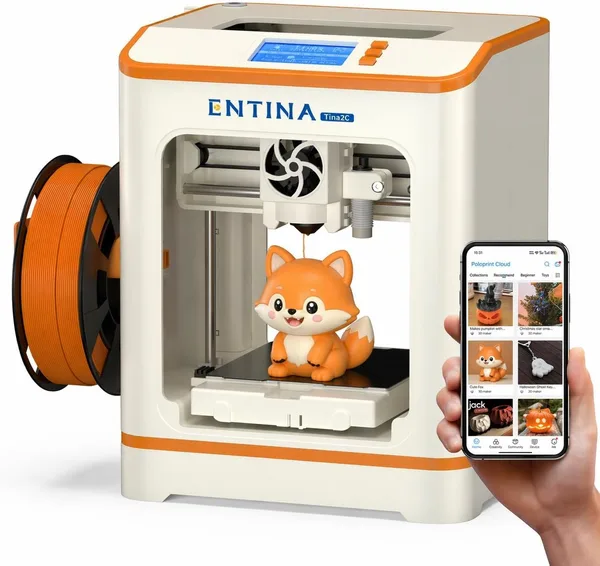
For a total beginner who doesn't know yet whether 3D printing will even stick, it makes more sense to start with something simpler and cheaper, like the Entina Tina2C. The Centauri Carbon makes sense once you already know what you want from a printer, and speed and quality actually matter to you.
No, and that's the printer's main limitation. The bed isn't built for large single-piece parts — for those, look at other models with a bigger work area, even if it means giving up some speed.
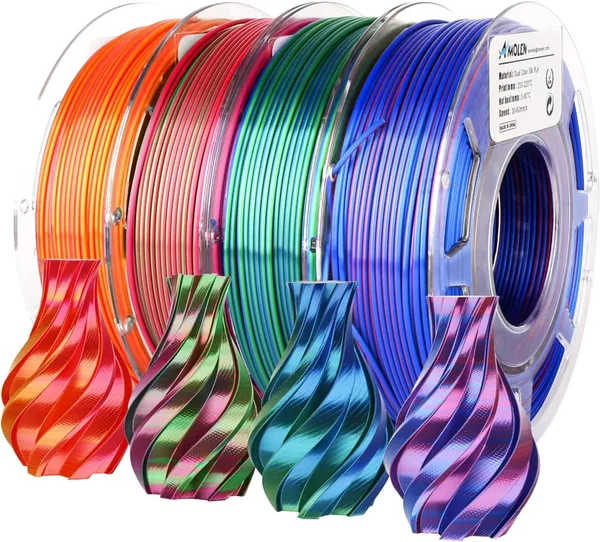
Start with a decent PLA, or if you want something flashier for gifts or display models, a silk filament like AMOLEN Silk PLA. It forgives small setup mistakes and looks impressive even on simple models.