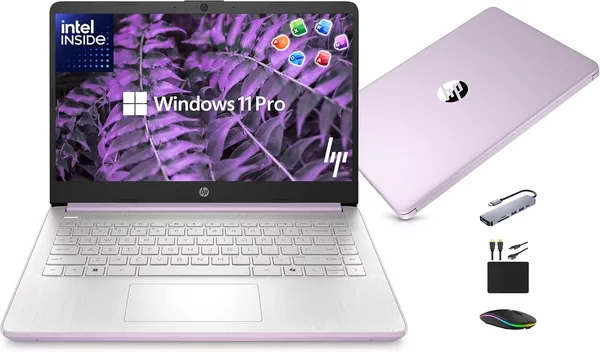
HP 14 Laptop 2026 Review: Is the Budget Windows Laptop Worth It?
The HP 14 is a one-trick laptop: browser, documents, Zoom, and something you won't feel embarrassed pulling out of your bag. 4GB of RAM is a real bottleneck you'll just have to accept. Check the full landed price — item, forwarding, and import duty — right on the dede.sh listing page. It's a fair deal for a kid's first laptop or a spare machine for the parents, but not for anyone planning to keep twenty tabs open alongside Photoshop.
Picture the scenario: your kid is starting their first year of college, or mom has finally decided to master video calls with the grandkids, and the old laptop already makes that fan noise that means "I am dying." Dropping serious money on a flagship for that job is money down the drain. That's exactly the niche the HP 14 fills — it doesn't pretend to be anything more than a decent tool for the basics.
What this machine actually is
Let's start with the honest part: this is not a video-editing laptop, and it won't chew through spreadsheets with a thousand formulas. Inside, you get a quad-core Intel chip and 4GB of RAM. Yes, four. In 2026 that sounds almost prehistoric, when even budget phones ship with double that. So I'll say it plainly upfront: if you're the type who keeps Chrome open with twenty tabs, plus the Telegram desktop app, plus Word, plus something running in the background — this laptop will gasp for air. It won't hard-freeze, but you'll physically feel the disk swapping, in the seconds of lag every time you switch windows.
If your use case is simpler, though — one document, one browser with a handful of tabs, some lecture videos on YouTube, occasional Zoom calls — the HP 14 handles it just fine. The keyboard is decent, not the mushy budget kind, and the 14-inch screen gives you enough room to read text without straining your eyes. This is exactly the class of device people buy "to just have one" and never think about again — which, oddly enough, is a compliment.
How it stacks up against the real market
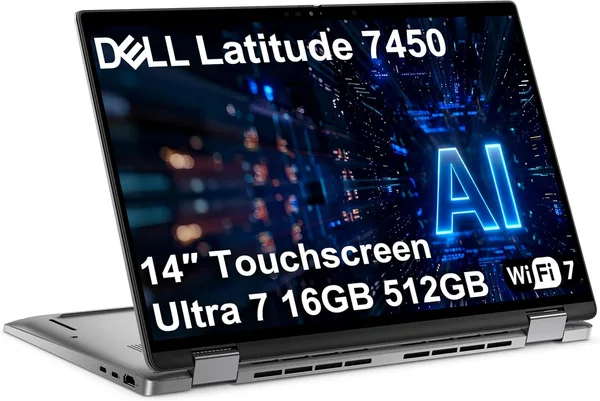
The main competitor for a laptop like this isn't another new laptop — it's a used business-class machine. And that's where things get interesting: the same catalog has, for example, a Dell Latitude 7450 with an Intel Ultra 7, 16GB of RAM, and a touchscreen. That's a completely different weight class, both in performance and in price. If your budget stretches a little further, the difference in day-to-day comfort will be obvious from day one — especially if you regularly need several programs open at once.
There's also the opposite end of the spectrum — a previous-generation MacBook Air on the used market. Sure, it's older, but even a five-year-old Air with 8GB of RAM and an Intel chip will comfortably outrun a brand-new HP 14 in everyday tasks, simply because macOS manages resources more efficiently, and 8GB is a different world from 4GB. It's worth admitting honestly: a new budget Windows laptop loses to a well-chosen used Mac at roughly the same price.
So the HP 14 isn't "the best choice in its category" — it's more like "the cheapest way to get a new laptop out of the box, with none of the risks that come with used hardware." For some buyers, that's the argument that outweighs everything else: a warranty, a fresh battery, no scratches or history left behind by a stranger.
Who should steer clear
Gamers — obviously not, that's not even up for debate. People who work with big spreadsheets, or do any kind of editing or design work — also not; 4GB simply won't carry Photoshop or heavy pivot tables without a fight. But a first-year student writing essays in Google Docs, a retiree who needs online banking and video calls with the grandkids, or a backup laptop "to take to the cabin" without worrying if it gets dropped — that's exactly your audience.
One more thing worth flagging: the Copilot AI branding the manufacturer likes to tout in the name. Honestly — with 4GB of RAM, any local AI features are going to be more of a formality than a real tool. Don't let that be your main reason for buying; it's a marketing bullet point, not a reason to pick this specific model.
Price, and whether the import math still works
On Amazon, this HP 14 sits at a genuinely low price. Once you factor in duty, VAT, and forwarding to your country, the full landed total shows up right on the dede.sh product page — no surprises sprung on you at checkout. For comparison: a new laptop in this class through local retail in many countries often costs noticeably more for similar or worse specs, so the import markup here doesn't actually feel like a markup.
Bottom line: buy it or skip it
Buy it if your day-to-day is browser, documents, video, and nothing more demanding than that. Skip it if you're planning any real multitasking or heavy software — 4GB of RAM will become your daily nemesis. And honestly, if you can stretch the budget a bit further for an 8GB configuration instead of 4GB, I'd do it without a second thought — the difference in comfort is worth it.
FAQ
For one open document and a browser with a few tabs — yes. For juggling a presentation, a spreadsheet, and an open Zoom call at the same time — you'll hit slowdowns. That's a realistic limitation, not an exaggeration.
If you can live with used condition and a slightly older design, the MacBook Air delivers better performance thanks to how efficiently macOS runs. The HP 14 only wins on being new, in the box, with a warranty.
If your budget allows it — absolutely, yes. The difference between 16GB and 4GB shows up every single day, not once a month. The HP 14 makes sense specifically as the cheapest entry point, not as a "pay a little more, get a little better" compromise.
No. Video editing, heavy photo editing, anything involving large files — that's not what this laptop is for. Even basic Photoshop will feel noticeably sluggish on it.