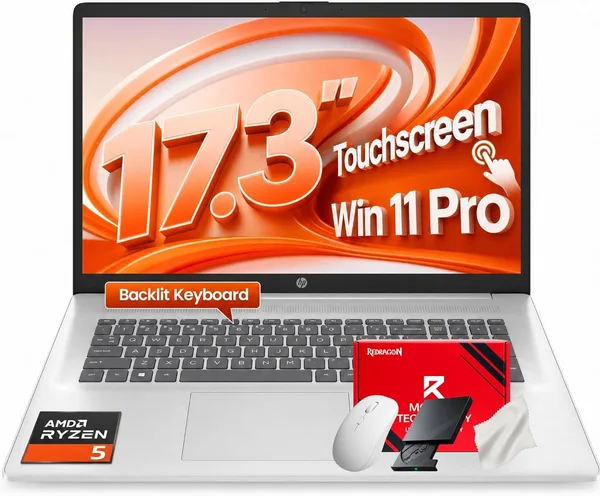
HP 17.3 FHD Business Laptop (2026) i5-1334U, 32GB RAM Review — Worth Buying?
A big 17.3-inch screen, 32GB of RAM, and a ten-core i5-1334U — this HP isn't chasing raw speed, it's chasing comfort for people who live in a pile of browser tabs, spreadsheets, and video calls all day long. There's no discrete GPU, so gamers and video editors should look elsewhere. But as a workhorse for home or office, it's surprisingly solid, especially given what you pay for it.
Picture the scenario: you need a laptop that won't choke with twenty Chrome tabs open, two 40,000-row spreadsheets, and a Teams call running at the same time. And you're not willing to pay for a gaming GPU you'll never actually use. That's exactly the niche the HP 17.3" FHD Business Laptop is aiming at — and, to be fair, it hits the target pretty well.
What this thing actually is
Let's start with the headline spec: 32GB of RAM. For a business laptop in this price bracket, that's unusually generous — most competitors in the segment ship with 16GB and try to convince you that's "plenty." Technically true, until you open a heavy model in Power BI alongside a dozen browser tabs, and suddenly 16GB feels cramped. With 32GB, that problem simply doesn't exist, which is why this HP is the kind of machine you can buy with a few years of headroom baked in, instead of upgrading every twelve months.
The processor is an Intel Core i5-1334U — ten cores, boosting up to 4.6GHz. It's not a benchmark-chasing chip, but it's quiet, efficient, and won't turn your lap into a hot plate during a normal workday. Intel's U-series has always been about balance rather than raw power, and you feel that immediately here: the fan is barely audible except under real load, and in everyday use the machine runs close to silent.
A full terabyte of SSD is another nice bonus. In 2026, shipping less than 512GB on a work laptop already feels like a strange place to cut corners, so having a full terabyte from day one buys you years of archives, project files, and installed software without constantly deleting things to make room.
Is 17.3 inches a feature or a compromise
This is where things get interesting. Most business laptops live in the 13-to-15.6-inch range, because people carry them around. This HP deliberately swims against that current: a big 17.3-inch FHD display is a choice for people who work mostly at a desk and value screen real estate more than a light bag. Having two documents open side by side, laying out a spreadsheet next to a presentation, reading code without constant scrolling — all of that is simply easier on a bigger screen.
But be honest with yourself: if you travel for work often or carry a laptop to a coffee shop every day, a 17-inch machine is not for you. It's bulky, and you'll feel its presence in your backpack immediately. Compared with something like the Lenovo Yoga 7i, which offers a compact 2-in-1 form factor with a touchscreen and a 360-degree hinge, this HP loses on portability but wins on desktop real estate — and usually on price for the same amount of memory.
How it holds up in real life
For an accountant who lives in spreadsheets and accounting software all day, this is close to ideal. For a manager juggling Slack, Gmail, a CRM, and a pile of spreadsheet tabs, it's ideal too — and that's exactly where the 32GB stops being a marketing number on the box and starts being something you actually feel. For a student who just needs a laptop for classes and YouTube, though, this is honestly overkill: paying extra for 32GB to write lecture notes in Word doesn't make much sense, and a more modest configuration would do the job just fine.
Where this laptop clearly loses is anything graphics-heavy. There's no discrete GPU, so video editing in Premiere, serious 3D rendering, or modern gaming are all off the table. The integrated Intel graphics handle YouTube and presentations fine, but try anything more demanding and you'll hit frustration fast. If you need power for creative work, you're better off looking at laptops with a dedicated GPU — and the price tag there will look noticeably different.
One more thing people tend to underestimate: batteries in 17-inch laptops traditionally get eaten alive by the bigger screen faster than in compact models. That's not a dealbreaker, just something to plan around — if you're hoping to work unplugged for a full day, this isn't the configuration that will get you there without a charger nearby by the evening.
Price, and what else to look at
For the full landed price to your country — item, forwarding, and import duty rolled into one number — check the listing on dede.sh. Given the amount of RAM and storage on board, this configuration is genuinely competitive: laptops with 32GB of RAM at this level rarely come without either a markup or a compromise down to 16GB. Across the laptop market broadly, this is one of the rare cases where "lots of memory for reasonable money" isn't a contradiction in terms.
Verdict
Worth buying if you want a home or office workstation with a big screen and years of memory headroom, and portability isn't a priority for you. Skip it if you need something compact for daily commuting, or if your work touches graphics or gaming in any serious way — in that case, look toward laptops with a discrete GPU instead. The main trade-offs are the missing GPU and battery life that's unremarkable for a 17-inch form factor. But if neither of those is a dealbreaker for you, this HP is one of those rare cases where the configuration actually matches the price, not the other way around.
FAQ
Yes, and then some. 32GB is the amount at which you basically forget "not enough memory" is a thing you used to worry about, for a few years at least. For typical office work — even with dozens of tabs and several heavy programs running at once — it's more than enough.
Technically it'll launch, realistically you shouldn't. There's no discrete GPU, so demanding games or editing in Premiere will chug. If that's your main use case, look for a model with a dedicated GPU.
Depends on your lifestyle. If you're often on the move, the Yoga is lighter and more convenient. If you work mostly at a desk and want a big screen with plenty of memory for reasonable money, this HP wins.
No, not if desktop real estate matters more to you than portability. But if the laptop is constantly traveling in a bag with you, you'll feel the trade-off in weight, not in your wallet.
Similar options worth comparing before you buy: