HP 2026 Lightweight Chromebook 15\" review: is a $200 laptop actually worth it
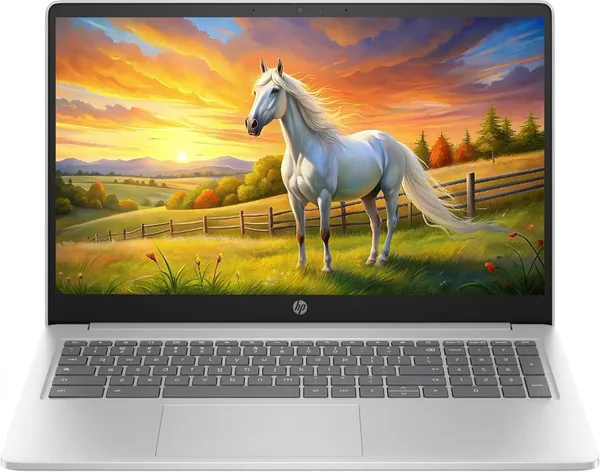
The HP 2026 Lightweight Chromebook 15" isn't built for heavy software — it's a fast internet tablet wearing a laptop's body: browser tabs, Google Docs, Zoom calls. For the price of a mid-range phone, it's one of the cheapest ways to get a real 15-inch screen and a keyboard that doesn't feel cramped. But 64 GB of storage and ChromeOS are trade-offs you need to understand before you buy, not after.
Picture the scenario: a kid starts school and needs something for Google Classroom, typing up essays, and watching YouTube between classes. Or a grandparent finally wants a "real computer" instead of that ancient Windows 7 machine that takes five minutes to boot. In both cases, the instinct is to reach for some version of a MacBook — and in both cases that's overkill, paying a huge premium for capabilities nobody's going to touch. That's exactly the gap a device like the HP 2026 Lightweight Chromebook fills — a big, comfortable "typewriter with a browser" for roughly the cost of a decent mid-range smartphone.
What this thing actually is
Inside is an Intel Quad-Core N-series chip that boosts up to 3.70 GHz, 8 GB of DDR5, and just 64 GB of SSD storage. That last number deserves a second look: sixty-four gigabytes. That's not a typo, and it's not "64 GB local, unlimited in the cloud" marketing spin — it's genuinely the entire local footprint. ChromeOS handles that gracefully, since the whole system is built around the cloud: Google Drive, web apps, minimal local installs. But if you're used to dumping terabytes of wedding photos straight onto your laptop's drive, forget it — this isn't that machine.
The 15-inch IPS panel at HD resolution (that's 1366×768, not Full HD — the "HD IPS Display" wording quietly glosses over that) is the model's real selling point. Most budget Chromebooks top out at 11-13 inches with a cramped keyboard that's miserable for typing anything long. This one has a full-size layout, a separate number pad on the right, and a screen big enough to actually watch a movie or run two windows side by side without squinting. The panel isn't the brightest or punchiest, and viewing angles are average — but for reading, streaming video, and working with text, it's more than enough.
What it's actually like to use
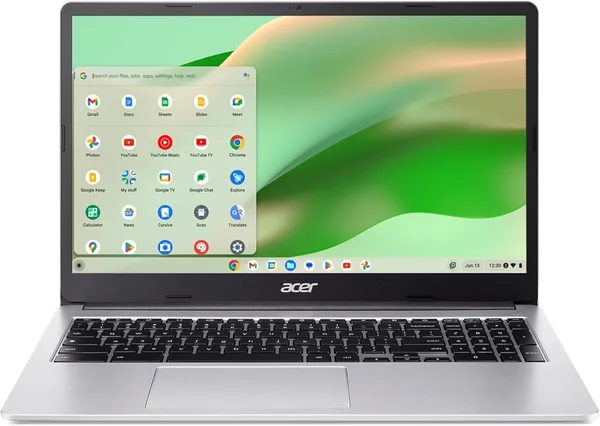
I'd compare the experience less to a Windows laptop in the same price bracket (where the processor visibly struggles with even ten Chrome tabs) and more to a good Android tablet with a keyboard attached. Except here you get a real file system, full desktop Chrome instead of mobile-site versions, and you can pop open eight tabs without any lag — the chip and 8 GB of RAM handle it without breaking a sweat. ChromeOS updates itself, antivirus software is basically unnecessary, and cold boot takes ten to fifteen seconds. Compare that to a budget Windows laptop at the same price — something like the Acer Chromebook 315, or a generic "office" laptop with 4-8 GB of RAM running Windows 11 — which boots slower out of the box and turns into a waiting game after a couple of system updates.
But here's where ChromeOS stops being convenient and starts being a wall: offline video editing, most demanding games, specialized industry software (accounting tools, CAD, some banking apps) — all of that is either unavailable or limited to a stripped-down web version. If your work involves Excel with macros or Photoshop, this laptop isn't for you, and no workaround changes that.
The keyboard is genuinely pleasant for a budget machine — good key travel, no cramped layout. The trackpad does its job without fancy five-finger gestures, which is fine because you won't miss them. Speakers are typically weak and the sound is flat — fine for video with headphones, not for filling a room with music.
Who should buy it, and who shouldn't
Buy it if: you need a second or third laptop for the household, something for a kid's schoolwork, a simple device for parents to make video calls and read the news, or a light machine for yourself that you won't mourn if it gets scratched or dropped. It's cheap enough that treating it like a coffee-table gadget, rather than a precious investment, is a genuinely relaxing way to own a laptop — see the full landed price to your country, item plus shipping plus import duty in one number, on dede.sh.
Don't buy it if: you need this as your primary work machine, you edit video, you play anything heavier than browser games, or reliable offline access matters to you. Also think twice if you plan to store a lot of files locally — 64 GB disappears faster than you'd expect, especially once you start adding Android apps through the Play Store (yes, ChromeOS supports that, and it's a nice bonus).
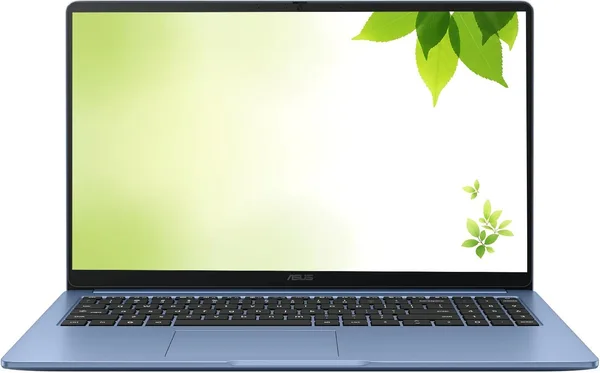
Honestly, for the money, this thing delivers exactly what it promises. It's not a "wow" machine — it's a steady, predictable tool with no surprises, which is precisely what you want from a Chromebook. And worth noting: if you're weighing more traditional "office" alternatives, the ASUS 2026 15" FHD IPS Chromebook sits in almost the same niche, so it's worth comparing the specific listings before you commit rather than going by brand alone.
Looking for something with more muscle? Check out the laptop catalog on dede.sh — it covers everything from gaming rigs to business classics with far more storage.
FAQ
For browsing, docs, and streaming — plenty. But if you're planning to install a lot of Android apps or store photos and video locally, grab a USB drive or microSD card from day one. The built-in storage is tight, and that's not a fluke — it's baked into how ChromeOS is designed.
On a tight budget, ChromeOS usually wins: the system is lighter, and even a modest processor runs it smoothly, while the same hardware running Windows tends to slow to a crawl after a year of updates. Windows still makes sense if there's specific desktop software you genuinely can't live without.
Browser games and cloud gaming services — sure. Anything more demanding — no, the integrated graphics and 8 GB of RAM simply weren't built for it.
If that option exists at a reasonable premium, yes. 64 GB is the bare minimum for staying comfortable over a few years, and the price gap between 64 GB and 128 GB usually pays for itself in convenience within the first few months.