Lenovo Chromebook Duet 2025: Tablet Playing Laptop, or Laptop Playing Tablet?
Lenovo Chromebook Duet 2025 is a small, light, pleasant 2-in-1 on ChromeOS at power-bank prices. It won't replace a real work laptop, but as a second screen for reading, email, Zoom calls, and series in bed — handles better than half the tablets twice the price. Grab it if you honestly understand it's not Windows.
One thing I've always found funny about "2-in-1 tablet-laptop" category: marketing shows someone juggling presentation, video edit, and business email simultaneously. Really 90% of people buy these to watch YouTube on their lap and not haul heavy gaming laptop through the house. Chromebook Duet knows this and doesn't pretend otherwise.
What This Actually Is
Formally Lenovo Chromebook Duet 2025 is 10.95-inch tablet with WUXGA IPS screen and stylus input, comes with keyboard-case with touchpad. So literally two devices: hold like tablet when you want, snap keyboard on and work nearly like laptop. Difference from first-gen Duet years back is noticeable: screen sharper, ChromeOS snappier and less "beta," chassis feels less like cardboard.
Key thing: ChromeOS isn't Windows in miniature. It's basically supercharged Chrome browser with Android-app support. Google Docs, email, YouTube, Netflix, most Android games, even light web Photoshop — smooth. But corporate VPN client, specialized accounting software for Windows, real Photoshop with plugins — nope, not happening.
Where It Really Shines
Duet reveals best not at desk but everywhere else. Morning coffee with news and email — keyboard snapped on, comfortable as laptop. Transit or train — remove keyboard, hold tablet, read book or watch series. Kid for online Zoom lessons and Google Classroom — perfect control without letting them access "too much," ChromeOS naturally limits what they can install.
Touchpad surprisingly good for budget gear — not trash plastic you'd fear from cheap keyboard-case. Keyboard is stiff, long texting session probably not ideal, but notes and quick emails fine. Battery is the real MVP: ChromeOS so efficient that actual 15+ hours on single charge possible. Windows tablets at same specs sip power dry by lunch.
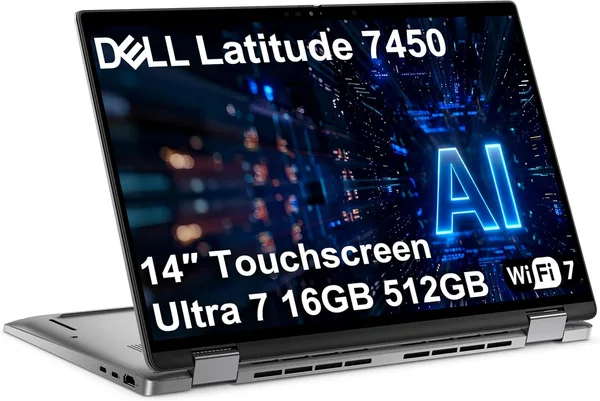
Main competitor in soul: Apple iPad with keyboard. Except iPad costs multiples more and ecosystem without Mac feels crippled. Compare to classic budget Windows 2-in-1 format like Dell Latitude 7450 — it gives full OS and more serious performance, but costs substantially more, weighs more, and 15+ hours battery life is fantasy there.
Where Compromises Bite
10.95 inches small for two windows side-by-side. Technically possible, looks cramped. RAM also not generous — if you open loads of tabs, lots of heavy apps, system starts reloading pages. Not disaster but noticeable.
Second: still not tool for creative work. You can draw, can edit light video through Android apps, but professionals hit wall quick.
Price near $330 makes this cheaper than iPad, and even with shipping to your country, stays in "nontrivial purchase" tier not "monthly budget" tier.
Who Should Grab, Who Shouldn't
Buy if: looking for second device for couch/travel/reading; student needing something for lectures and notes; anyone wanting light machine that "just works" and stays charged forever. School kids for remote classes too — ChromeOS keeps them honest, can't install distraction software.
Don't if: you need main work machine, do video editing, or "new in plastic wrap" principle matters psychologically — Renewed unit here looks lived-in. Also don't if planning one-device-for-everything — this is second device role.
Real compromise honest: pay modest money, get modest limitations freedom-wise. For specific "light accompany device" role, that's great deal.
FAQ
Absolutely one of best scenarios. Google Classroom, Zoom, documents — cruises smooth. ChromeOS prevents kid accidentally installing junk or damage system.
Full desktop Photoshop no, just web version limited. Office also web or Android-trimmed apps, not desktop versions. If you need real Photoshop, Chrome approach is wrong path.
Windows-laptop more flexible, compatible with office software. Duet wins on lightness, battery, simplicity. If workload matters — Windows-laptop, if portability and "just works" — Duet.
From previous-gen Duet users: yes, fabric wears slow, magnetic mount holds reliably. Don't drag tablet by case, properly hold device.