Windows 11 Pro Laptop (2026) Review: Is It Worth Buying?
For $299.99 you get 16GB of RAM and a 256GB SSD — numbers that on paper outgun laptops twice the price. But the processor is suspiciously absent from the listing, and the "brand" is really just an Amazon storefront name, not a manufacturer. Buy it only as a second laptop for browsing and typing, and only if you go in with your eyes open.
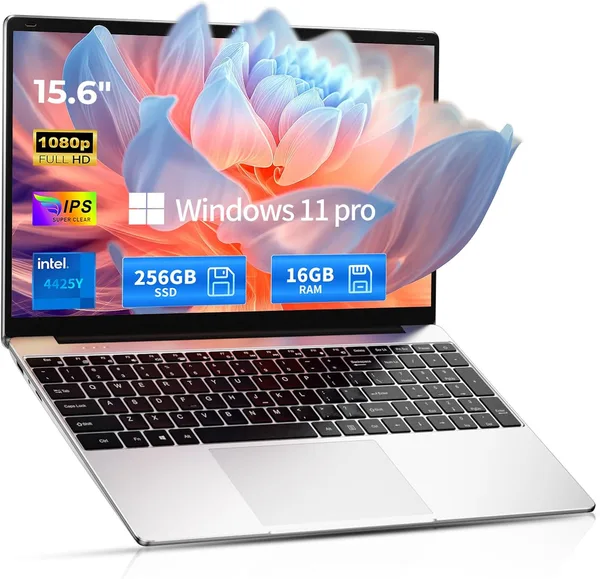
You know the type of Amazon listing where the product title reads like an entire ad brochure, yet somehow leaves out the one spec that actually matters — the processor model? Meet exhibit A. The full name runs on forever: "2026 Windows 11 Pro Traditional Laptop Computer, 16GB RAM 256GB SSD for Business Office Student School College, 15.6" FHD IPS." The seller, meanwhile, is listed as simply "Visit the SAGAWHALE Store" — no brand, no reputation, no warranty line you could actually call if something goes wrong. This is a textbook example of an entire category of anonymous laptops churned out under a hundred near-identical names by Chinese ODM factories and sold under whatever storefront happens to be active this month.
Honestly, the first thing that jumps out in the spec sheet is 16GB of RAM and a 256GB SSD for under three hundred bucks. Budget laptops from known brands in this price bracket often ship with 8GB and a sluggish eMMC drive, so this looks like a gift from the gods. Which is exactly the moment to stop and ask why.
The answer is simple: RAM and storage are the cheapest components in a laptop, and the easiest ones to pad a listing title with. The processor — the most expensive part, and the one that actually determines how fast the thing feels — is conspicuously missing here. That almost always means one of two things: either a very weak Intel Celeron N-series chip, or some no-name ARM/Atom part built for Chrome OS or a lightweight Windows mode, not the full "business office" workload the title promises. The 15.6" FHD IPS panel is a non-issue, though — that's the standard for this segment, and the picture should be perfectly decent for text and video.
What actually using it feels like
Picture a student who needs a second laptop for lectures and essays, or a grandparent whose grandkid wants to get her "something that can handle Zoom." For those use cases, 16GB of RAM is genuinely comfortable — the system won't choke on a dozen open Chrome tabs, and the 256GB SSD means Windows and apps launch fast. But the moment things get heavier — video editing, large Excel files loaded with macros, compiling code — a weak, unnamed processor will show its limits immediately, and no amount of RAM will paper over that.
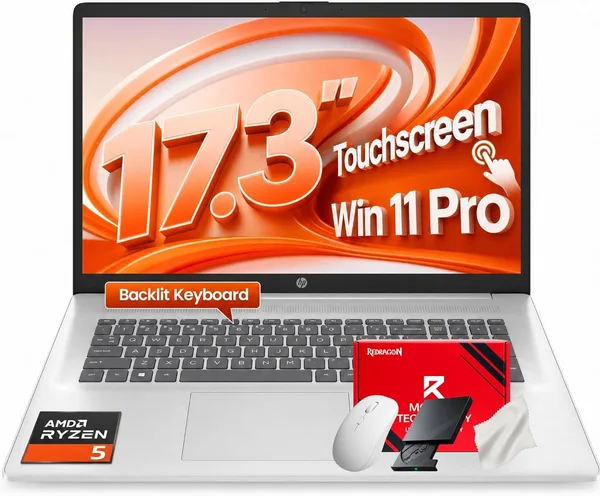
Compare it with the Acer Aspire 3 A315-24P — also budget territory, but built around a clearly labeled AMD Ryzen 3 7320U, a real brand, and an actual service network. Yes, it ships with less RAM out of the box, but you know exactly what you're buying, and there's someone to hold accountable for the warranty. If your budget stretches further, something like the HP 17.3" Business Laptop with an Intel i5 and 32GB of RAM is a whole different league for actual work, at a correspondingly different price.
Another thing that keeps coming up in reviews of these "traditional laptop" listings: build quality and keyboard feel. Cheap plastic chassis, keys with short and mediocre travel, speakers that only sound decent in a quiet room. None of that is a dealbreaker if the laptop's job is typing and video streaming, but for long days of real work at the keyboard, it's a noticeable downgrade. Windows 11 Pro on board is a plus if you need domain login or BitLocker encryption, though most home users will never notice the difference between Pro and Home.
One more thing that rarely gets mentioned: sellers behind listings like this come and go — storefront names vanish and reappear under a new one a few months later. Counting on a long support history or an easy warranty claim is wishful thinking. Buying a laptop like this means buying the hardware as-is, and your own caution is the only warranty that really applies.
Who should buy it, and who shouldn't
If you need a cheap second laptop for typing, watching video, casual browsing, and document work, this laptop earns its keep, especially thanks to 16GB of RAM that should hold up for years without needing an upgrade. But if you're counting on it for genuine multitasking-heavy office work, editing, or development, spend a couple hundred dollars more and get a laptop with a named, known processor — even if it technically has less RAM. The core trade-off here is simple but fundamental: an unnamed CPU from an unnamed brand means you're gambling on performance and longevity in exchange for flashy RAM and SSD numbers in the title. The second trade-off is shipping and import costs to your country, which can add a meaningful chunk on top of that $299.99 — check the full landed price on dede.sh before you decide, because the sticker price rarely tells the whole story.
FAQ
If you plan to use it for years and push it hard, yes. An unnamed processor is a gamble, while a brand like Acer or HP at least gives you predictable performance and actual service support.
Yes, those numbers are genuinely strong for the money. But remember: RAM and storage can't rescue a weak processor, and the CPU model is deliberately left out of the listing.
For lectures, notes, browsing, and Zoom calls, it'll handle things comfortably. For CAD software, heavy engineering tools, or video editing, definitely not — the processor just won't keep up.
For home use, you'll barely notice the difference from Home. Pro mainly matters if you need to join a corporate domain or use BitLocker encryption.