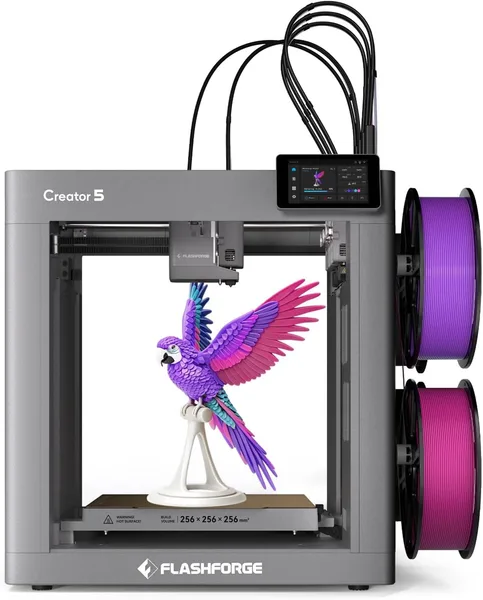
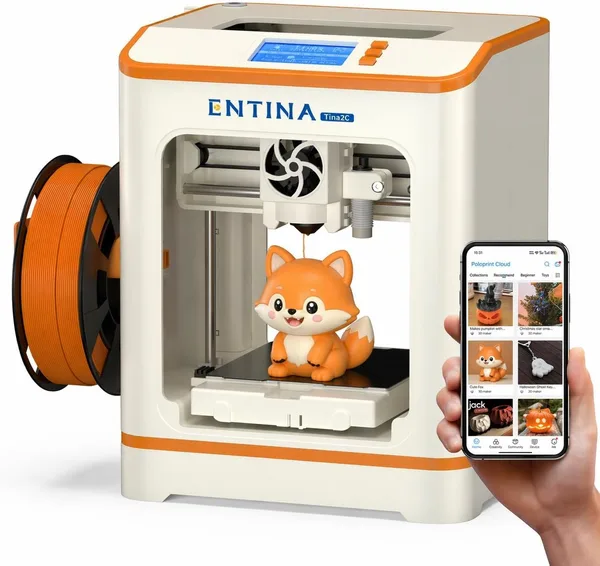
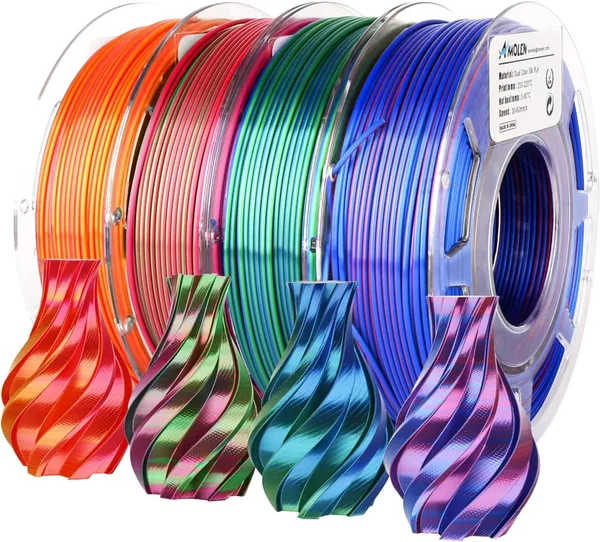
FlashForge Creator 5 4-Toolhead 3D Printer Review: Is It Worth It?
The FlashForge Creator 5 is the first genuinely affordable "toolhead changer" with four hotends that actually swaps the print head itself — no filament swapper, no mountain of purged plastic. If you print multicolor or multi-material parts regularly, it's one of the few machines that makes this painless. For plain single-color printing, it's an expensive, overbuilt tool.
Picture this: you've spent the last hour watching an AMS system or a filament swapper chew twenty centimeters of filament out of a spool just to change color on a part the size of a matchbox. The rainbow "spaghetti" in the waste bin keeps growing, and the actual part hasn't even started printing yet. If that sounds familiar, you already know why the phrase "toolhead changer" has been making the 3D printing crowd giddy for the past couple of years.
Instead of building yet another filament swapper, FlashForge did what industrial machines costing ten grand do: they mounted an entire depot of four ready-to-go hotends on the print head and physically swap between them mid-print. Want a part in four colors, or a rigid PETG piece with dissolvable support material right next to it? The printer simply parks one hotend in its dock and grabs another — already heated and ready. No nozzle purging, no meters of wasted filament between color changes.
How it actually works day to day
On paper it sounds like magic. In practice, it really is a different animal from anything Bambu Lab or Prusa multi-material add-on owners are used to. A toolhead swap takes seconds, not minutes, and — more importantly — it leaves almost no waste. For anyone printing tabletop miniatures in multiple colors, or prototyping a part that pairs a rigid section with a rubbery insert, this changes the math on a project entirely: what used to mean burning through filament and patience now becomes just another setting in the slicer.
It prints inside a heated, enclosed chamber, which for ABS and similarly warp-prone materials isn't a luxury — it's a requirement. Compared to open-frame machines in the Ender family, that's a real advantage the moment you want to go beyond PLA. And it's worth being upfront here: the toolhead-swapping mechanism alone isn't the only reason this machine costs more than a standard single-extruder printer. You're also paying for the enclosure, for a stiffer frame, and for electronics that keep four independent print units synced on the Z axis without drifting apart.
There's a flip side, too. Four hotends means four things that can clog, four nozzles that eventually need replacing, and a generally more complex system than a single extruder with a swapper. If your printer breaks at 2 a.m. before a deadline — and sooner or later it will, with any machine — repairing a four-head carousel is a lot more involved than poking a clogged nozzle with a needle. Slicer setup for multi-toolhead printing also isn't quite the "press print and forget it" experience Bambu-style closed ecosystems have trained people to expect. FlashForge's own slicer works fine, but there's a learning curve, especially if you're coming from something simpler.
Who actually needs this
Let's be honest: if you mostly print single-color functional parts — brackets, organizers, that sort of thing — skip the FlashForge Creator 5. That's buying a delivery truck to pick up bread. This printer runs around $656 for the base offer alone, and that's before you check the full landed price — item plus forwarding plus your country's import duty — on dede.sh. That money is better spent on a solid single-extruder printer plus a healthy stash of good filament.
But if you're making cosplay props, architectural models with multiple material colors, teaching students about materials, or selling multicolor miniatures on Etsy, that's a different conversation. Every hour you save on manual color changes or cleaning out a swapper turns into either money or sleep. Compared to running two separate printers and shuttling a part between them to finish it in a second color — and yes, people genuinely do that — the Creator 5 is a far cleaner solution, even if it's not the cheapest one.
The real trade-off here isn't the price tag, it's habits: this machine demands a break-in period. Your first few prints will involve fiddling with the slicer, calibrating, and figuring out why one of the four hotends is printing slightly higher or lower than the others. If you're expecting plug-and-play like a $300 box printer, you'll be disappointed. If you're willing to invest the time, you get a tool that, frankly, almost nobody else offers at this price point.
FAQ
Technically you could get by with fewer heads, but in practice the fourth slot often goes to a dissolvable support material like PVA rather than an extra color. If two colors really is your ceiling, check whether a cheaper printer with a filament swapper makes more sense — the markup is smaller, even though you'll burn through more filament.
A swapper is cheaper upfront but eats filament and time on every color change, especially on small parts. A toolhead changer costs more but is faster and produces almost no waste. If you only print multicolor occasionally, a swapper is the more sensible buy. If you do it often, especially commercially, the Creator 5's premium pays for itself pretty quickly.
Yes — the heated, enclosed chamber is built exactly for that. It's not an open frame where ABS will warp and delaminate from stray drafts. Nylon will still need a separate filament dryer; the printer itself won't pull moisture out of the plastic for you.
Technically, yes — there's simply no way around it. More heads mean more points where something can clog or drift out of calibration. But if you already have 3D printing experience and aren't intimidated by calibration routines, it's manageable. Beginners who've never swapped a nozzle before should cut their teeth on a simpler machine first.
If you want more context before buying, check out the simpler options in the 3D printer catalog and the compatible materials in the same section, so you can compare what else the market actually offers in this niche.