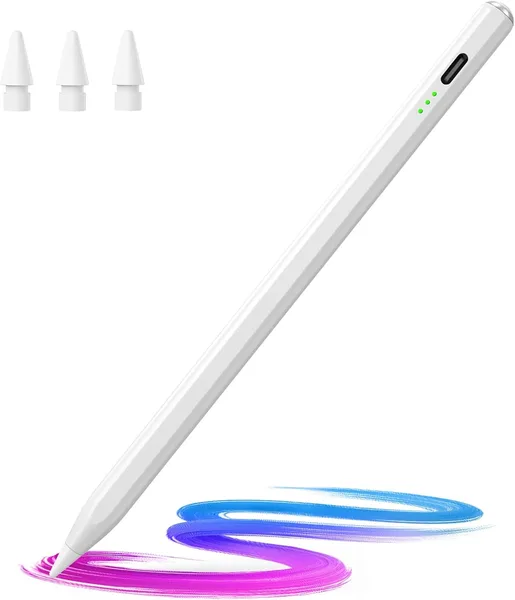
Hastraith Stylus Pen for iPad Review: Is the Apple Pencil Knockoff Worth It
Hastraith is a stylus priced like a movie ticket that's trying hard to pass for a second-generation Apple Pencil: it does tilt, it rejects your palm while you draw, and it charges fully in 13 minutes. For note-taking, signing documents, and casual sketching, it earns its keep honestly. For an artist who draws for a living, it doesn't — and you should know that before you buy.
Picture this: you bought an iPad for paperwork and lecture notes, then you saw the price of a genuine Apple Pencil — and it's practically half the cost of the tablet itself. Sound familiar? That's exactly where stylus brands like Hastraith step in — a company you've never heard of, promising the same tricks for pocket change.
I tested the Hastraith Stylus Pen for two weeks as my main tool for notes and quick sketches. Short version: it's not an Apple Pencil, and nobody's pretending otherwise. But it holds its own ground with confidence.
What it actually feels like in your hand
First impression: it's lighter and thinner than you'd expect. The body is plastic, not aluminum, so don't go looking for that "premium" feel. On the plus side, it doesn't roll off the desk as shamelessly as the round first-generation Apple Pencil does — there's a subtle flat edge that keeps it in place.
The headline feature is tilt sensitivity. Angle the pen and the line thickens, just like a pencil or charcoal. In Notability or GoodNotes, this works genuinely smoothly, with no noticeable lag. In Procreate, it's a rougher ride — the line occasionally "wobbles" on fast strokes, especially with broad gestures. If you're used to the original Pencil's fluidity, you'll notice the gap within the first five minutes.
Palm rejection is the feature people actually compromise for when they go cheap. It's here, and it works about 8 times out of 10. Every so often, when your palm rests at an odd angle, a stray dot or short line shows up where it shouldn't. Annoying when you're taking notes fast during a lecture, but not a dealbreaker — erasing one line takes a second.
The charging speed — the whole reason I started talking about this thing
13 minutes to a full charge is genuinely great. Forget to charge it overnight, and you can top it up in the time it takes to make coffee. Compare that to how much the first-generation Apple Pencil used to annoy me with its ridiculous Lightning connector sticking out of the iPad like a toothpick — here you just get a magnetic mount and a fast charge, no circus involved. Battery life, by my rough tracking, runs about 3-4 days with an hour or two of daily use.
How it stacks up against the real alternatives
People usually pick between three paths: the genuine Apple Pencil (expensive, but zero compromises), something like the Logitech Crayon (mid-range, no tilt in the base version), and a pile of no-name stylus knockoffs like this one. Hastraith honestly sits on the bottom rung — and that's exactly why it's so much easier on your wallet.
Compared with other budget options I've tested before, this one has more consistent palm rejection, and the magnetic mount holds the stylus to the side of the iPad more firmly — it doesn't fall off in your bag, which is rare enough among cheap alternatives.
Who it's for, and who should skip it
If you're a student taking lecture notes, a manager signing PDFs, or someone who doodles for fun while watching a show at night — buy it without hesitation. It fully covers those use cases, and the savings are real: for the exact landed cost to your country — item plus shipping plus any import duty — check the listing on dede.sh rather than guessing at a number here.
If you're a professional illustrator, or preparing work for paying clients where every microsecond of line latency and absolute stroke smoothness matters — don't torture yourself, save up for the real thing. The difference in pen response shows up precisely at that level of detail, and a budget stylus always loses there.
The second real compromise: compatibility support doesn't update instantly. Makers of stylus like this one often lag a few months behind Apple in supporting the newest iPad models. Before buying, check your exact tablet model against the compatibility list in the listing, rather than trusting the "2018-2026" label as a guarantee.
FAQ
If drawing is a hobby or just a note-taking tool, the extra cost isn't justified. If it's your livelihood — yes, pay up, the difference in line smoothness is real, not marketing hype.
The Crayon is more comfortable physically (flat edge, doesn't roll), but lacks tilt in its base versions. Hastraith gives you tilt for less money. If tilt matters for your sketches, go with Hastraith.
Yes, entirely. Mistakes are rare and don't slow you down when keeping pace with a lecturer. For fast handwritten notes, it's more than sufficient.
Check your exact model against the compatibility list before buying — the stated range is broad, but support for newer iPads often lags behind.
If you're weighing a few options in the same budget range, take a look at a laptop or storage drive to round out your full setup — details and prices in the laptops catalog and the peripherals section.