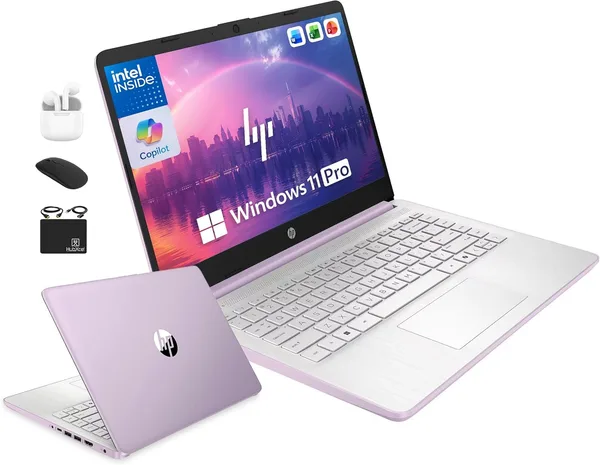
HP 14 with MS Office and Windows 11 Pro: is the license bundle worth it
The HP 14 with MS Office and Windows 11 Pro pre-installed isn't really selling you hardware — it's selling a "batteries included" package for people who don't want to buy software licenses separately. The laptop itself is a typical budget workhorse, nothing to write home about. Check the full landed price — item, forwarding, and import duty combined — on the product page before you decide. The idea makes sense for a freelancer or student who'd be paying for Office anyway. If you don't need the license, you're paying extra for nothing.
Here's what I keep seeing when someone shops for their first work laptop: everyone stares at the processor and the RAM, and almost nobody stops to add up what Windows and Office actually cost on their own. And that's not pocket change if you buy them legitimately instead of "borrowing an activator from a friend." That's exactly the nerve the HP 14 is hitting — the listing title leads with MS Office, Windows 11 Pro, even Copilot thrown in. It reads like an offer you'd be silly to pass up. Whether it actually is one is a separate question.
What you're really buying
Let's be honest about the hardware: it's not the hero of this story. A 14-inch screen, a compact chassis, entry-level performance — a textbook budget machine built for office work, not for anything demanding. The real selling point is the software bundle that comes with it. Windows 11 Pro instead of the usual Home edition is a genuine plus if you work over RDP or need corporate domain policies, since Home simply can't do that out of the box. And having MS Office pre-installed means you're not scrambling to find Word and Excel right after unboxing just to submit an assignment or send a client an invoice.
For a freelancer who just started taking on clients and counts every dollar, that removes one line item from the budget entirely. For a student whose school demands .docx files with formatting intact, it's a real plus too — free alternatives like LibreOffice sometimes mangle formatting on complex documents, and you end up redoing everything by hand at 2 a.m. before a deadline. A familiar feeling, I promise.
Now for the catch
Time to pump the brakes a little. First: the version of Office bundled in deals like this is often a one-year subscription or a limited edition, not a lifetime license for the full suite. Before buying, ask the seller exactly what's included — the gap between "Office 365 for 12 months" and "a permanent Office Home & Business license" is significant, both in dollars and in whether you'll be paying again next year.
Second — and this is the big one — if you already live in Google Docs, Sheets, and the browser-based ecosystem in general (and that's most people these days), this whole bonus is dead weight. You're paying for something you'll never touch, like a gym membership you use twice a year. In that case, skip the HP-with-Office angle and look at a plain budget laptop without the extras — put the money you save toward more RAM or a faster drive instead, since that will move the needle on real-world speed far more than a Word icon sitting on your desktop.
Against other budget options in the catalog, this HP doesn't win on raw performance — the Office bundle is essentially the entire pitch. Strip the software out of the equation and it's an average machine among average machines.
Who should buy it, and who should skip it
Buy it if: you just started freelancing and want a legal copy of Office without the activation headache, or your school insists on Microsoft file formats and won't accept alternatives. Also buy it if Windows 11 Pro's business features matter to you — remote desktop, BitLocker, group policies aren't toys, they're real tools for anyone connecting into an office network from home.
Skip it if: you already have an Office license from a previous machine (it's usually tied to your Microsoft account, not the hardware, and it carries over), you live in the Google ecosystem, or you're planning on heavier work — video editing, 3D, gaming. In those cases, look toward models with discrete graphics or more RAM instead — even if you end up buying Office separately, the overall value works out better.
One note on Copilot: the advertised AI support on budget hardware like this is more of a marketing bullet point than a tool you'll actually reach for day to day. Don't let it be the deciding factor.
What it actually costs
On the marketplace, the laptop runs around $299. What you'll actually pay lands well above the sticker — check dede.sh for the full landed price to your country, item plus forwarding plus import duty, all in one number, since it shifts with local rates and exchange. Compared to buying the hardware and an Office license separately in your own country, the math could go either way — it depends entirely on what a license actually costs where you live at the moment you're buying.
FAQ
You can uninstall it, but the price won't change — the seller has already baked the software cost into the total. If you're sure you don't need Office, look for a model without that bundle in the listing title — you'll get the same hardware cheaper.
Home covers most home users just fine. Pro earns its keep if you connect to a corporate network via RDP, encrypt your drive with BitLocker, or manage multiple accounts through group policies — office territory, not everyday use.
If you genuinely need Office and would otherwise buy it separately, the HP comes out ahead on value. If not, compare the raw hardware — competitors at the same price often pack more RAM or a faster drive, and you can always install a free Office alternative.
For documents, spreadsheets, email, and video calls — yes, no question. For design work, video editing, or heavy computation — no, the hardware is the bottleneck there, not the software.