Lenovo IdeaPad 5 2-in-1 (Ryzen 7 8845HS): Review and Should You Buy
The Lenovo IdeaPad 5 2-in-1 is a 16-inch transformer with a pretty capable Ryzen 7 8845HS that handles work tasks, Zoom marathons, and even light editing, but as a bedside reading tablet it's too heavy and awkward. You get it if you need one device "at the desk, on your lap, and occasionally as a tablet for signing docs"—and skip it if you're expecting lightweight iPad-level portability.
Picture this: you're on a Zoom call, then in ten minutes you need to sketch a quick diagram with a stylus straight on the screen, and by evening you want to flip the laptop into tent mode and watch a show from the kitchen while dinner cooks. That's exactly the use case 2-in-1 was designed for. The question is whether this specific Lenovo pulls it off without driving you crazy.
What This Beast Is
The Lenovo IdeaPad 5 2-in-1 isn't a compact Surface-style transformer, but a full 16-inch laptop on a 360-degree hinge. Important to understand upfront: there's no illusion you'll carry it around like a tablet all day in one hand. At under three kilograms (6.34 pounds by the maker's count), this is more "a laptop that folds into tablet mode sometimes" than the reverse. And honestly, that's the right philosophy for this class of hardware, because inside sits an AMD Ryzen 7 8845HS—a processor that actually wants cooling and space for a battery, not a thin chassis for thin's sake.
The display is 16 inches at WUXGA (slightly taller than standard Full HD at a 16:10 ratio), touch-enabled, with stylus support. For work with documents, spreadsheets, or long text, those extra vertical pixels feel immediate—less scrolling, more visible at once. It's one of those details you can't truly appreciate in a photo but feel every day in real use.
How It Works in Practice
The Ryzen 7 8845HS is an eight-core processor that handles office work, a browser with twenty tabs, light video editing, and even less demanding gaming without your fan ramping to maximum in a panic. 16GB LPDDR5X and a full terabyte SSD means you're not scrubbing the disk weekly for old installers. Compared to older IdeaPad generations on Ryzen 5000-series chips, the performance jump is noticeable not in synthetic benchmarks but in the boring truth: open Photoshop and you don't even finish pouring coffee before it's loaded.
Now, the transformer aspect—that's where expectations crash into physics. Holding a 16-inch metal slab in tablet mode with one hand for more than a few minutes isn't comfortable; your wrist gets tired. The real-world tablet scenario is different: prop the laptop on a table in "tent" or "display" mode so you can sign a PDF, dash out a sketch, or show something to a client across the desk—not toting it around the house like an iPad. If that's what you were imagining, it's a different weight class, and honestly, a separate tablet makes more sense.
The keyboard is reasonably quiet with good travel—the kind of detail Lenovo has pushed since the ThinkPad days, and it's trickled down even to the IdeaPad line. The trackpad is big enough for a 16-inch frame, plenty of room to move around.
Where the Compromises Sit
Be honest: this isn't the fastest laptop in its class for heavy work like video editing or 3D rendering. It's a business machine: a browser with twenty tabs, Excel, video calls, documents. If you need Premiere Pro or heavy CAD models, look toward gaming or mobile workstations—you'll hit the ceiling here and get frustrated.
The second thing: design. This isn't a laptop you'll want to brag about in a cafe. It's austere, almost boring to look at, like a business suit. Some people like that (me, for one); others want something more vibrant—then this isn't your pick.
The most obvious rival in the same family is the Lenovo Yoga 7i, also a 16-inch convertible, but built on Intel chips with a slightly different positioning—the Yoga traditionally runs thinner and leans premium, while the IdeaPad plays the "more hardware for less money" game. If a premium-feeling chassis matters more to you, look at the Yoga. If you want maximum Ryzen performance for a sensible price, the IdeaPad wins.
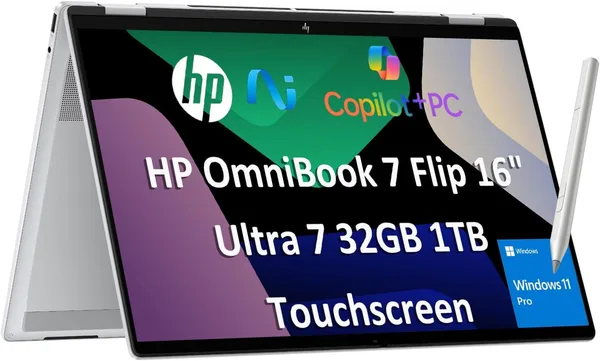
Another reference point is newer options like the HP OmniBook 7 Flip with the latest-generation Intel Core Ultra chips: it offers a higher level of "AI features" and power efficiency, but the price bites noticeably harder too. The IdeaPad is the pick for anyone who cares more about performance here and now than about having the newest chipset just for bragging rights.
The Lenovo IdeaPad 5 2-in-1 sells internationally at around $799 for this config (Ryzen 7, 16GB, 1TB, touch 16")—for a 2-in-1 with this much RAM and storage, that's honest pricing, especially when you consider how much SSD and RAM upgrades cost separately on thinner ultrabooks where upgrades are often impossible because everything is soldered.
Who Should Buy and Who Shouldn't
Get it if: you work from home or hybrid and want one big screen for work that sometimes flips into tablet mode for notes or signing documents; you value performance headroom over minimum weight; you're OK carrying a laptop in a backpack, not a purse.
Skip it if: you're looking for a light tablet-companion for reading and one-handed note-taking—physics isn't on your side here; or if maximum battery life while mobile is your top priority, because a big bright touchscreen 16-incher eats power hungrily, and getting a full road-trip day on one charge is tough.
The main compromise is one: this is a laptop pretending to be a tablet sometimes, not the reverse. Accept that, and complaints disappear.
FAQ
Honestly, no. Touch and stylus add cost, and if you're not drawing notes, signing documents, or browsing pages with your finger, a regular laptop without the 2-in-1 hinge will be cheaper and lighter. You buy the 2-in-1 format for a specific reason, not "just in case."
For maximum performance per dollar with Ryzen 7, the IdeaPad wins. If you want a thinner, more premium-feeling chassis, look at Yoga 7i—it has a different philosophy, closer to ultrabook territory.
For light Lightroom editing or cutting short video clips, yes, plenty. For heavy 4K with color grading and multilayer projects, you'll wish for more, and that's where looking at 32GB configs makes sense.
Situationally, yes—prop it on the table in tent mode to watch a movie or show something to a colleague. Holding it like an iPad for long stretches—uncomfortable; it's a 16-inch metal chassis, not a light tablet.