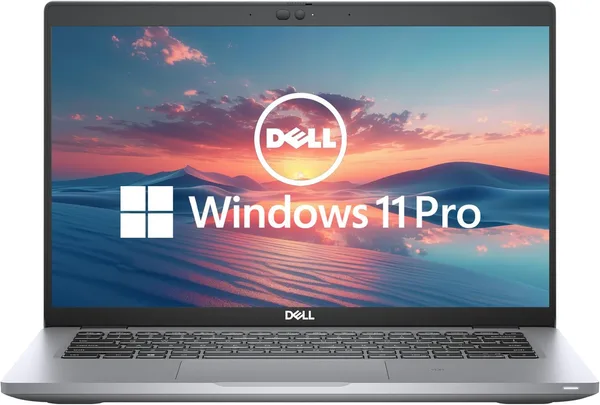
Dell Latitude 5420 review: is a used $270 business laptop worth it?
The Latitude 5420 isn't an Instagram laptop, it's a workhorse for anyone who wants proper business-class hardware at a third of the new price. The i5-1145G7 and 16GB of RAM handle office work, a browser with fifty tabs, and light Photoshop without complaint. Buy it if you need a dependable work machine for sensible money, not for gaming-benchmark bragging rights.
A familiar scene: after the third "this laptop can't handle Zoom and Excel at the same time," a parent goes looking for something new, sees MacBook or gaming-Asus price tags, and closes the tab in a panic. What they actually need is exactly a laptop like the Latitude 5420 — unremarkable, gray as a financial statement, but built to work, not to look good sitting in a café.
Dell Latitude is the line companies buy by the thousands for office employees, which is exactly why the used market is packed with it. This laptop went through corporate leasing, got careful maintenance (IT departments love that sort of thing), then hit the secondary market once the company refreshed its fleet. In other words, this isn't some random used laptop from an attic — it's a machine with a predictable history.
What's genuinely interesting here
The headline feature is the 11th-gen Intel Tiger Lake i5-1145G7 processor. It's not about gaming or video rendering — it's about stable everyday work: a browser loaded with tabs, Excel with heavy spreadsheets, video calls, light photo work. Paired with 16 gigabytes of RAM, that duo comfortably handles the kind of multitasking budget laptops at similar prices usually struggle with. Compared to something like an Acer Aspire 3 on cheaper chips — the most obvious rival in this price segment — the Latitude wins specifically on staying power under load, not on paper specs.
The 14-inch Full HD screen isn't about vivid colors for editing, it's about text clarity through eight hours of staring at documents. It's not for design work, and honestly, nobody's claiming it is. The keyboard on the Latitude deserves its own mention: Dell hasn't changed its "key travel is a bit deeper than the competition" formula in years, and it's immediately noticeable on this specific laptop, especially if you've been typing on a thin ultrabook with almost no key travel before this.
The Latitude 5420 is also built for a corporate environment: a TPM chip, Windows Hello support, a Kensington lock slot, and ports modern ultrabooks so often lack — full HDMI, USB-A with no adapters needed, sometimes even a SIM card slot on LTE versions. If you're a freelancer working with clients through a VPN or corporate systems, this is exactly the port lineup that will save you a pile of dongle-related headaches.
Where it disappoints
Battery life isn't a record-setter. It's not a MacBook that lasts a full day without a charge; realistic numbers here mean a workday with breaks, nothing more. If you plan to carry it around co-working spaces all day with no outlet in sight, keep the charger handy. The design doesn't inspire much excitement either: black plastic, a bit thicker than you'd want in 2026, and it looks exactly like a corporate laptop should — boring, but practical.
There's no discrete graphics card here, and there never will be. For video editing, heavy 3D, or gaming — don't even look this way, get a laptop with a separate GPU instead. This is a hard limitation across the whole Latitude line, and it won't go away no matter how much you try to convince yourself "maybe it'll manage."
Who should buy it, and who shouldn't
Buy it if: you're a student writing coursework and watching lectures; a remote-work freelancer with office-style tasks; an entrepreneur who needs a second work laptop without paying a brand premium. At around $270 you get a processor and memory footprint that would cost considerably more in the new segment — and that's exactly why this specific Dell Latitude 5420 looks like an honest deal rather than a compromise for compromise's sake.
Don't buy it if: you need a graphics card for gaming or editing, the thicker chassis and average screen bother you, or you're used to the premium feel of an aluminum body. In those cases, look toward ultrabooks or gaming laptops instead — that's a different league with its own price tag.
Honestly: I wouldn't recommend this laptop to someone buying their first computer ever and wanting "something universal." But for someone who knows exactly that they need a no-frills work tool, this is one of the smartest picks in its price segment on the secondary market.
FAQ
Yes, and that's exactly what this laptop was designed for. 16 gigabytes of RAM is enough headroom for a browser with dozens of tabs, Excel, Outlook, and Zoom running together without freezing. Problems only start if you open a heavy Photoshop project alongside everything else.
Being honest about it: the Aspire 3 wins on weight and fresher design, but the Latitude 5420 is stronger on stability under load and has a better keyboard and port selection. For document work and multitasking I'd take the Latitude; for simple browsing and studying, the Aspire 3 isn't a bad option either.
Depends on whether you keep large photo, video, or project archives locally. For regular office work and cloud services, the base amount is plenty, and adding an external SSD later is always cheaper than paying extra for a higher configuration upfront.
Light indie titles and old games — yes; demanding modern games — no, there's no discrete graphics card here. If gaming is a priority, look toward laptops with a separate GPU.
Similar options if you'd like to compare before buying: